Dashboard
Active and scheduled counts, everything that starts or ends in the next seven days, and the stores that have no promotion at all. Anything that will never reach a register is called out at the top.
ELERA Promotions Manager · Multi-store merchandising
ELERA Promotions Manager is a workspace for multi-store retailers who need to see, create, test, and publish promotions without living in Campaign Manager. A deal reads the way you would say it: “Buy 1, get 1 free — apples, weekends, NY Markets.”
Promotion sets, node assignments, and change plans stay behind the scenes. A basket test runs through ELERA’s own promotion engine and changes nothing in the store until you publish.
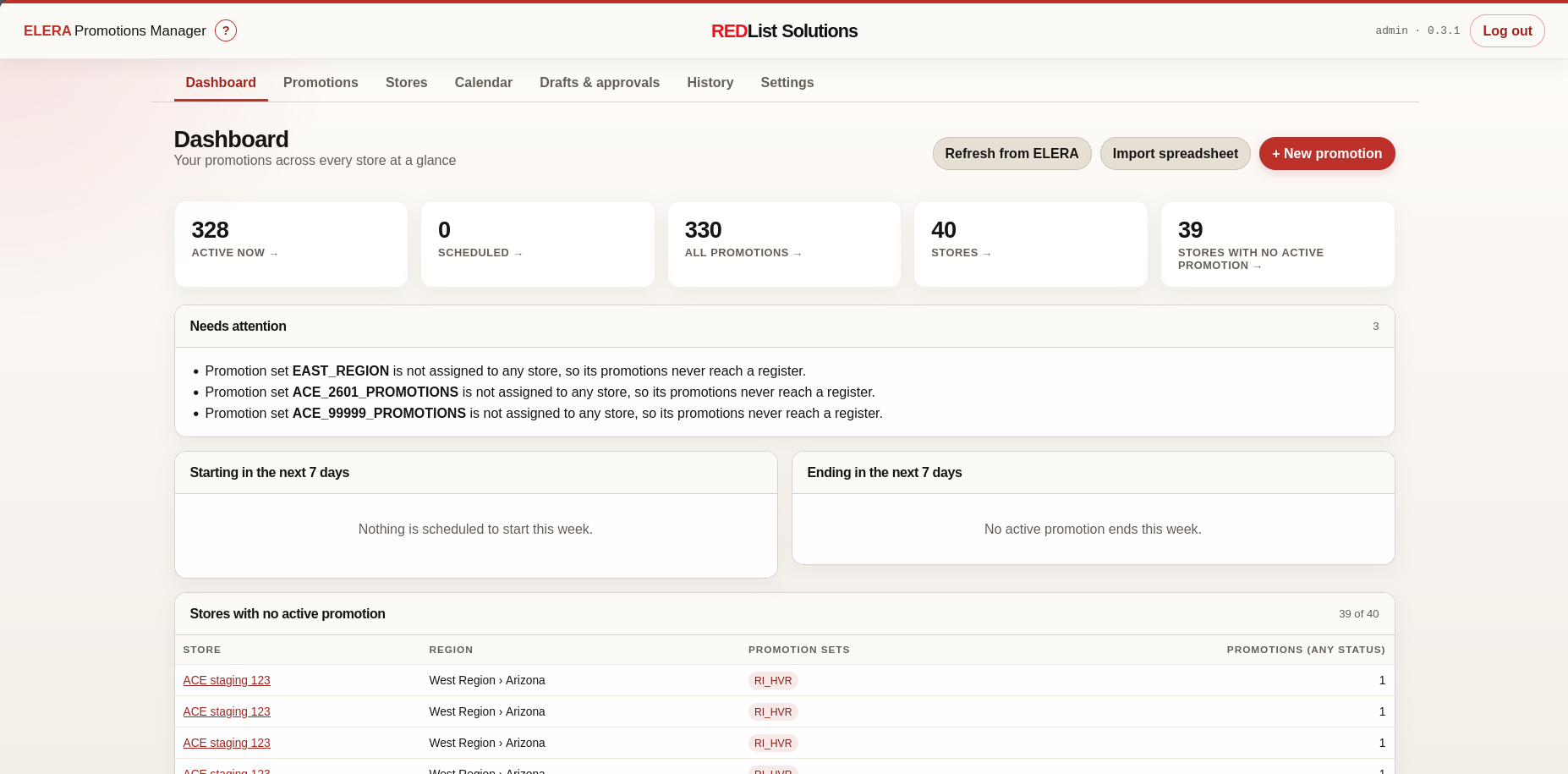
See what’s running
Promotions Manager reads the promotions already in ELERA and explains them in everyday language: what the customer gets, where it runs, and whether it is actually reaching a register.
Active and scheduled counts, everything that starts or ends in the next seven days, and the stores that have no promotion at all. Anything that will never reach a register is called out at the top.
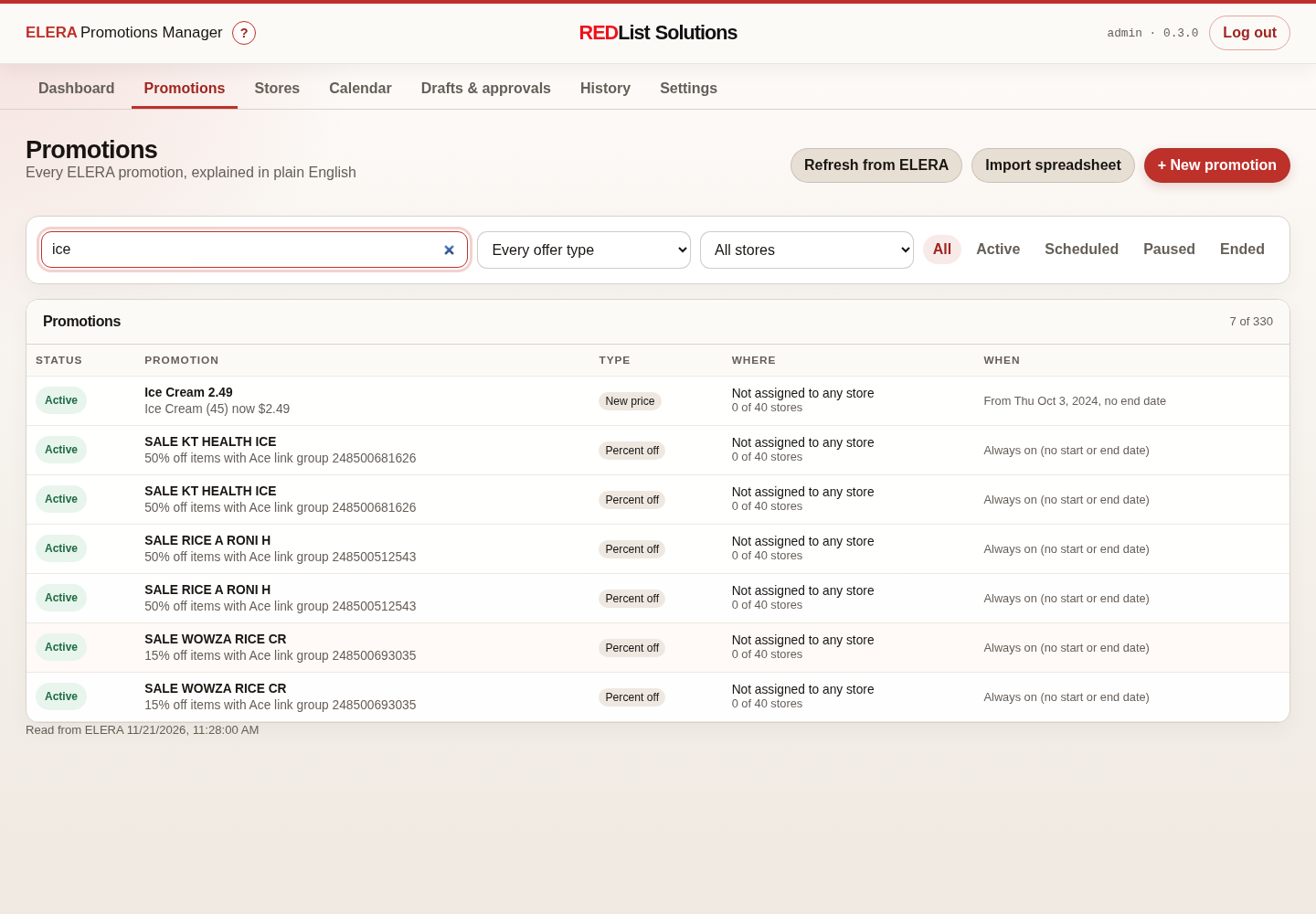
Every promotion with a plain-English headline, status, dates, and how many stores it covers. Filter by status, offer type, store, or region, and search by name or item.
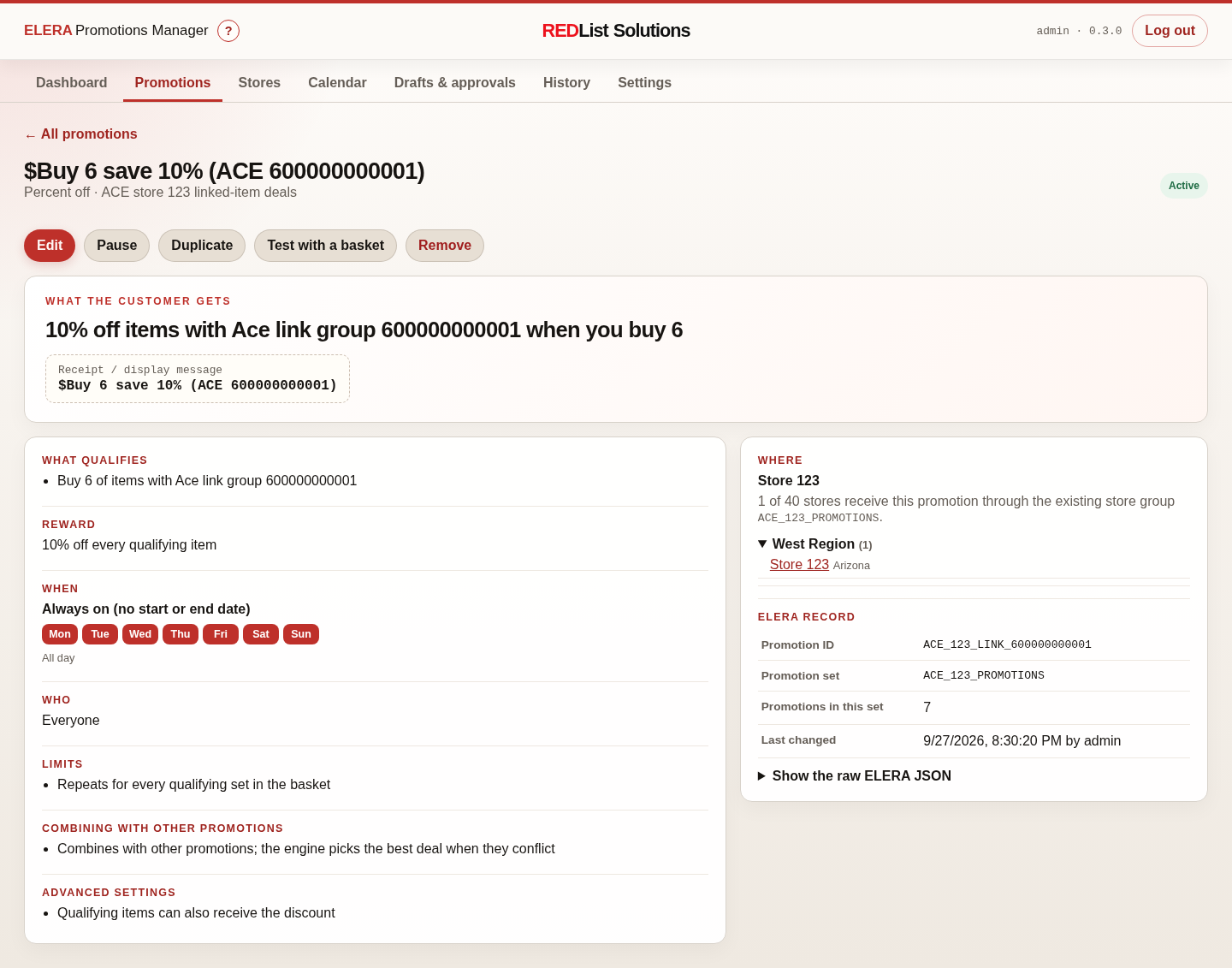
What qualifies, the reward, when it runs, who gets it, the limits, how it combines with other deals, and the exact stores. Edit, pause, duplicate, test, or remove it from the same page.
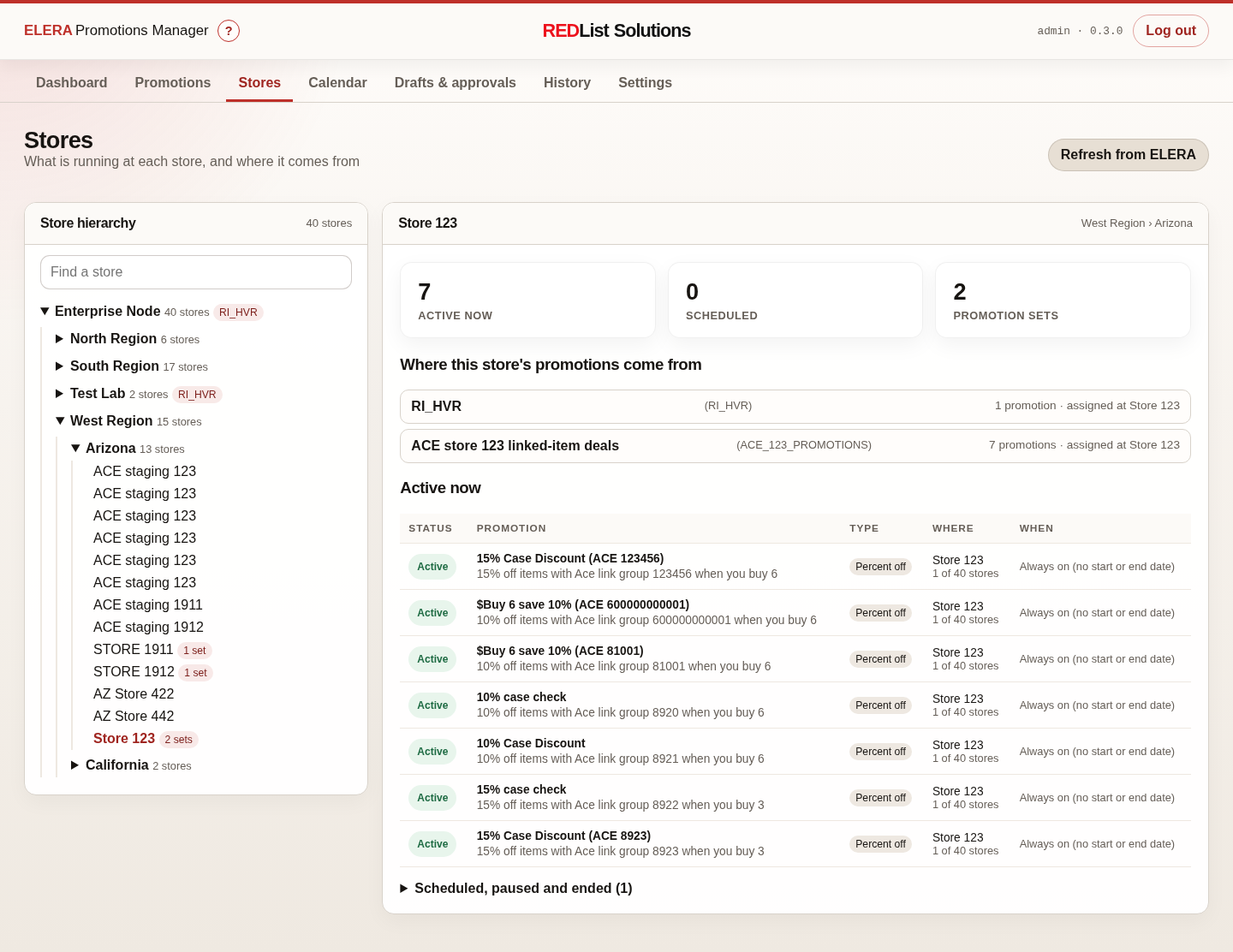
Pick a store and see everything it runs, and whether each promotion comes from that store or from a region above it. Choosing a region covers stores added to it later.
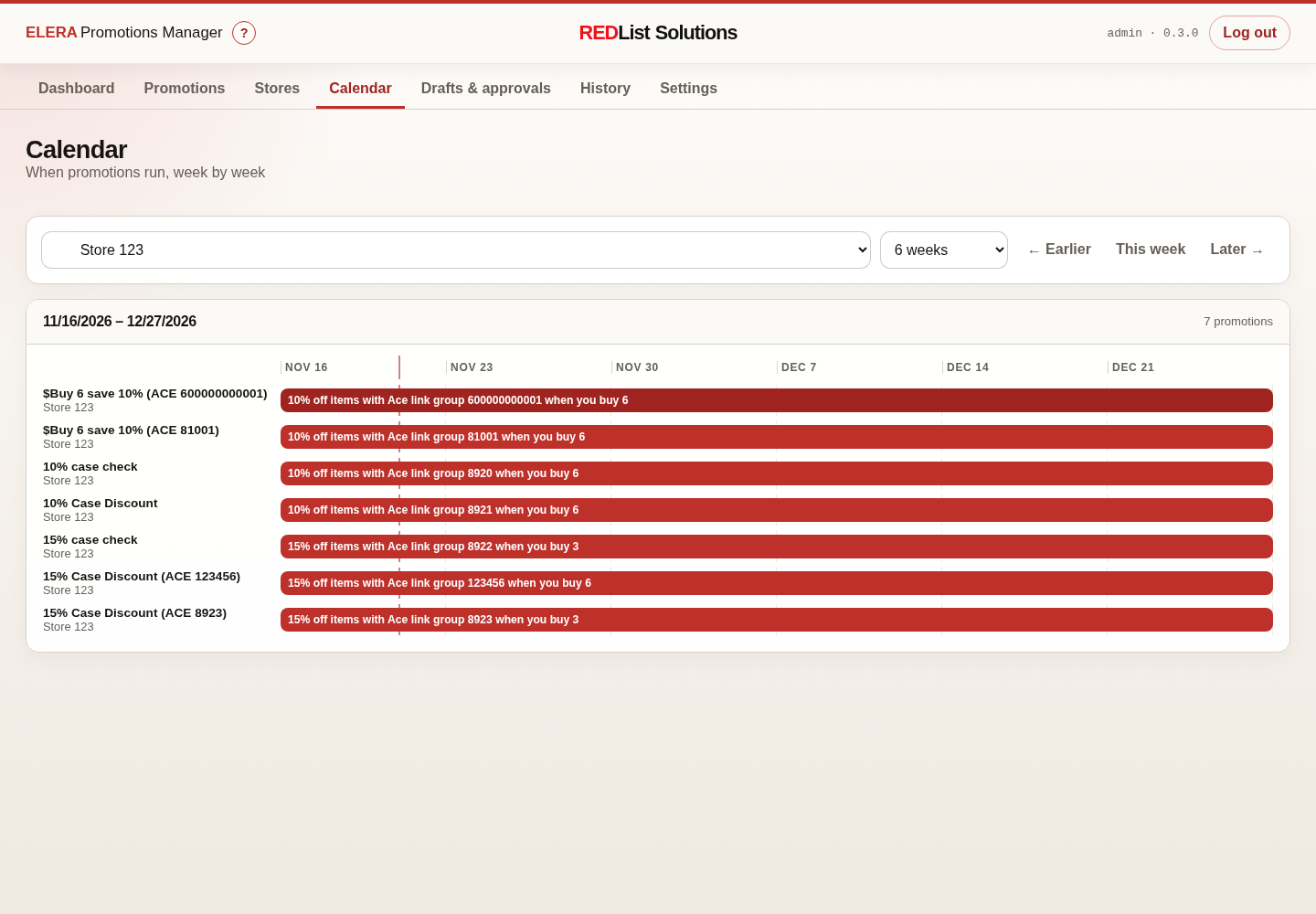
A week-by-week timeline for any store or region, so overlapping deals are visible before the ad breaks, not after.
People sign in with their ELERA user. Administrators can change promotions, approve work, and change settings. Promotions users can view and change. View-only users can look, and nothing more.
Select any screenshot for a closer look. Screens show test-lab data.
Create and change
New Promotion walks through the offer, the items, the schedule and the audience, the stores, then a review you can test before anything is published. The summary on the right stays in plain English the whole way.
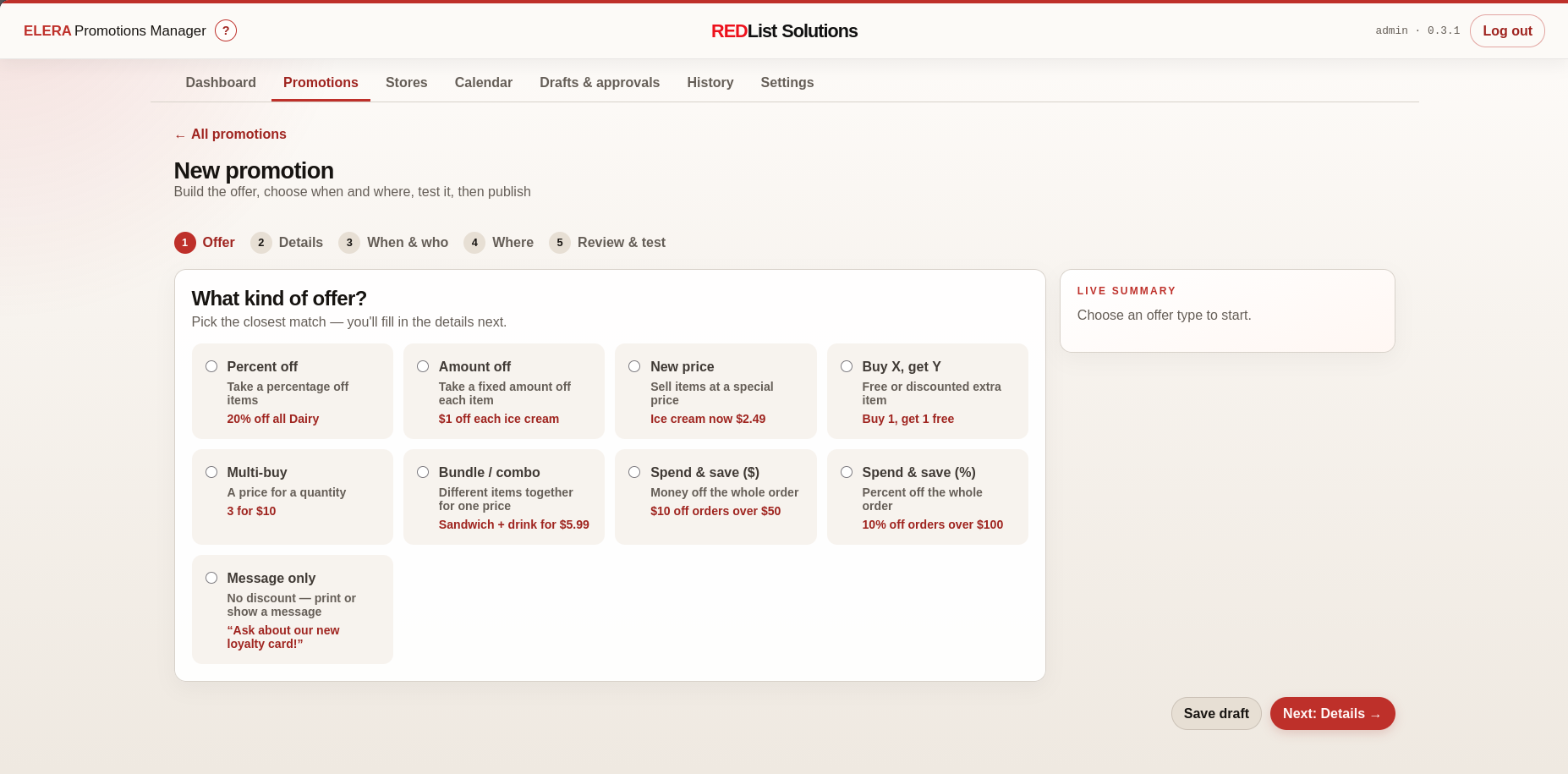
Pick the closest match. Percent off, amount off, a new price, buy X get Y, multi-buy, a bundle, dollars or percent off the whole order, or a message with no discount at all.
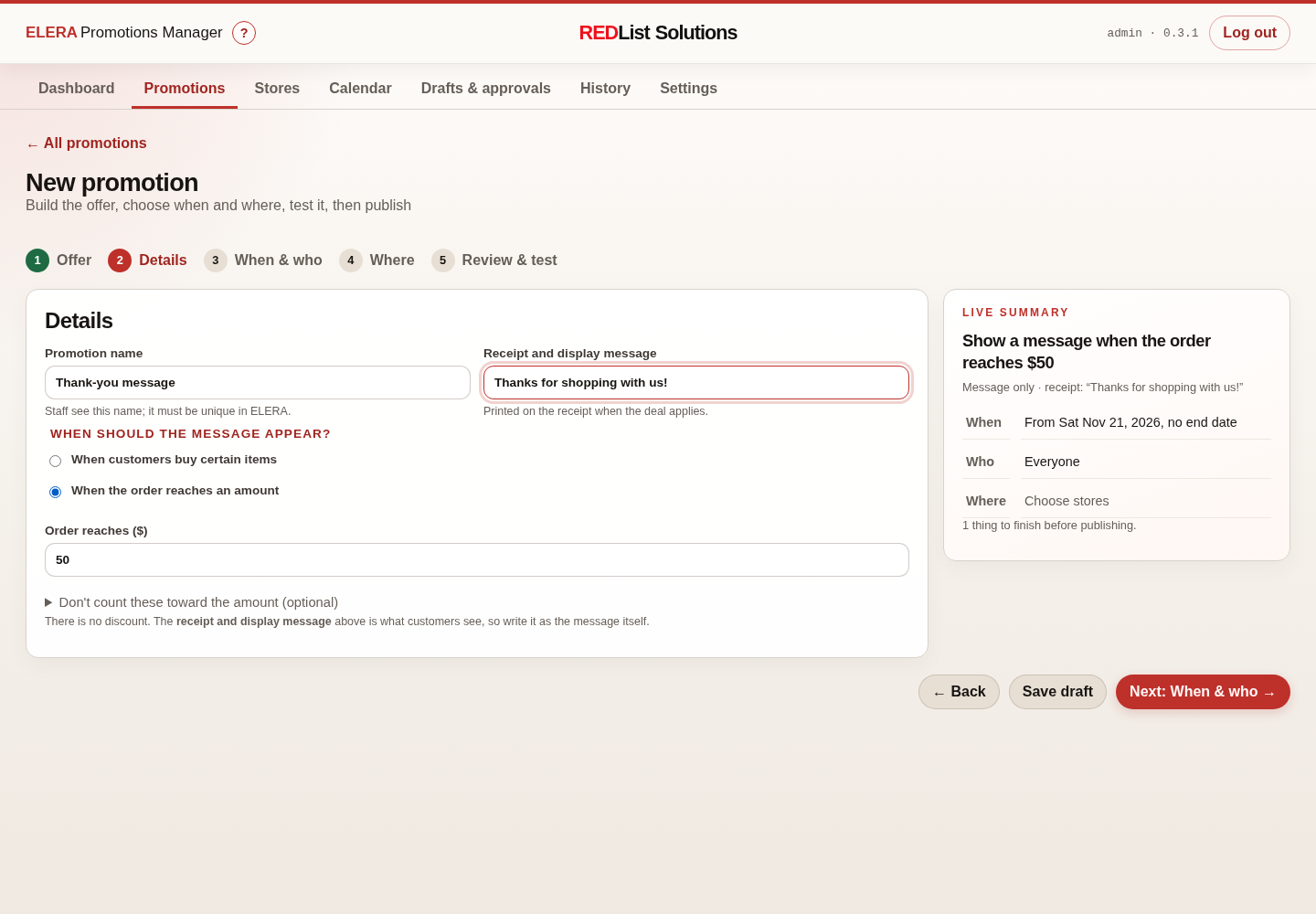
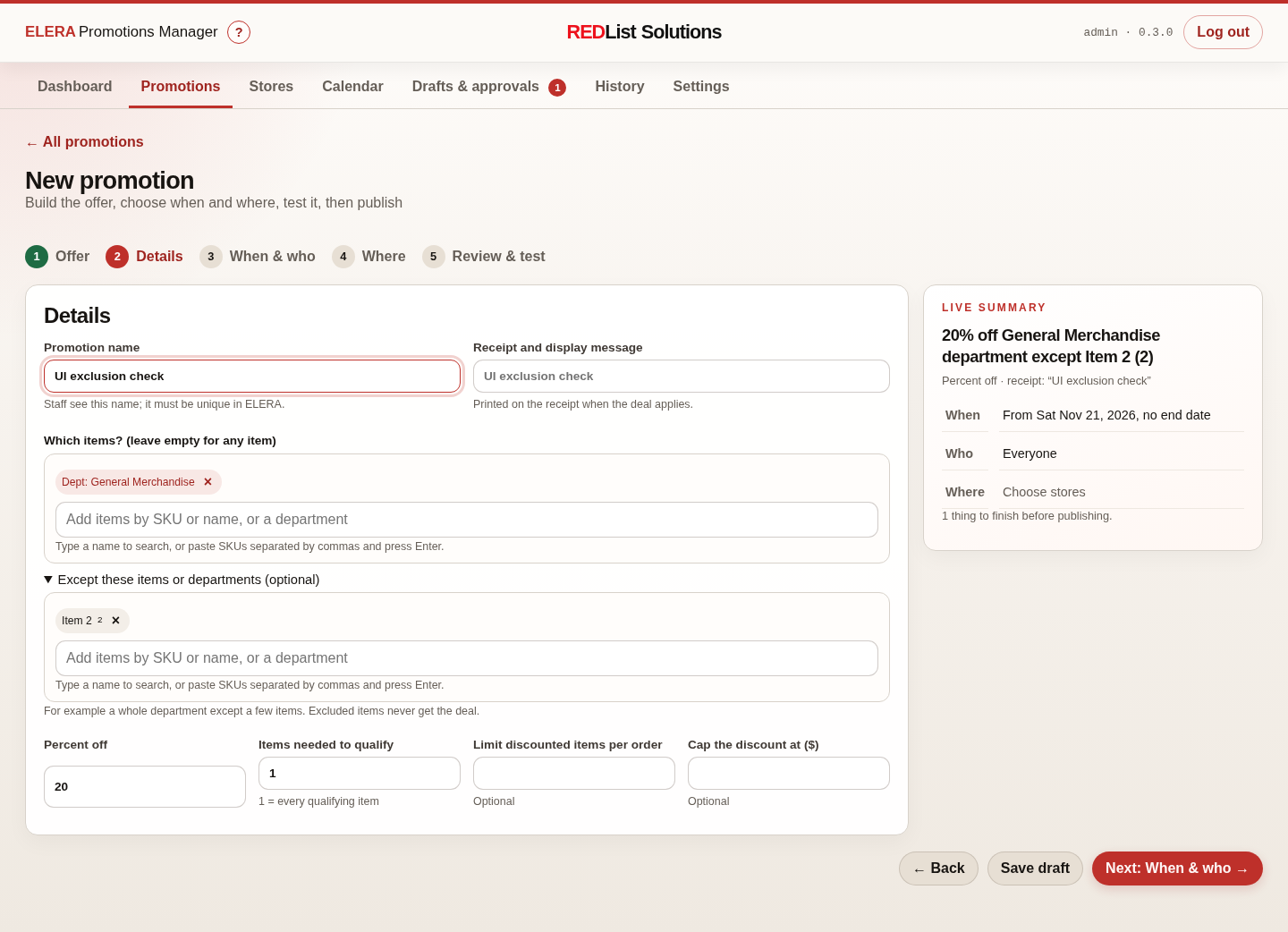
Name the promotion, write the receipt line, and choose items by SKU or name, or a whole department. Leave items out: 20% off dairy except milk. On a spend-and-save offer, excluded items do not count toward the minimum.
Start and end dates, days of the week, and a time of day. Everyone, loyalty members, or a customer segment. Dates and daily hours are each store’s own clock, so 4 to 7 pm is 4 to 7 pm in that store.
Pick stores and regions from the hierarchy you already have. The review step shows the store count and warns when another promotion already covers the same items.
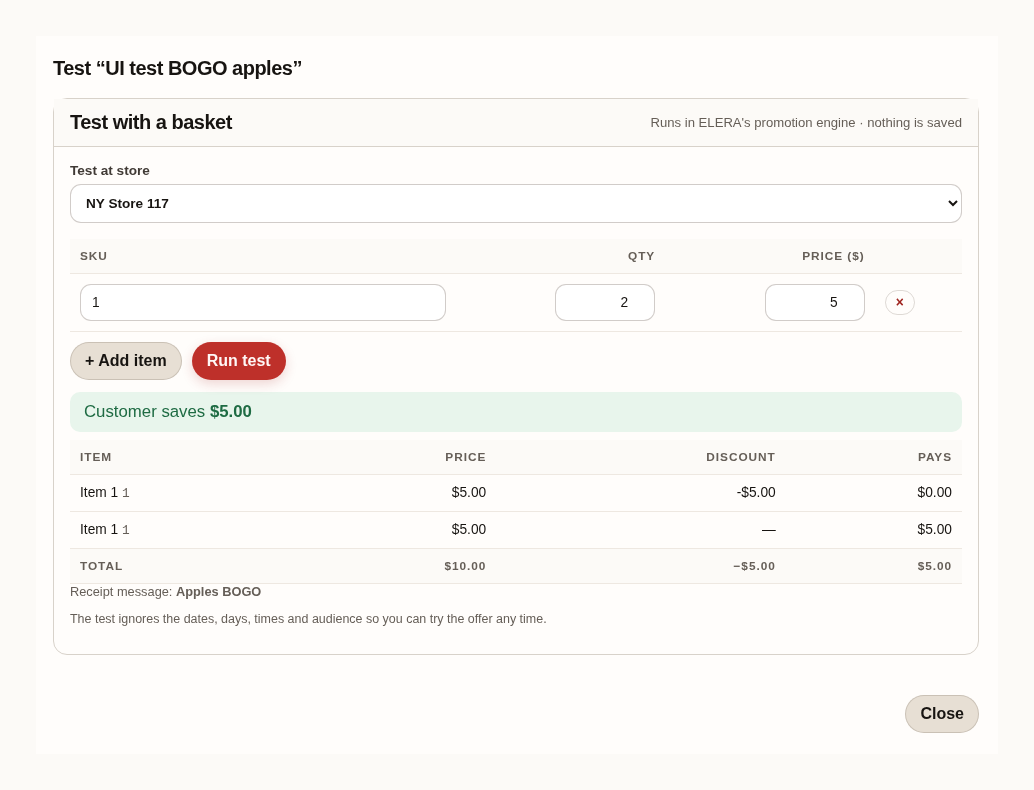
Build a basket for a chosen store. Promotions Manager prices it with ELERA’s own engine and shows each line’s discount, the savings, and the receipt message. Save a draft, or publish when it looks right.
Some existing deals do not match one of the nine types exactly. Those stay as they are, so the application does not rewrite them. You can still change the name, the schedule, who qualifies, and which stores.
Name search works in large catalogs. The first lookup of a catalog copies items in the background so later searches are by name, and an exact SKU works immediately. Screens show test-lab data.
Publish when it is ready
Drafts live with the application, so a promotion can be saved and finished later. Publishing is the moment ELERA is updated, and it happens one change at a time so two people cannot overwrite the same stores.
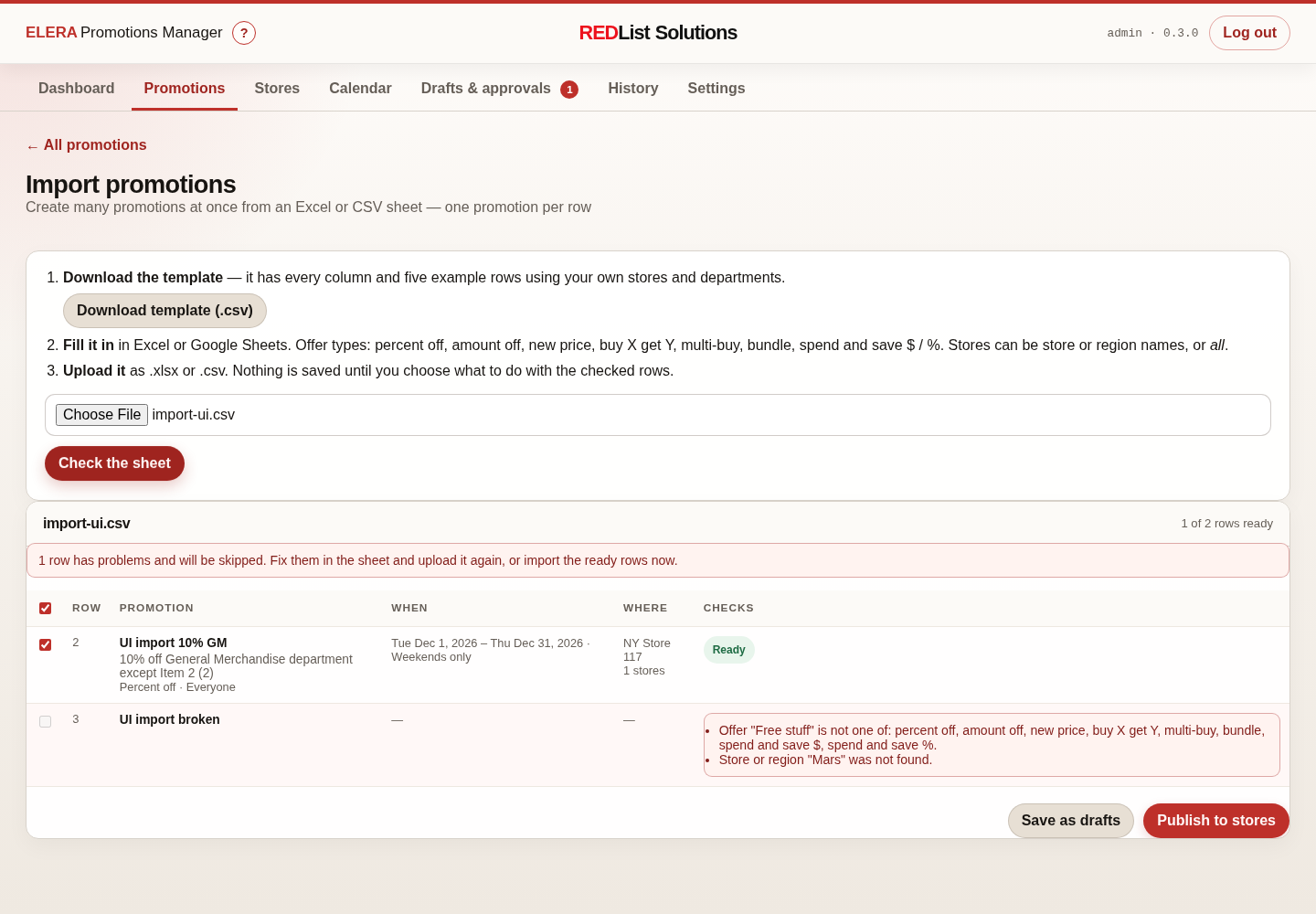
Download a template already filled with your stores and departments. One promotion per row, as a spreadsheet or a CSV. Check the sheet, then save the ready rows as drafts, submit them for approval, or publish them.
Each publish is one change plan: the offer, the set of stores, and the assignment go out together, and you see the result. If the application restarts in the middle, the next visit to Drafts settles that change from ELERA. If someone else changed the promotion first, nothing is overwritten until you keep your version or discard it.
Turn approvals on in Settings when a second person should review a change before it reaches stores. An approver does not approve their own work unless you allow it. Pause, resume, and remove will not publish someone else’s unfinished draft.
Every publish is recorded with who did it, when, and the ELERA change plan it used, so the next person can see what went to the stores.
The application creates and retires the sets it needs for the stores you picked. Sets that were created somewhere else are left alone.
A Java 17 application that runs beside ELERA 1.2601, for the retailers’ own network, including as a Docker image. Merchandisers sign in with the ELERA users they already have.
Safe on production
Promotions Manager only writes to ELERA when you publish. Until then, a basket test is a calculation: the draft offer goes with the request, and no promotion, set, or store setting is created or changed.
Where it fits
Promotions Manager sits in the Operate stage, next to the tools your administrators and store teams already use.
A merchandising workspace on the ELERA domain you already run, for the people who write the ads and the people who have to explain them.
Promotions Manager gives the ELERA accounts you serve a plain-English way to run promotions across stores.
It sits alongside Admin Lite, User Management, fingerprint sign-on, Store Director, and Image Lane Server.
Bring a few live offers, or a spreadsheet you already maintain. We will walk through the list, a new promotion, a basket test, and a publish, and talk about what your merchandisers need on day one.