REDList Solutions

Strategic ELERA application

Prove ELERA is ready for real retail traffic.

REDList ELERA Load Test Console turns production transaction data into a controlled, production-shaped load test. It analyzes ACE/SA transaction logs and item records, then replays that real-world transaction mix through REDList VTERM into an isolated ELERA test setup.

The result is a practical readiness check: validate the ELERA configuration, observe sale completion and queueing behavior, and compare a new run against a prior successful run before the store faces production demand.

Strategic REDList ApplicationBuilt on VTERMProduction-shaped replayRun-to-run comparison

Clear performance evidence

Run #1 versus Run #2

Compare the earlier successful run with the current run using the measures retail teams care about.

Run #1 · Earlier successful runRun #2 · Current run
Completion rate100%Maintained
Sales per minuteHigherImproved pace
Typical saleFasterLower completion time
Queue waitWatchCapacity signal
Sales per minuteImproved
Run #1
Baseline
Run #2
Higher
Typical sale completionFaster
Run #1
Baseline
Run #2
Lower

Live load-test visibility

See each stage of the replay as it happens.

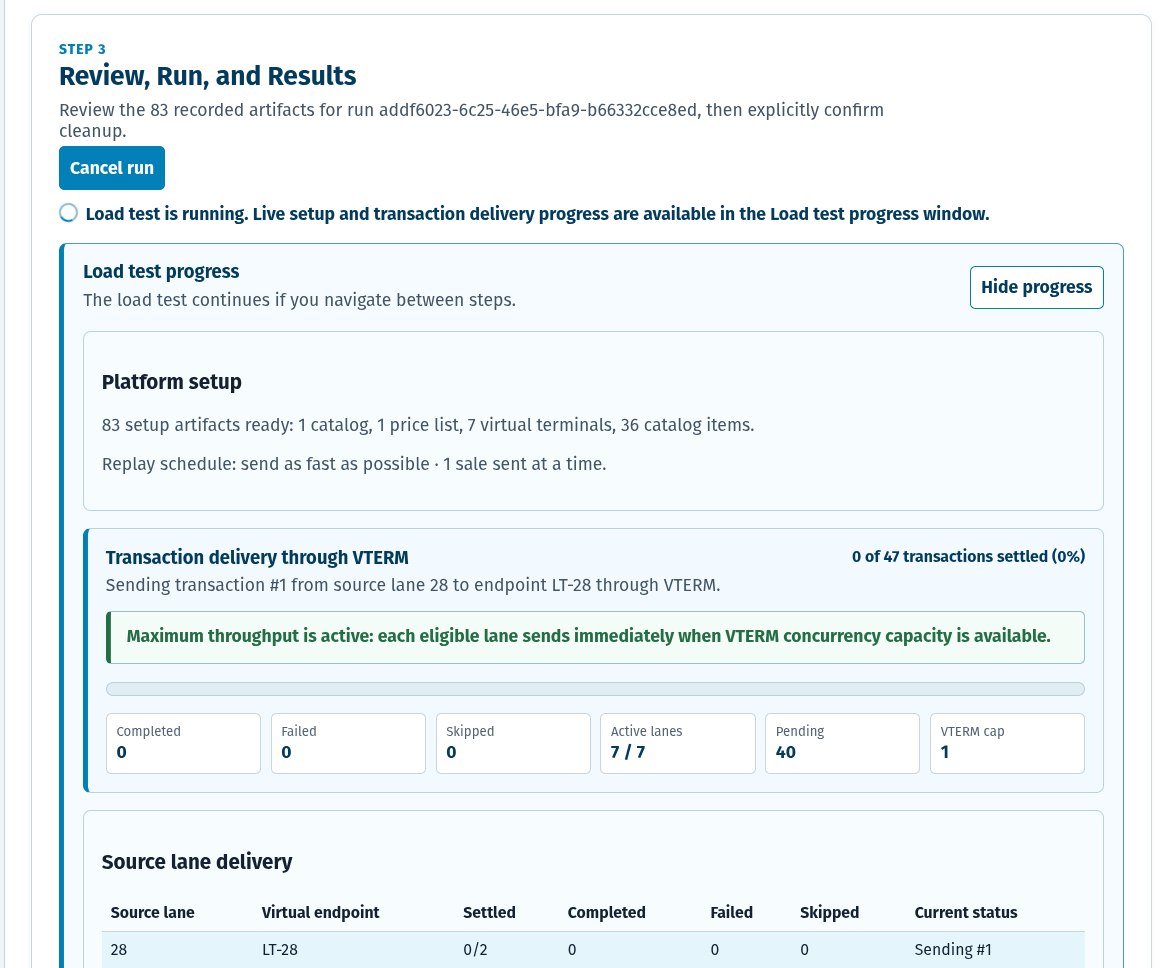
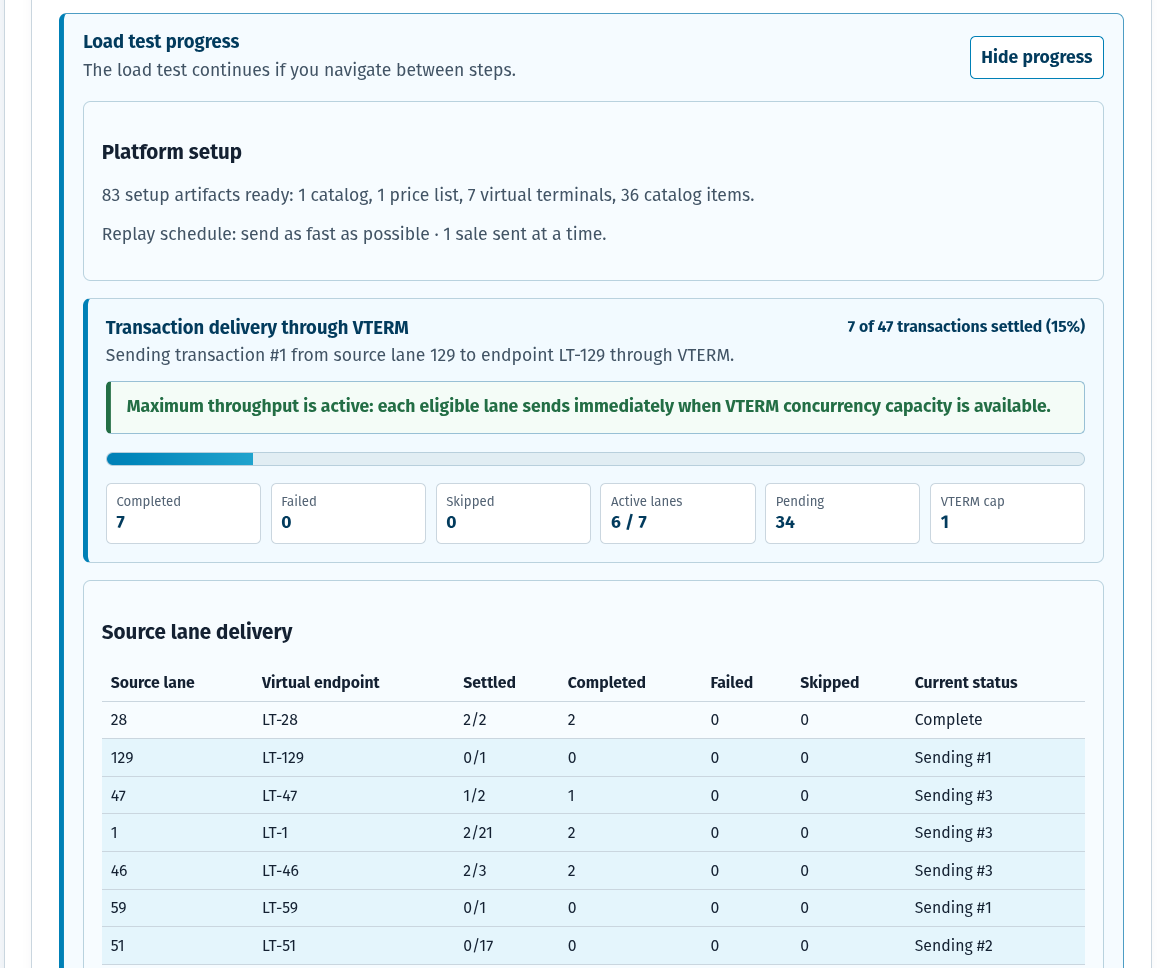
The console gives implementation teams a clear view of platform setup, delivery progress, source lanes, completions, failures, and remaining work while VTERM drives the ELERA transaction flow.

Guided setup, explicit approval, and live progressPer-lane delivery status for the real source patternRetail-readable results after the run completes

Completed run evidence

Results that retail teams can read—and compare.

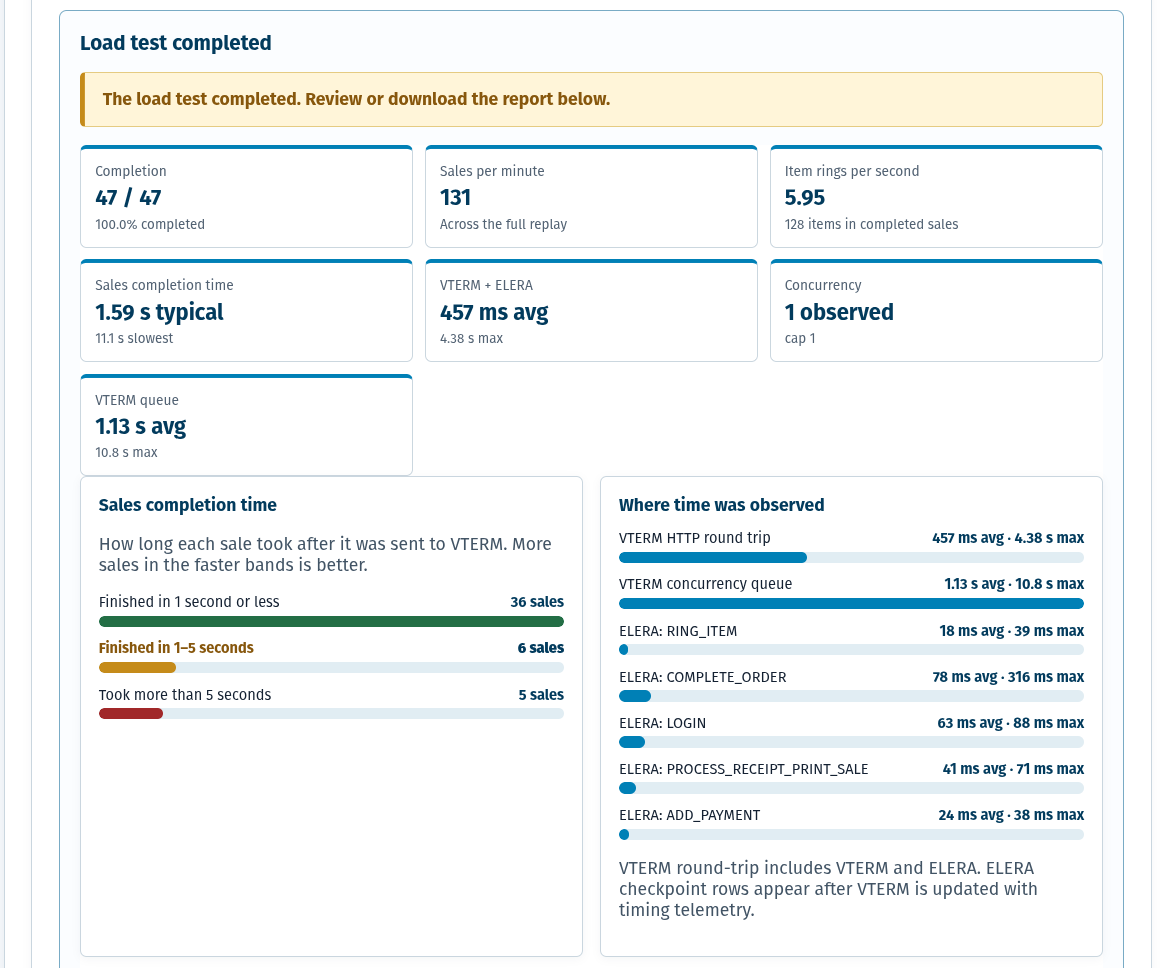
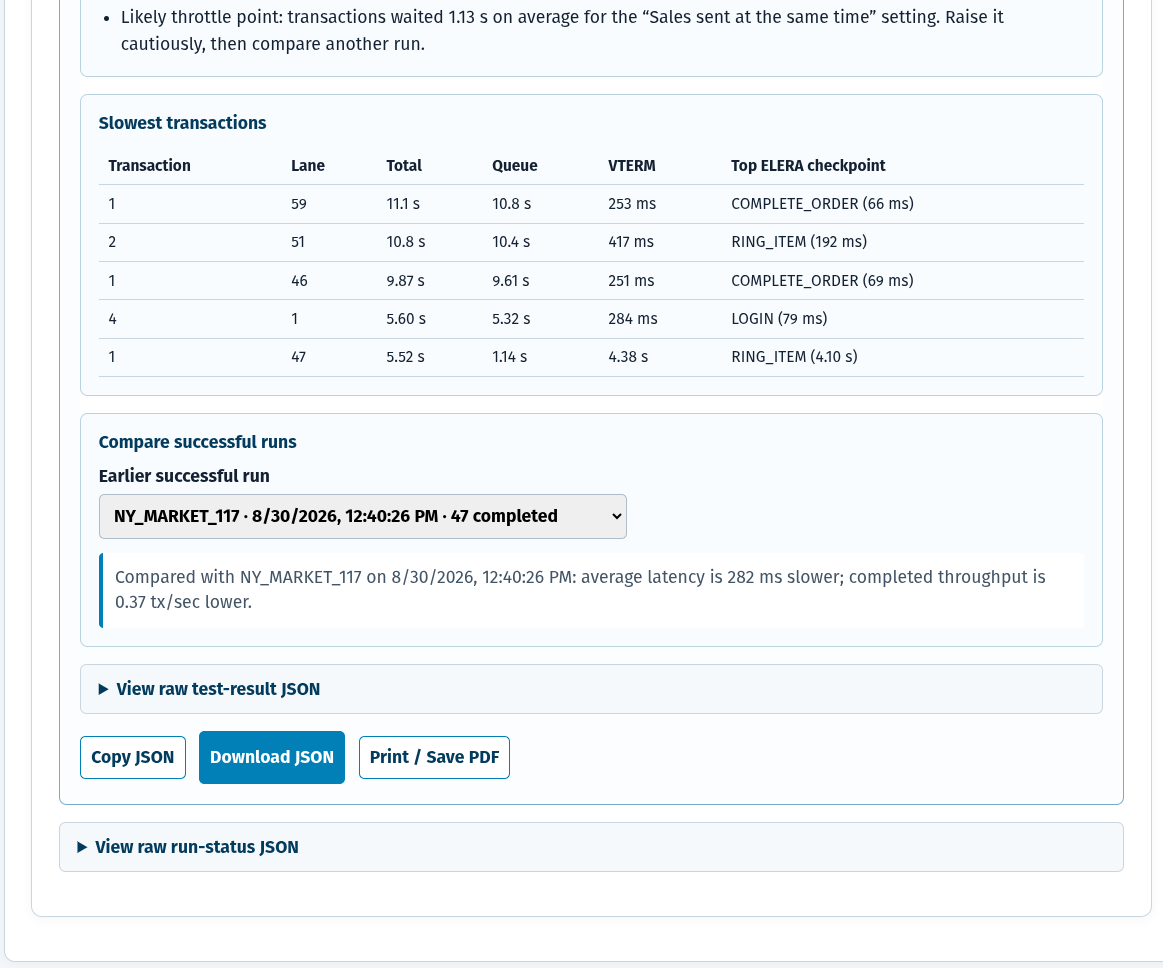
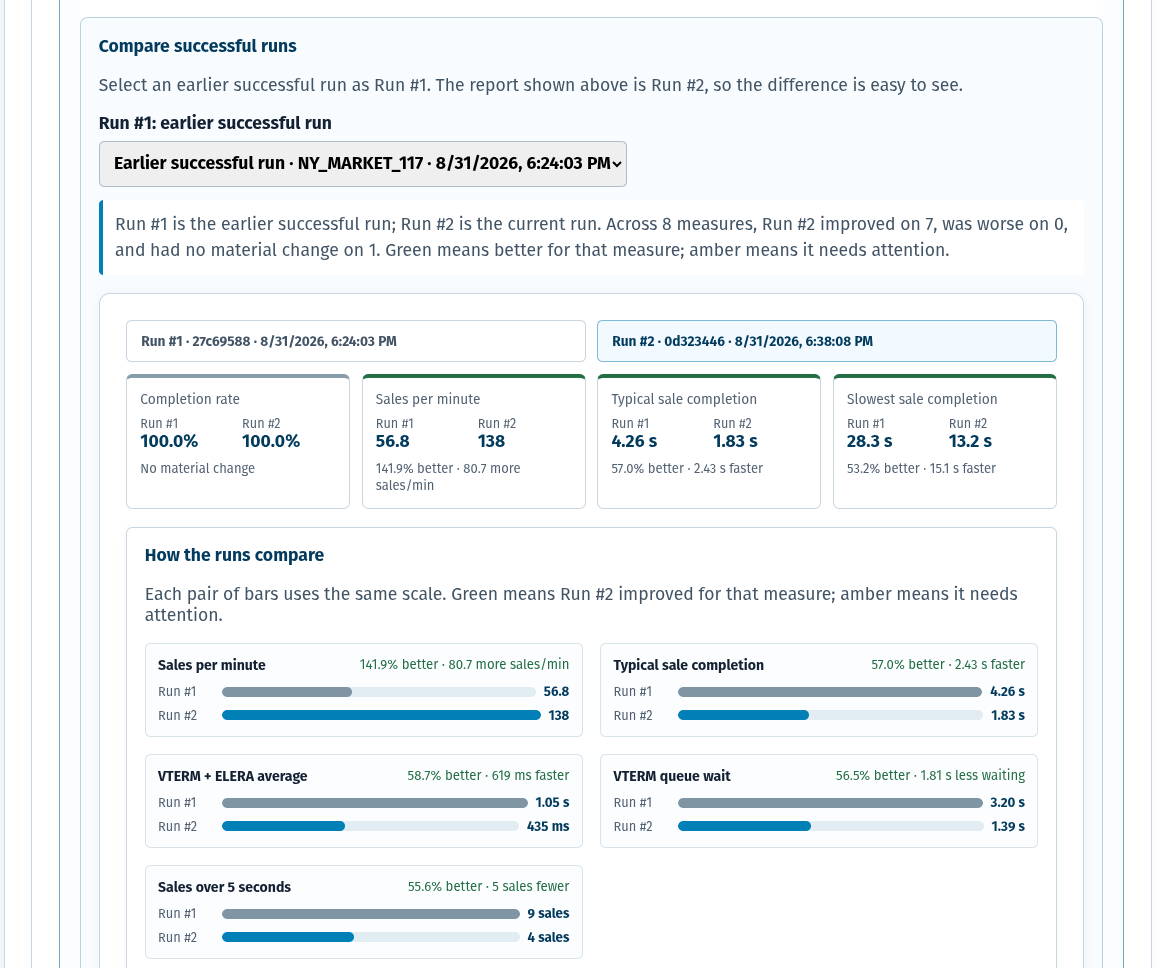
After a replay completes, the console presents a concise performance report, the slowest sales, and a Run #1 versus Run #2 view. These are captured application screens; select any image to inspect the complete report.

3Guided stages: analyze data, define criteria, review and run
VTERMThe REDList transaction path that drives each controlled ELERA sale
Run #1 → #2Meaningful previous-run comparison, not a single isolated result
Real mixProduction-shaped items, tenders, lanes, timing, and transaction volume

From production data to an ELERA readiness answer

The application is designed for implementation teams that need an understandable path from source data to an evidence-based load-test result.

1

Select source data

Choose the matching ACE/SA transaction log and item record. The console analyzes lanes, transactions, items, and source-data gaps before any ELERA change is possible.

2

Define the run

Select the isolated ELERA target node and VTERM operator, then choose replay, item, and failure criteria without overwhelming the user.

3

Validate and replay

Review the exact setup, explicitly approve only the planned temporary artifacts, and replay production-shaped sales through VTERM.

4

Compare the evidence

Review throughput, completion time, queueing, VTERM and ELERA time, slow sales, and a clear Run #1 versus Run #2 comparison.

Purpose-built for ELERA configuration confidence

This is not synthetic benchmark traffic. It uses the levels and shape of a real production store’s transaction data to help teams confirm that ELERA configuration and supporting REDList components can handle the expected load.

Replay the retail reality

Source data provides the item mix, lane activity, sale volume, and timing pattern that generic load tools do not know about.

ACE/SA production transaction logsMatching item record validationObserved or accelerated arrival patterns

Exercise the ELERA path

VTERM submits the test sales through the same ELERA-oriented transaction workflow used by REDList integrations.

Dedicated virtual terminals for source lanesPOS, tender, completion, receipt, and retrieval stepsActionable ELERA checkpoint timing

Make results usable

Retail teams see sales per minute, item rings per second, sale completion bands, slow transactions, and where time was observed.

Queue capacity and VTERM round-trip visibilityPlain-English interpretationRun #1 versus Run #2 improvement signals

Designed to protect the test and the platform

ELERA load testing needs operational controls, not just a fast replay loop. The console keeps sensitive calls and credentials out of the browser and makes every platform-changing action deliberate.

Server-side ELERA access

ELERA credentials and platform calls remain on the server for the browser session; credentials are not placed in browser code or local storage.

CSRF-protected changes

Mutating actions are protected, including session actions and run lifecycle operations, to reduce cross-site request risk.

Explicit approval

The console shows the exact planned setup before it creates anything. Nothing is created until the user confirms that plan.

Owned cleanup

Cleanup is explicit and limited to artifacts the selected run created; reused or pre-existing ELERA configuration is not removed.

Built from REDList assets

A strategic application of the REDList ELERA stack.

Load Test Console brings together ACE/SA data knowledge, ELERA platform setup, REDList VTERM transaction execution, and retailer-readable performance reporting. It is a practical way to validate an ELERA implementation before traffic becomes a production issue.

Explore VTERM

Validate your ELERA configuration before production demand arrives.

Talk with REDList about using production-shaped load testing to confirm ELERA readiness, understand capacity behavior, and establish a repeatable performance baseline.