Current solution · ELERA 1.2503
HID DigitalPersona U.are.U 4500 + WebPOS
Touch the reader. Enter the till.
REDList adds fingerprint sign-on to Toshiba ELERA WebPOS without replacing ELERA authorization. An operator registers one finger, then signs on from the Associate ID dialog with one touch instead of typing a password for every shift.
The reader identifies the enrolled operator locally. ELERA still validates the account, password policy, node access, lockout state, and roles—and ELERA still issues the session token.
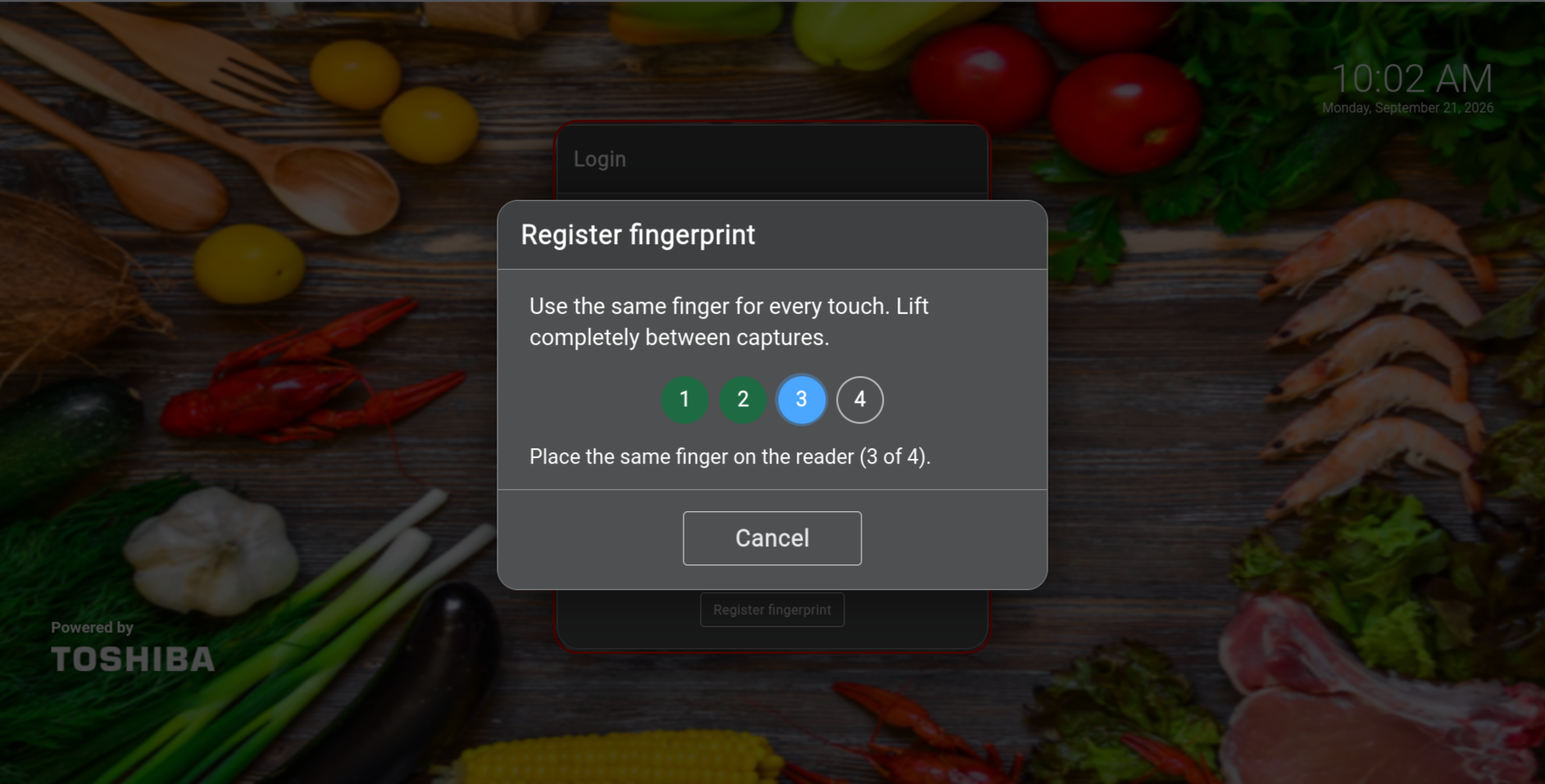
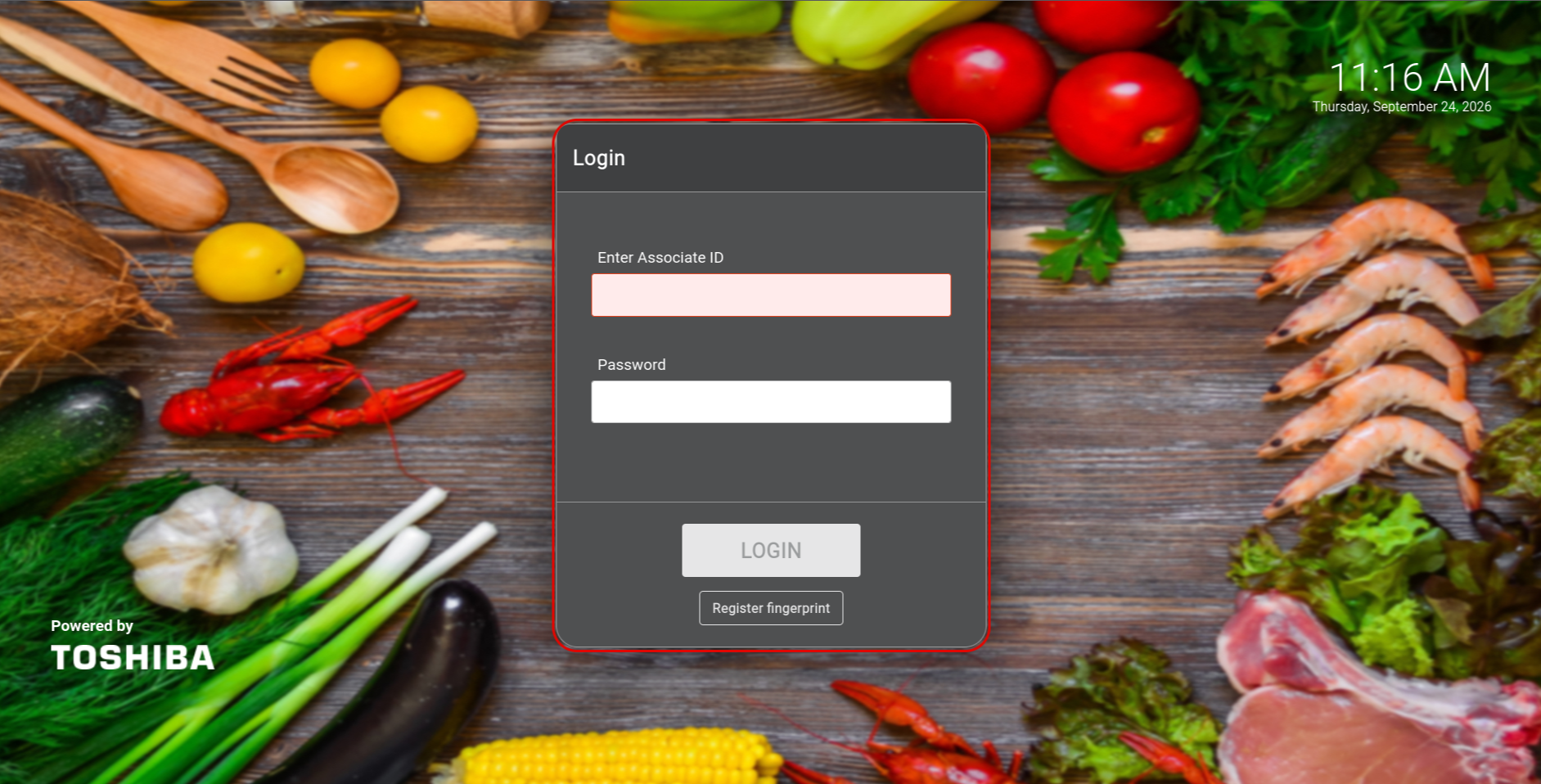
Look for the red border around the Login dialog: it means the fingerprint reader and supporting system are active. No red border means fingerprint sign-on is unavailable, so the operator should use Associate ID and password.
Working SolutionRed Border = ReadyFour-Touch EnrollmentOne-Touch Sign-OnTyped FallbackStore-Local Encryption
The design promise
One touch for the operator. No shortcut around ELERA.
The fingerprint overlay answers one question: which enrolled operator is at this reader? ELERA answers the question that matters to the till: is this operator allowed to sign on here, now? The solution accelerates identification without inventing a second user directory or bypassing Toshiba password and authorization rules.
From enrollment to till
A simple operator experience with deliberate controls.
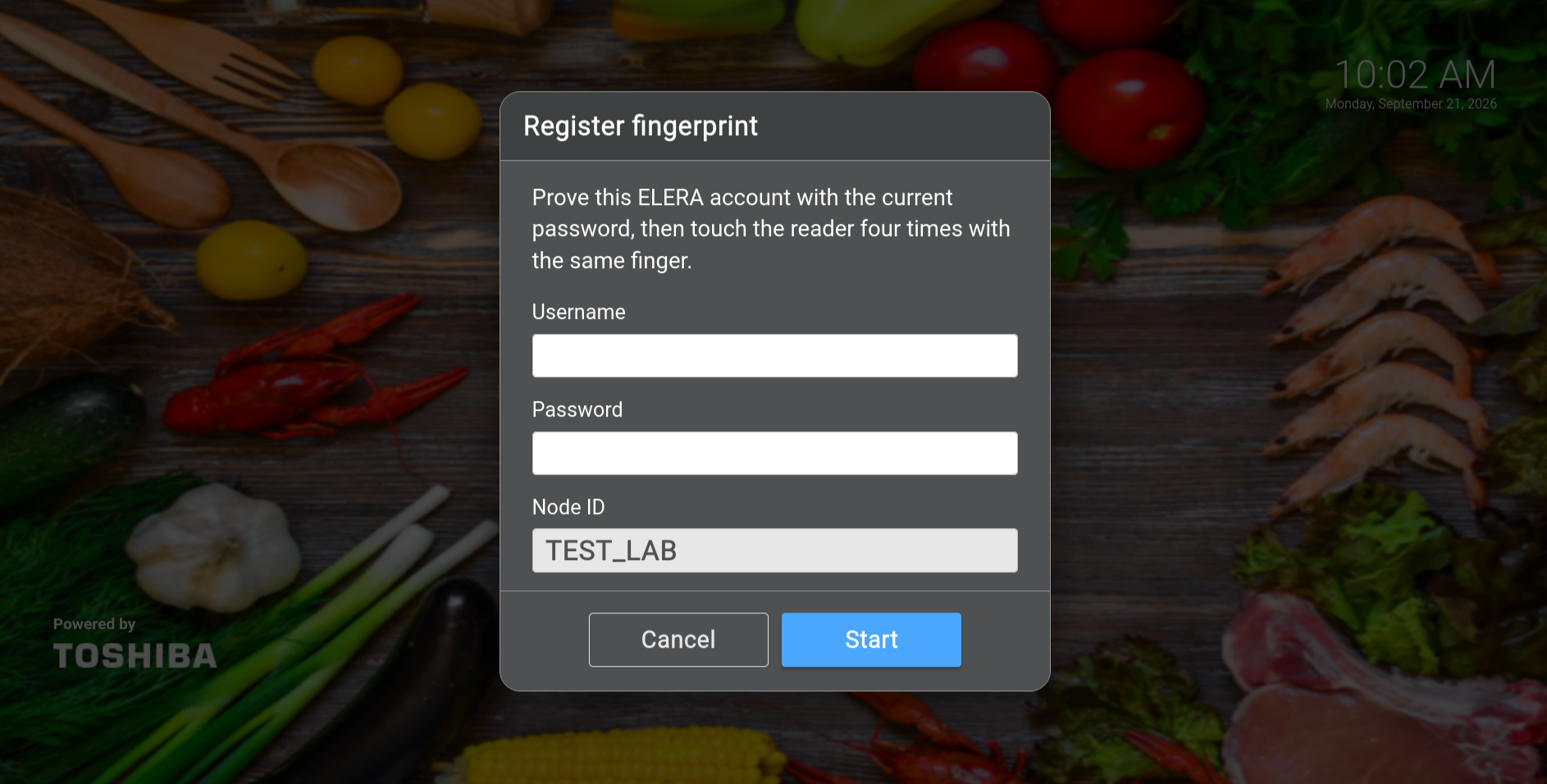
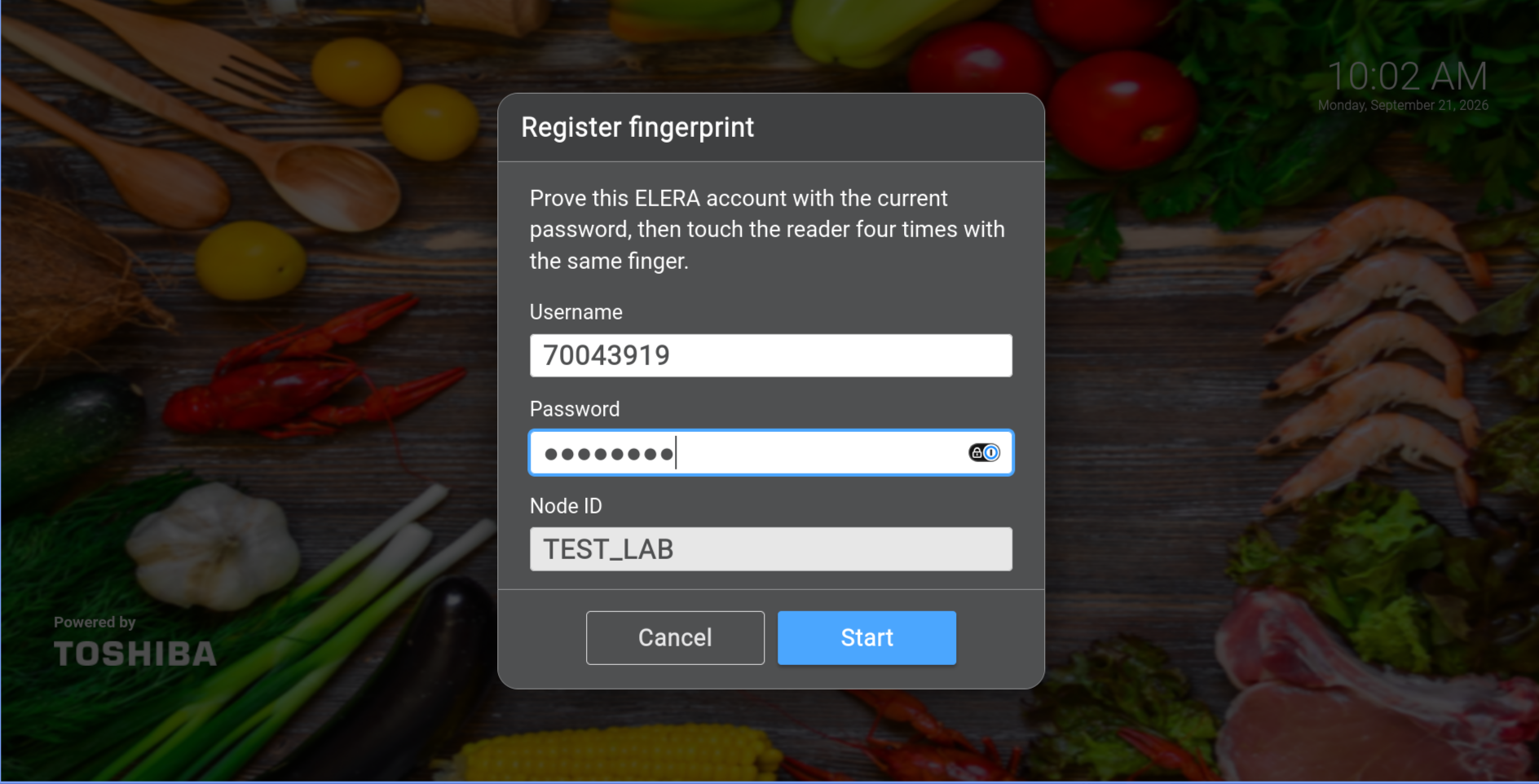
Enrollment happens at WebPOS on the terminal that has the reader. It starts with a live ELERA credential check, creates the biometric template from four captures, and keeps the normal typed sign-on available as a break-glass path.
RED BORDER = READY
The Login dialog itself is the status indicator. A red outline means the fingerprint device, agent, and WebPOS integration are available. If the red outline is absent, the fingerprint system is not available at that terminal; ordinary Associate ID and password sign-on still works.
Authorize the operator
Create the user in ELERA and assign the correct store, home-store, and POS roles. Fingerprint registration never creates or grants an ELERA account.
Prove the account
At the Associate ID dialog, the operator enters the current ELERA username and password. Enrollment does not begin unless ELERA accepts them.
Capture the same finger
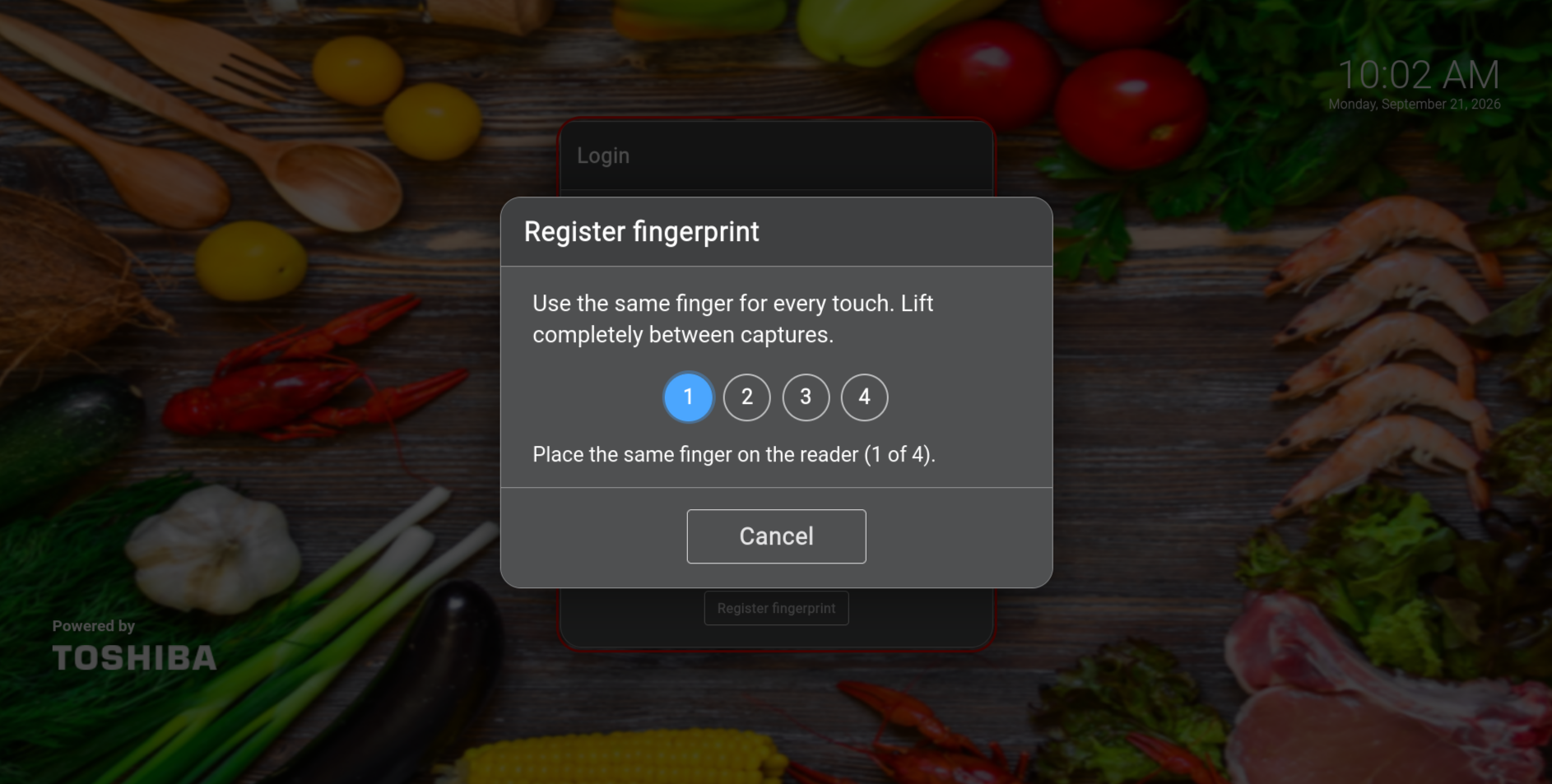
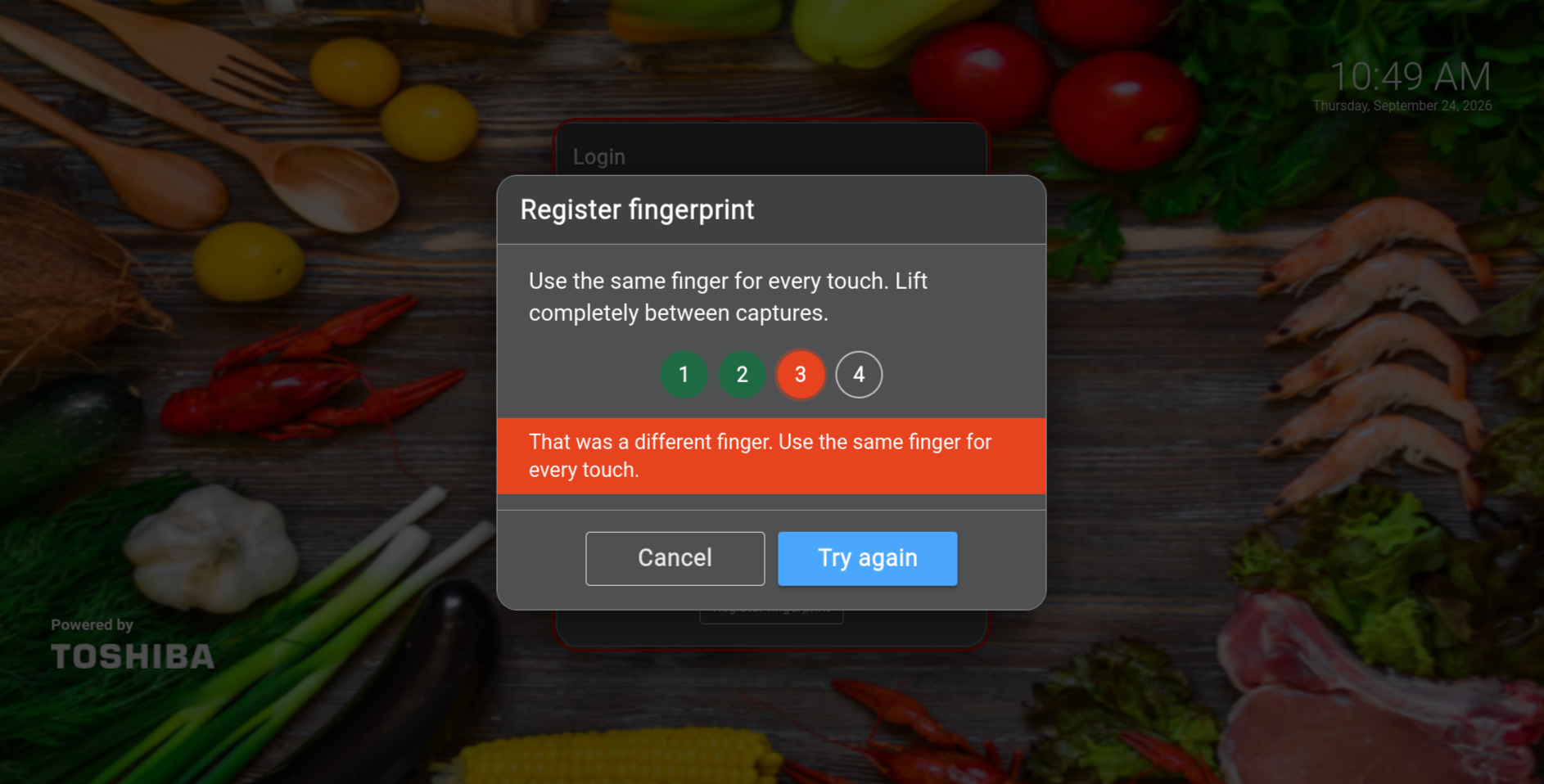
The reader captures the same finger four times, with clear progress and same-finger validation before storing the encrypted registration template.
Sign on with one touch
A live match identifies the operator, the agent performs the normal ELERA login, and WebPOS receives the authorization token ELERA issued.
Unchanged ELERA contract
Fingerprint at the edge. Authorization where it belongs.
The browser never opens USB and never receives the stored password or fingerprint template. A host agent beside the reader handles capture and matching, then calls the store’s normal ELERA authorization endpoint. NGINX keeps the browser interaction same-origin while ELERA continues to own the session.
WebPOSShows fingerprint actions only on the Associate ID dialog; typed sign-on remains intact.
ISS NGINXInjects the WebPOS overlay and routes only same-origin fingerprint requests to the correct agent.
Host agent + 4500Captures, matches, opens the encrypted vault in memory, and performs the ELERA login.
ELERA authorizationApplies password, lockout, disabled-account, node, and role policy and issues the JWT.
Honest boundary: this is a REDList ISS-edge add-on—not a Toshiba biometric product, not a modification to the ELERA platform image, and not an Enterprise/AKS biometric feature. Fingerprint sign-on requires local ISS authorization just as typed sign-on does.
Security by separation
Convenience without putting biometrics into ELERA.
ELERA 1.2503 has no biometric login field. The solution respects that boundary instead of forcing a fuzzy fingerprint template into badge identifiers or Toshiba user records.
Encrypted store-local data
Fingerprint templates and the credential vault are encrypted with AES-256-GCM in a separate elera_fingerprint database. They are not placed in ELERA user collections, Enterprise, DataSync, or alternateId.
Key outside the database
A separate 32-byte master key decrypts the store-local records. MongoDB and the key must be backed up together; losing either means re-enrollment, while ELERA users remain intact.
Nothing sensitive in the page
The browser never receives a password, fingerprint template, or master key. The agent decrypts only in process memory for the ELERA login and the audit trail stores no password, template, or JWT.
ELERA policy still wins
Expired passwords, forced changes, complexity, reuse, locked accounts, and disabled users remain ELERA decisions. A matched finger cannot override an account ELERA refuses.
Restricted agent access
The lane agent is not a general store-LAN service. Collapsed deployments use a local Unix-socket path; multi-lane deployments restrict the agent to the ISS proxy and host firewall.
Transparent credential vault
Because ELERA accepts username and password—not a biometric template—the agent holds an encrypted copy of the last ELERA password that succeeded. It never returns that password to WebPOS.
Store deployment shapes
The reader stays on the PC that uses it.
USB capture belongs on the host operating system beside the reader. The overlay fits both a collapsed controller and a multi-lane ISS design without moving biometric data into the enterprise tier.
Collapsed ISS or controller
WebPOS, ISS Docker, host agent, and the U.are.U 4500 share one controller. ISS NGINX reaches the local agent through a Unix socket.
Multi-lane ISS
Each lane has its own reader and agent. ISS NGINX routes the request back to the lane that initiated it, while the store shares an enrollment gallery in ISS MongoDB.
Not Enterprise biometric auth
Do not install a reader, template vault, or agent in Enterprise/AKS. Terminal Primary is supported only when that controller has the reader; the overlay does not create offline or WAN-loss authentication.
Connected to User Management
Enroll at the till. Administer without touching the biometric.
REDList User Management combines ELERA account information with non-sensitive fingerprint enrollment status. Managers can see who is enrolled, review metadata and audit activity, remove an enrollment, or clean up an orphaned record. The browser never captures a finger and never retrieves template or vault ciphertext.
A clean division of responsibility
- ELERA owns users, roles, node access, passwords, lockout, and JWTs
- WebPOS owns the operator experience and till session
- The host agent owns capture, matching, and the encrypted vault
- User Management owns enrollment visibility and removal—not USB capture
Real WebPOS screens
Guidance at every touch.
The solution explains what is happening without exposing operator identity before a match. Select any screenshot to inspect the current ELERA 1.2503 implementation.
Operational behavior
Useful when it works. Predictable when something changes.
The overlay distinguishes reader and recognition issues from ELERA account-policy events, preserving clear support ownership and a reliable fallback.
Password expired
After a valid fingerprint match, the overlay asks for a new password and submits ELERA’s normal newPassword login before opening the till.
Password changed elsewhere
The next match asks for the operator’s current ELERA password and refreshes the encrypted vault. Four-touch enrollment is not repeated.
Recognized finger, locked or disabled account
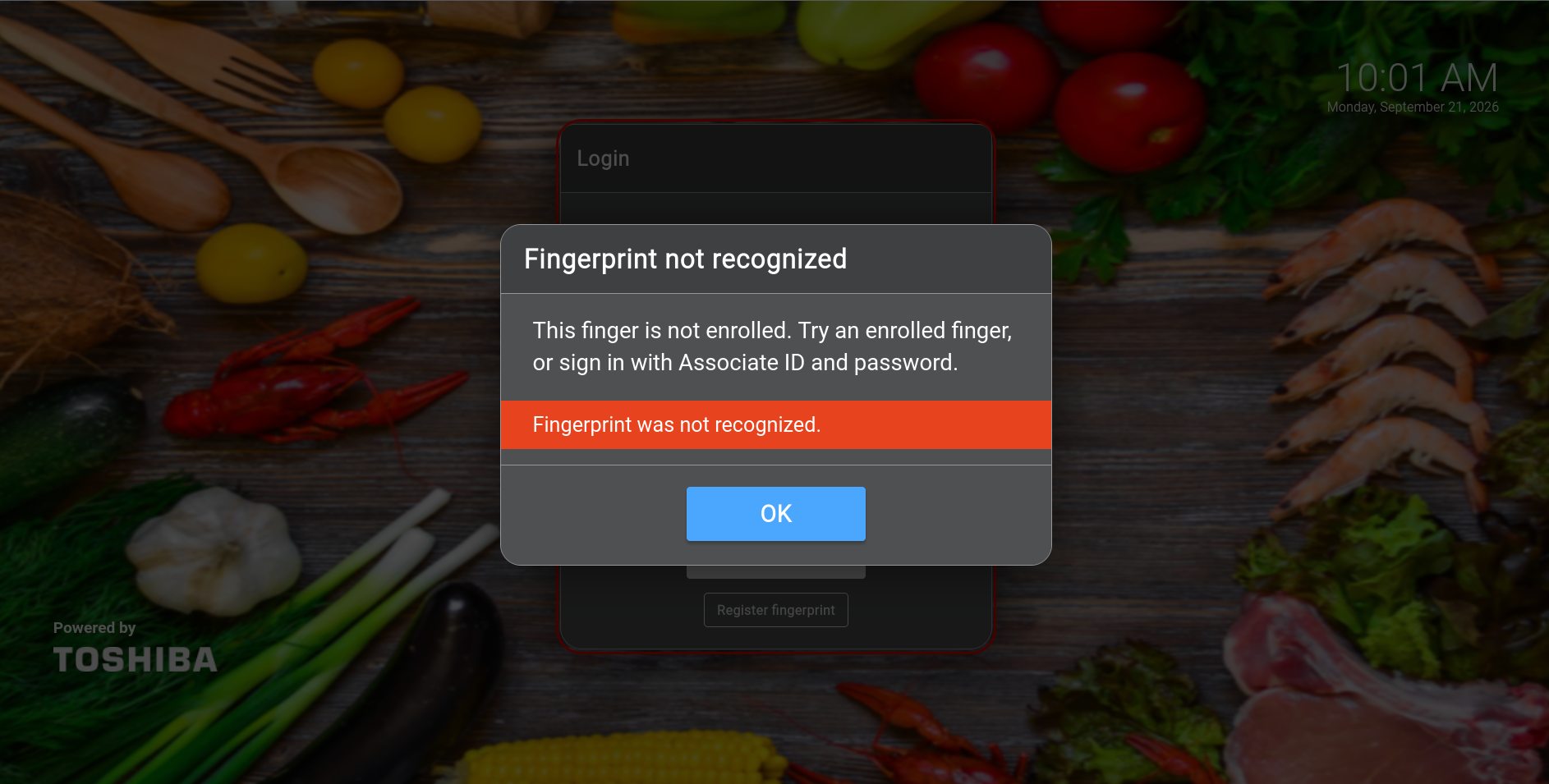
Only after an enrolled finger identifies the operator can ELERA return the account’s locked or disabled status. An unknown finger has no operator identity to check and receives the generic “Fingerprint not recognized” message shown above.
Unknown finger
The response is generic and discloses no username. The operator can retry or return to ordinary Associate ID and password sign-on.
Reader or agent unavailable
Fingerprint controls hide. The normal Toshiba sign-on workflow remains available and ELERA itself is unchanged.
Password changed at the till
Toshiba’s Change Password dialog remains real. After ELERA accepts the change, the overlay synchronizes the vault for the next fingerprint sign-on.
ELERA WebPOS + DigitalPersona 4500
Make sign-on faster without changing who is in control.
Talk with REDList about a collapsed-controller or multi-lane ISS pilot, operator enrollment, User Management integration, security review, backup procedures, and acceptance testing.