Store Director · ELERA store operations

Run the cash room and the store from one workspace.

Store Director is a manager workspace that works on live ELERA data. It brings the tills, the safe, and the accounting period together with store readiness, lane health, price check, and the shift handoff, so a store leader can see what needs attention and act on it.

Cash actions are protected: Store Director describes the exact effect for confirmation before submitting the change to ELERA, asks for a recent ELERA sign-in, and records the action in the Director activity log.

Coming soon · Beta testers wanted Cash control Store readiness Lane health Shift handoff

Cash handling

Work the tills, safe, and accounting period in one place.

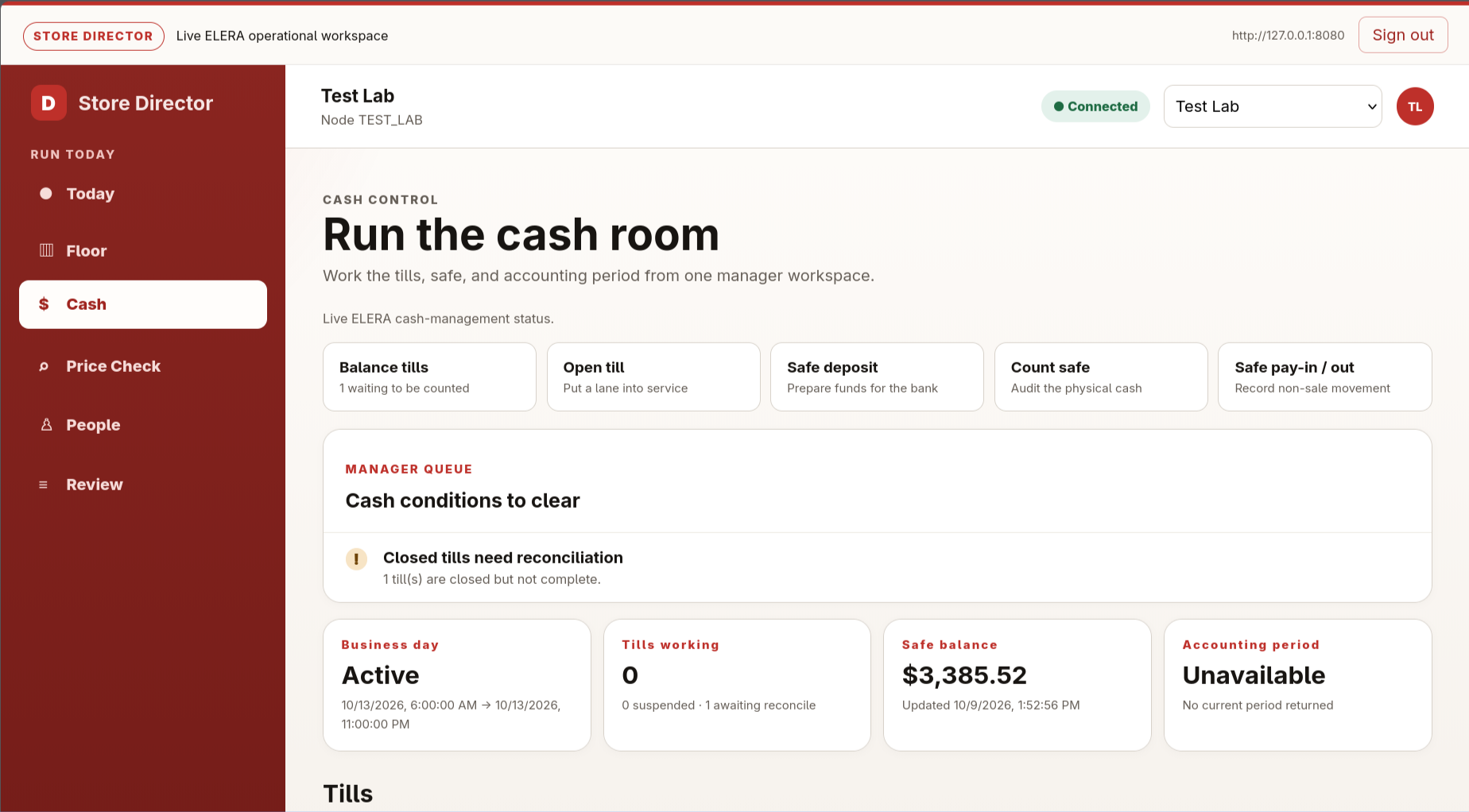
The Cash page shows live ELERA cash-management status and puts the common cash-room tasks one click away: balance tills, open a till, prepare a safe deposit, count the safe, and record safe pay-ins and pay-outs.

Tills

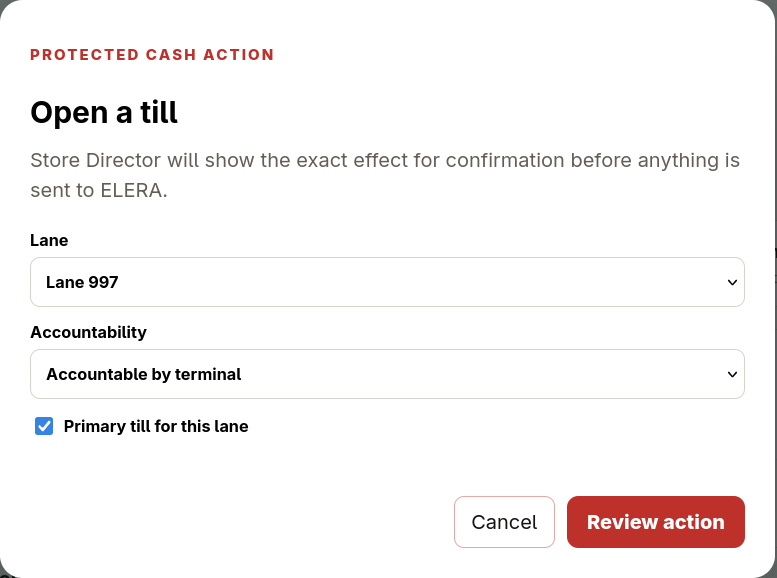
Open a till to put a lane into service, manage it during the day, and close and balance it when it comes off the floor.

  • Open a till on a lane, accountable by terminal or by operator, and mark it as the primary till for that lane
  • For an open till: add a loan, pick up cash, pay in, pay out, audit, open the drawer, or suspend; resume a suspended till
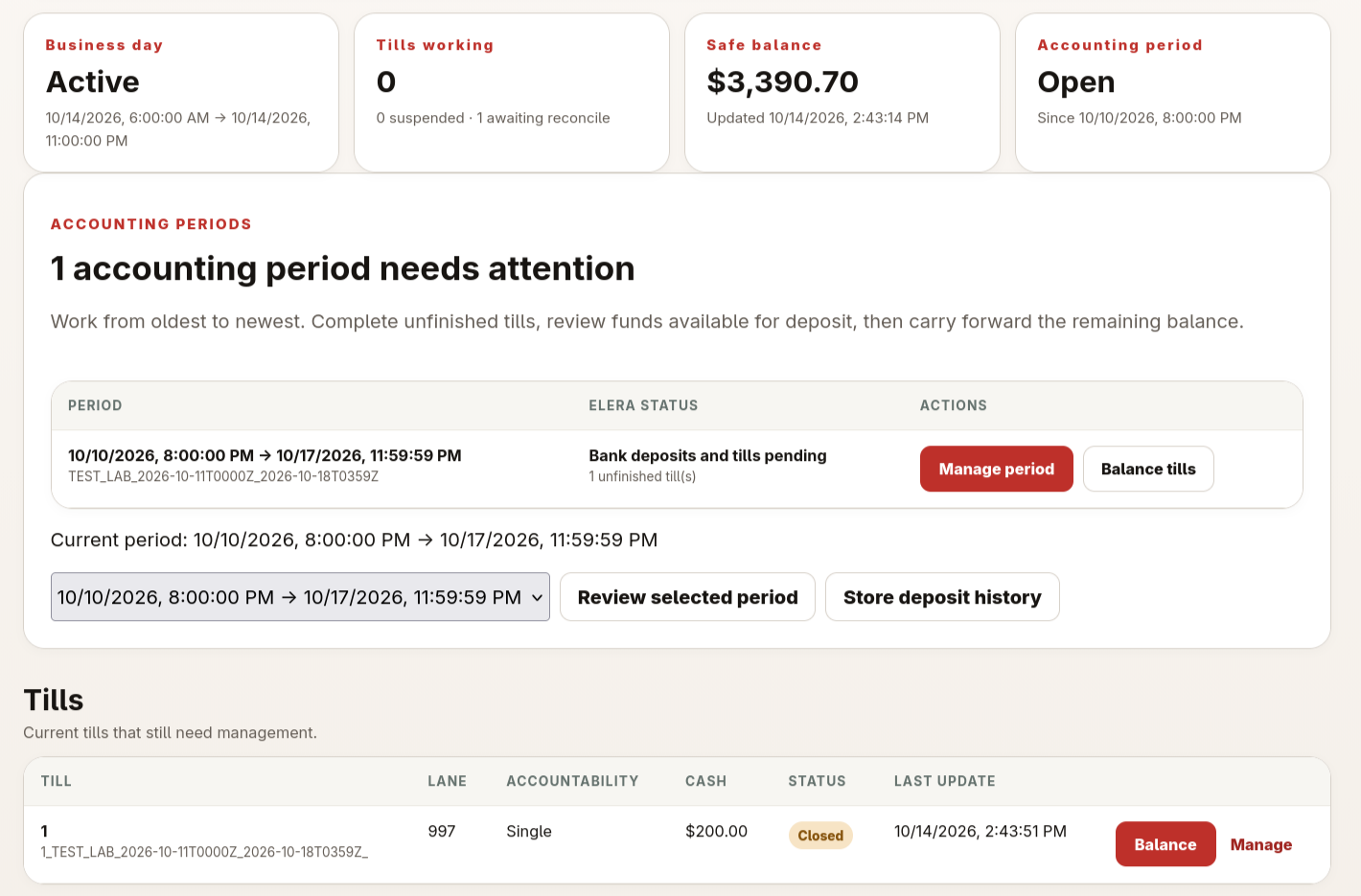
  • See tills working, suspended, and awaiting reconciliation

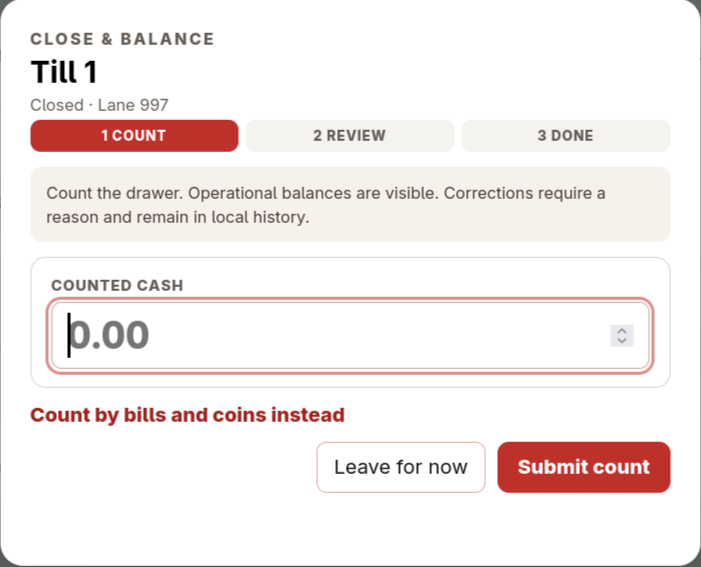
Close & balance

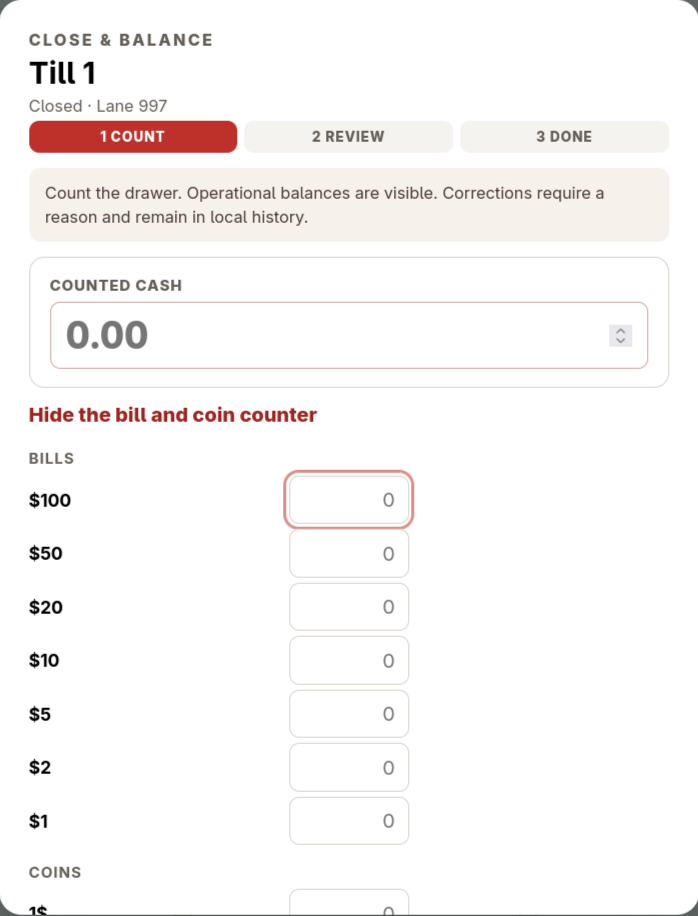
A guided flow closes the till, takes the count, shows the result, and completes the till in ELERA. Review counted cash against ELERA's expected amount. Corrections require a reason and preserve local count history.

  • Enter the counted cash as a total, or count by bills and coins
  • See over, short, or balanced against ELERA's expected amount and the store's discrepancy tolerance; a reason is required when the difference needs one
  • Recount before confirming, or leave for now and come back: the count stays on record, and a recount requires a reason
  • Balance tills offers the next waiting till after completion

Safe control

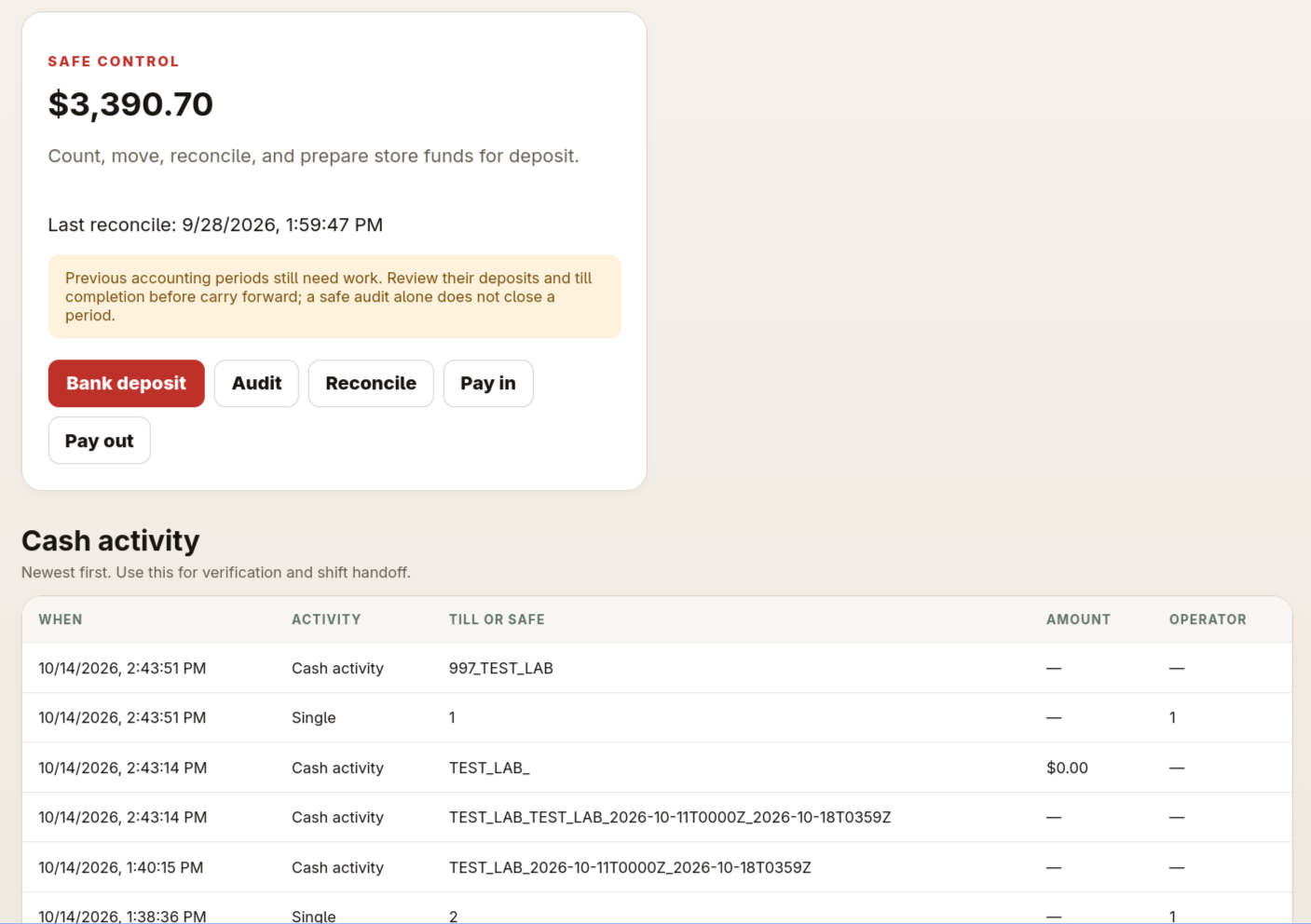
See the safe balance and when it was last updated, then count, move, reconcile, and prepare store funds for deposit.

  • Bank deposit with deposit and bag or slip numbers
  • Audit (count) the safe and reconcile it to a counted balance
  • Pay in and pay out for non-sale movement, with a reason

Accounting periods

Manage accounting periods from oldest to newest. Review unfinished tills, complete their counts, prepare bank deposits using ELERA's calculated availability, and carry forward eligible periods. Previous periods remain available when no current period has started. ELERA creates new periods through the store's normal lane/register sign-on process. Carry Forward and physical-safe reconciliation are separate operations.

  • Select a historical period to review its tills, deposits, and carry-forward status
  • Open the store deposit history, newest first

Manager queue

Cash conditions to clear are listed at the top of the page, such as a business day that is not active, suspended tills, closed tills that still need reconciliation, or a safe that cannot be read. If the business day has not started, the Cash page offers Start business day.

Cash activity

A newest-first list of the last three days of cash activity by time, activity, till or safe, amount, and operator, for verification and shift handoff.

Recovery for uncertain outcomes

Store Director records the steps of each protected action. If ELERA's result is uncertain, conflicting actions are blocked until a manager reviews the operation and records its outcome.

Count history

Recounts preserve the prior counts observed or recorded by this Director installation, together with each correction reason.

Cash handling screens

Every cash action is reviewed before the change is submitted to ELERA. Screens show test-lab data.

Beyond the cash room

The rest of the store day

Store Director is organised around a manager's day: Today, Floor, Cash, Price Check, People, and Review.

Today

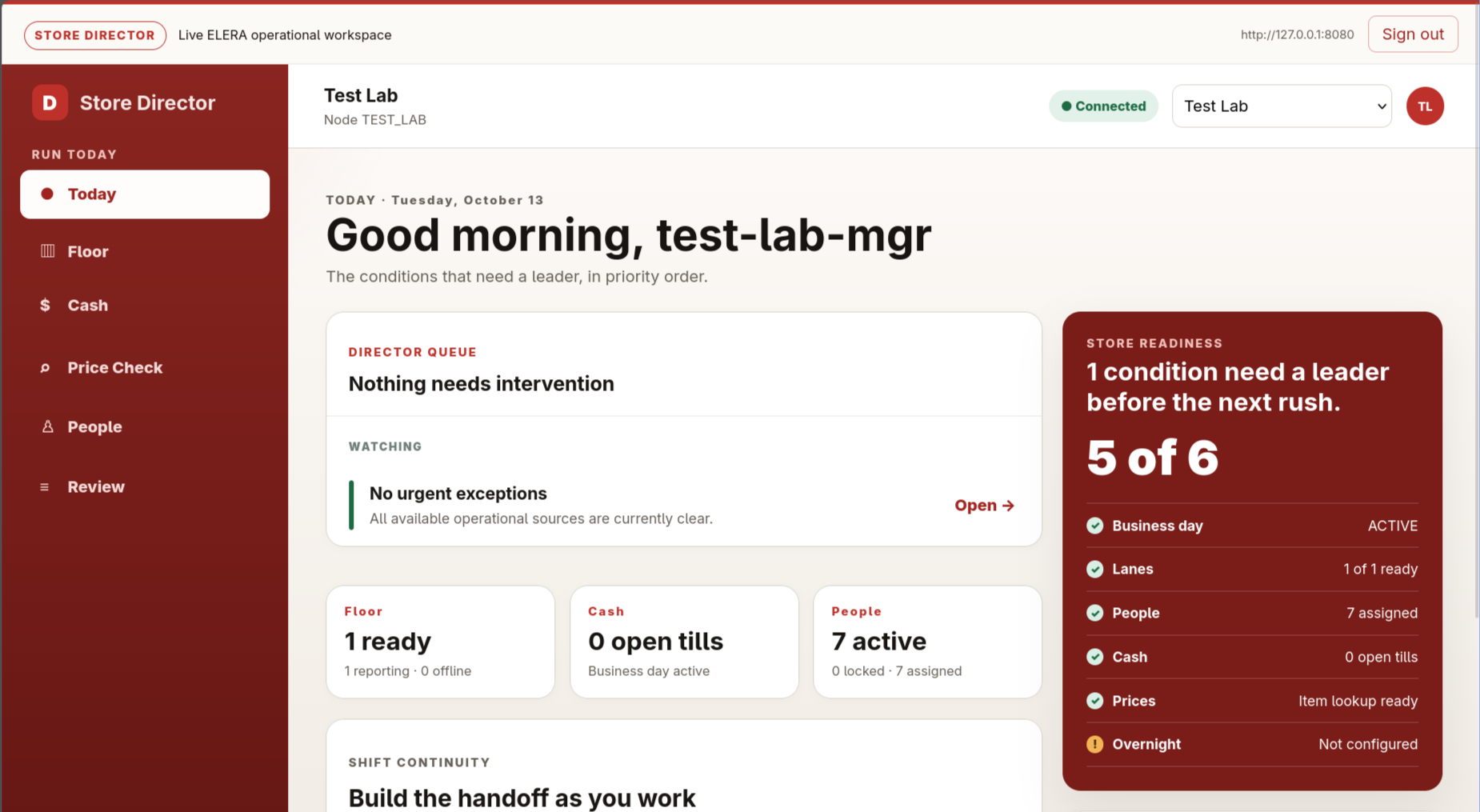
The conditions that need a leader, sorted into act now, before handoff, and watching. The Director queue lists what needs intervention, Store readiness checks the business day, lanes, people, cash, and price lookup, and open handoff notes are shown alongside.

Floor

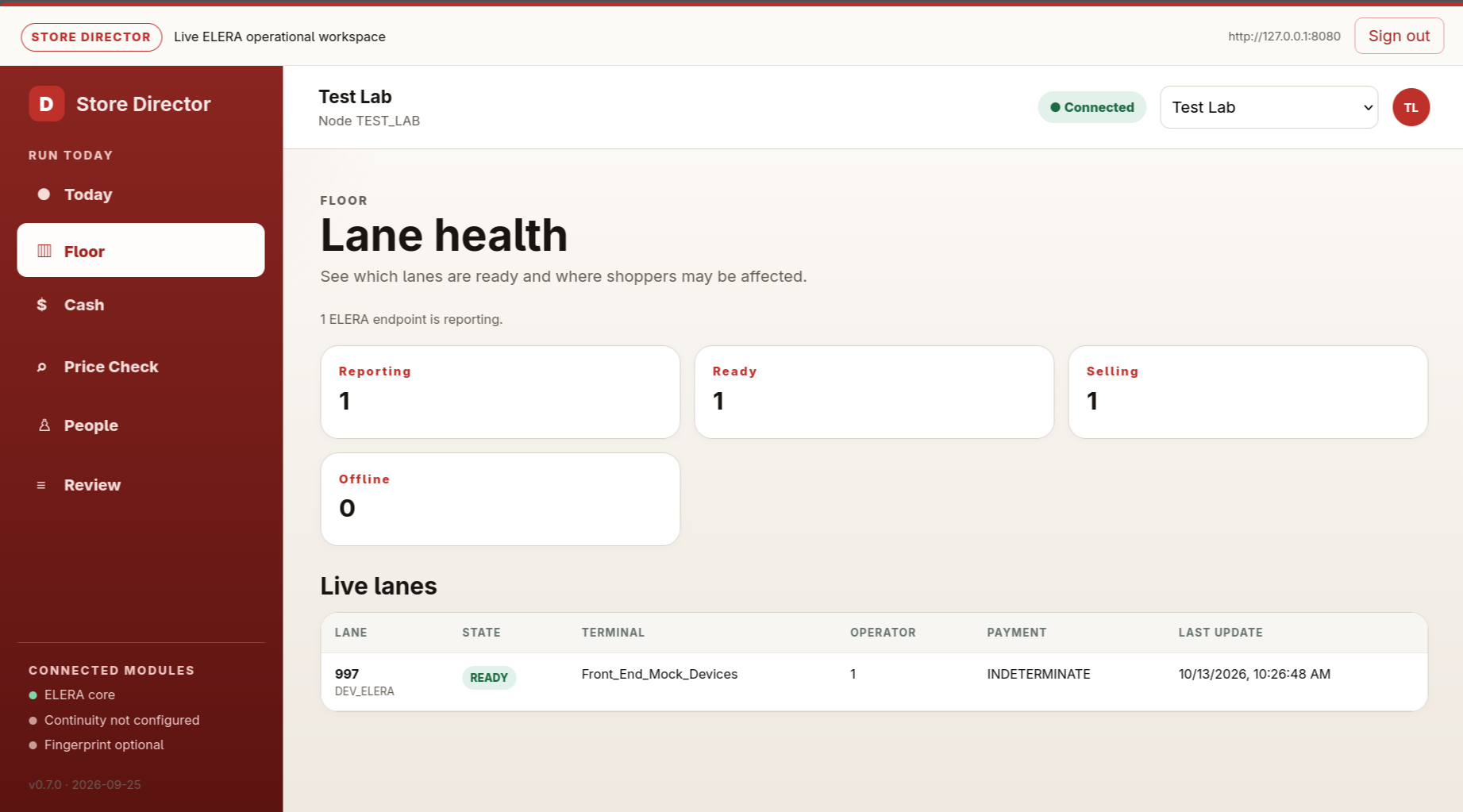
Lane health: which lanes are reporting, ready, selling, or offline, and a live lane list with state, terminal, operator, payment mode, and last update.

Price Check

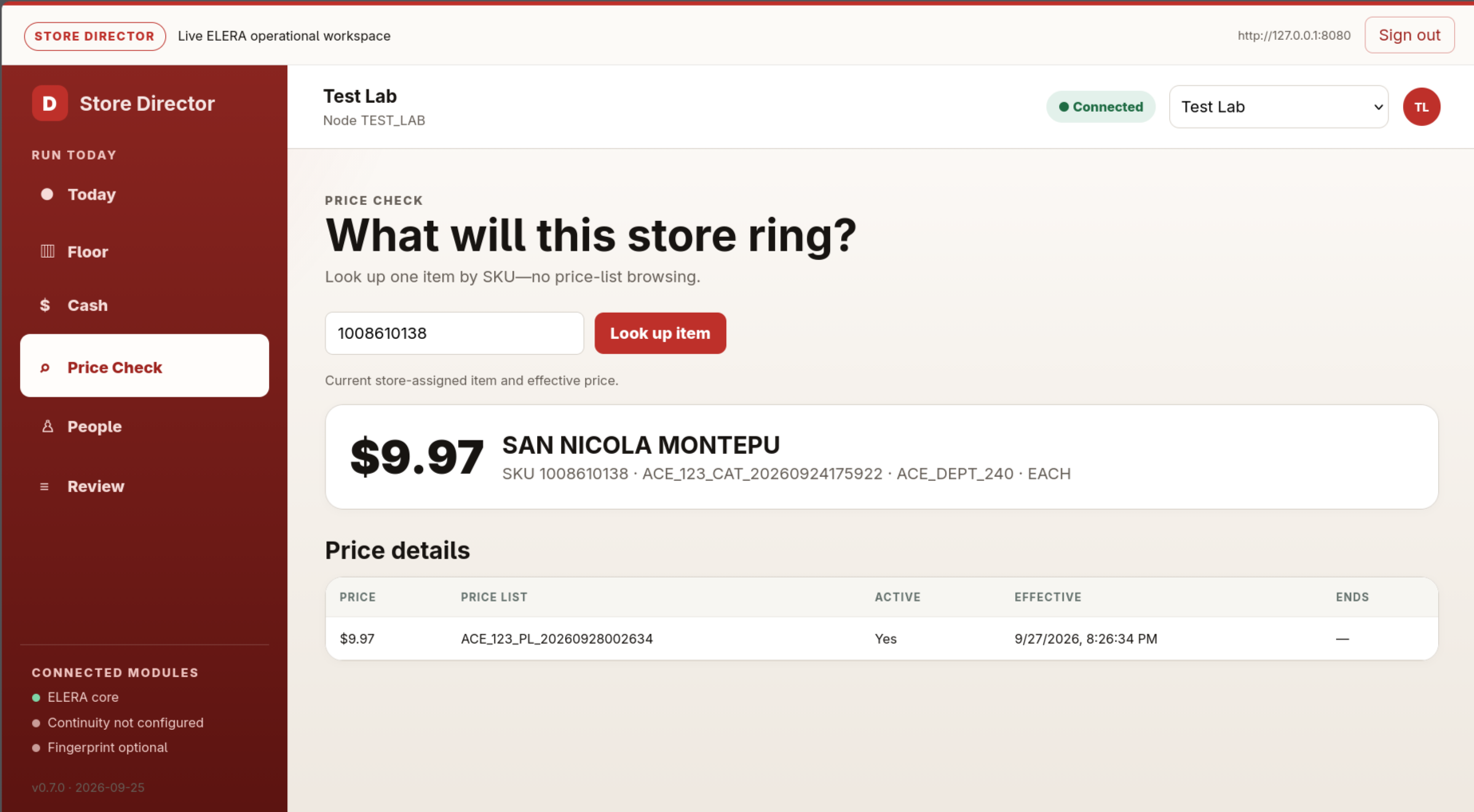
Look up one item by SKU to see the currently effective price from the store's assigned price lists: the item from the catalogs assigned to the store, its effective price, and the price list it comes from. It is a price-list lookup, not a full checkout calculation.

People

Search the operators assigned to the store, with their roles, status (active, locked, or inactive), and home store, and resolve lockouts. Authorized managers can unlock eligible operators within their management scope.

Review

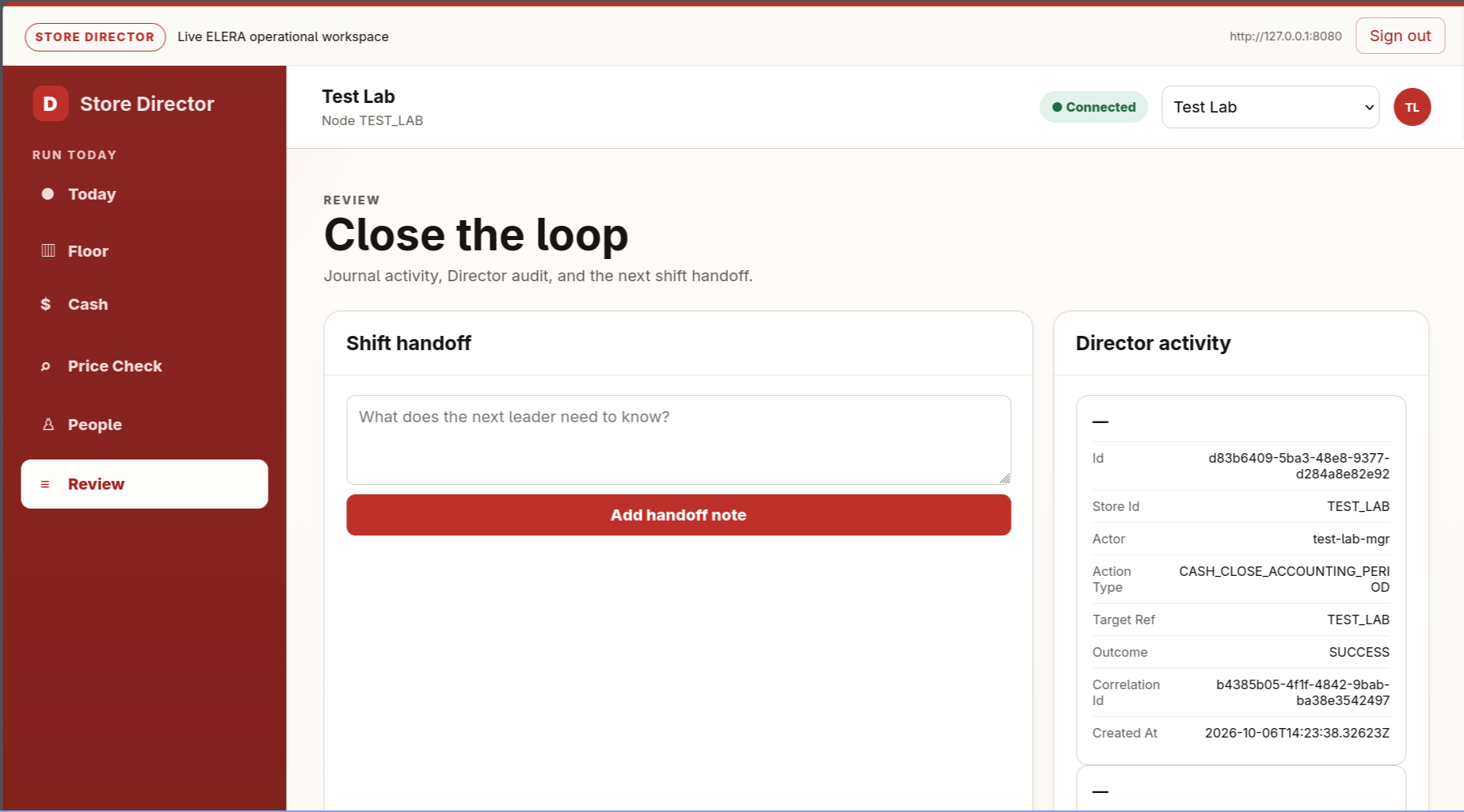
Close the loop: the last 24 hours of the ELERA electronic journal with receipt items and tenders, Director activity with each action's actor, action type, target, and outcome, and shift handoff notes the next leader can acknowledge.

One store at a time

Store Director lists the stores available to the signed-in ELERA identity and switches between them from the store bar. An installation can also be fixed to a single store.

ELERA sign-in and permissions

Users sign in with their ELERA credentials. What each user can see and do follows their ELERA permissions, such as cash management, endpoint status, price lists, and user administration.

Deployment

A Java 17 application, run with the included launcher or as a Docker image. The ELERA address is set when Store Director starts, HTTPS is expected, and handoff notes and Director activity are kept in a local encrypted database.
Today, Floor, Price Check, and Review

Select any screenshot for a closer look. Screens show test-lab data.

Guarded actions

Review first, then send to ELERA.

Store Director is built so that a store leader sees the effect of a change before it is made, and so the next leader can see what was done.

  • Protected cash actions describe the exact effect for confirmation before submitting the change to ELERA
  • Cash and operator actions require an ELERA sign-in from the last few minutes
  • Review counted cash against ELERA's expected amount. Corrections require a reason and preserve local count history.
  • Carry Forward is offered only for eligible periods, after their tills are complete
  • Conflicting actions are blocked until an uncertain ELERA result is reviewed
  • Director actions are recorded with actor, action type, target, and outcome
  • The workspace locks after the inactivity timeout configured in ELERA
  • Shift handoff notes carry open items to the next leader

Beta program

Help us build it around real stores.

Store Director is still being built, and we are looking for beta testers. A beta engagement begins with one production store already running ELERA. REDList works directly with your team to set it up, learn what is useful, and find what needs to change.

For retailers

Tell us which cash, floor, and handoff details matter most to your store leaders. Work with REDList directly, or alongside your Toshiba Business Partner.

For Retailers

For Toshiba Business Partners

Store Director adds a store-operations workspace to the ELERA accounts you serve.

Partner with REDList

Part of the ELERA Portfolio

Store Director sits in the Operate stage alongside User Management, fingerprint sign-on, Admin Lite, and Image Lane Server.

ELERA Portfolio

Interested in becoming a beta tester?

Start a conversation with REDList. We will review the fit, agree on the production store for the beta, and make sure expectations are clear before any data is shared.