Image Lane Server (ILS) · Lane screen advertising
Turn idle ELERA lanes into retail media.
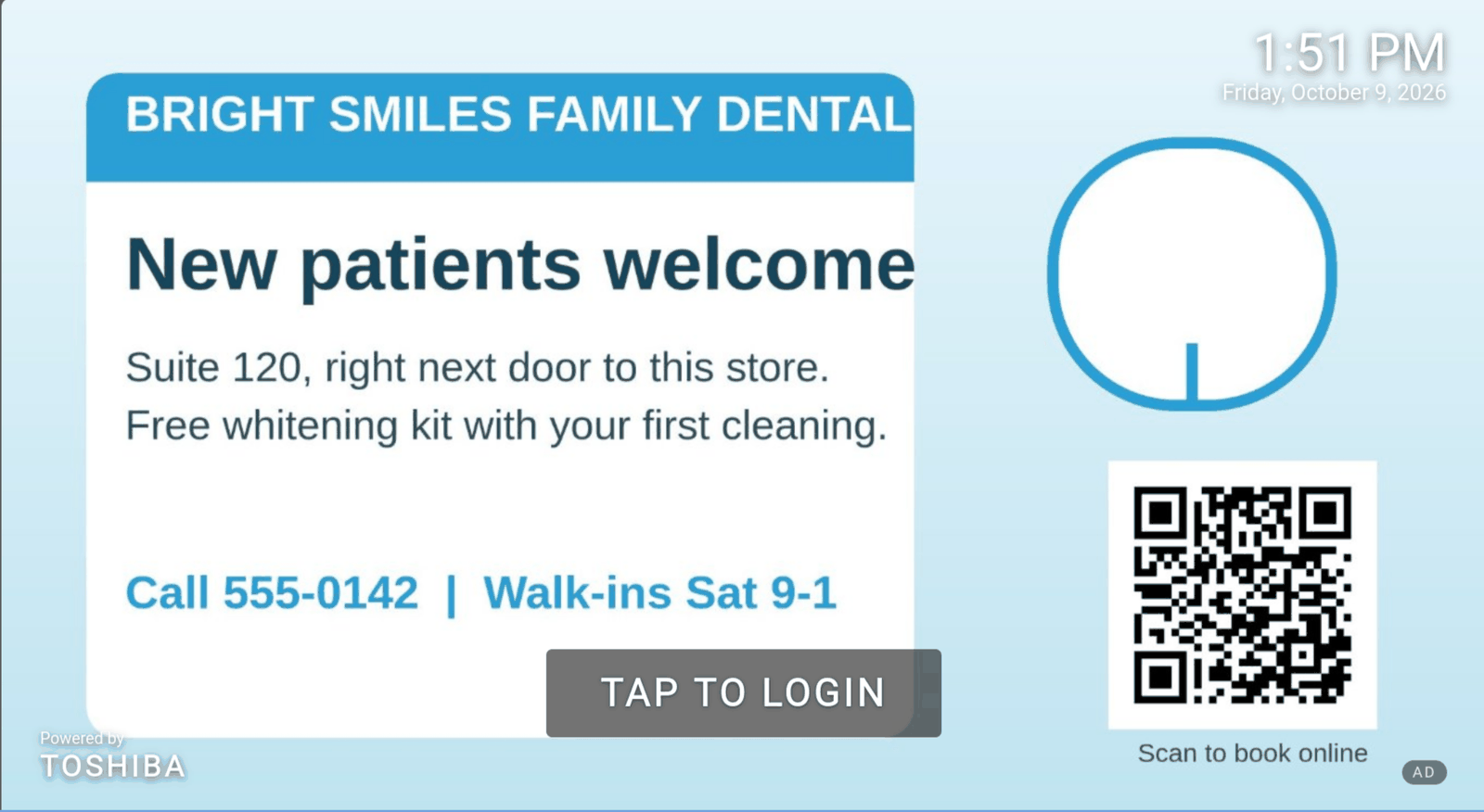
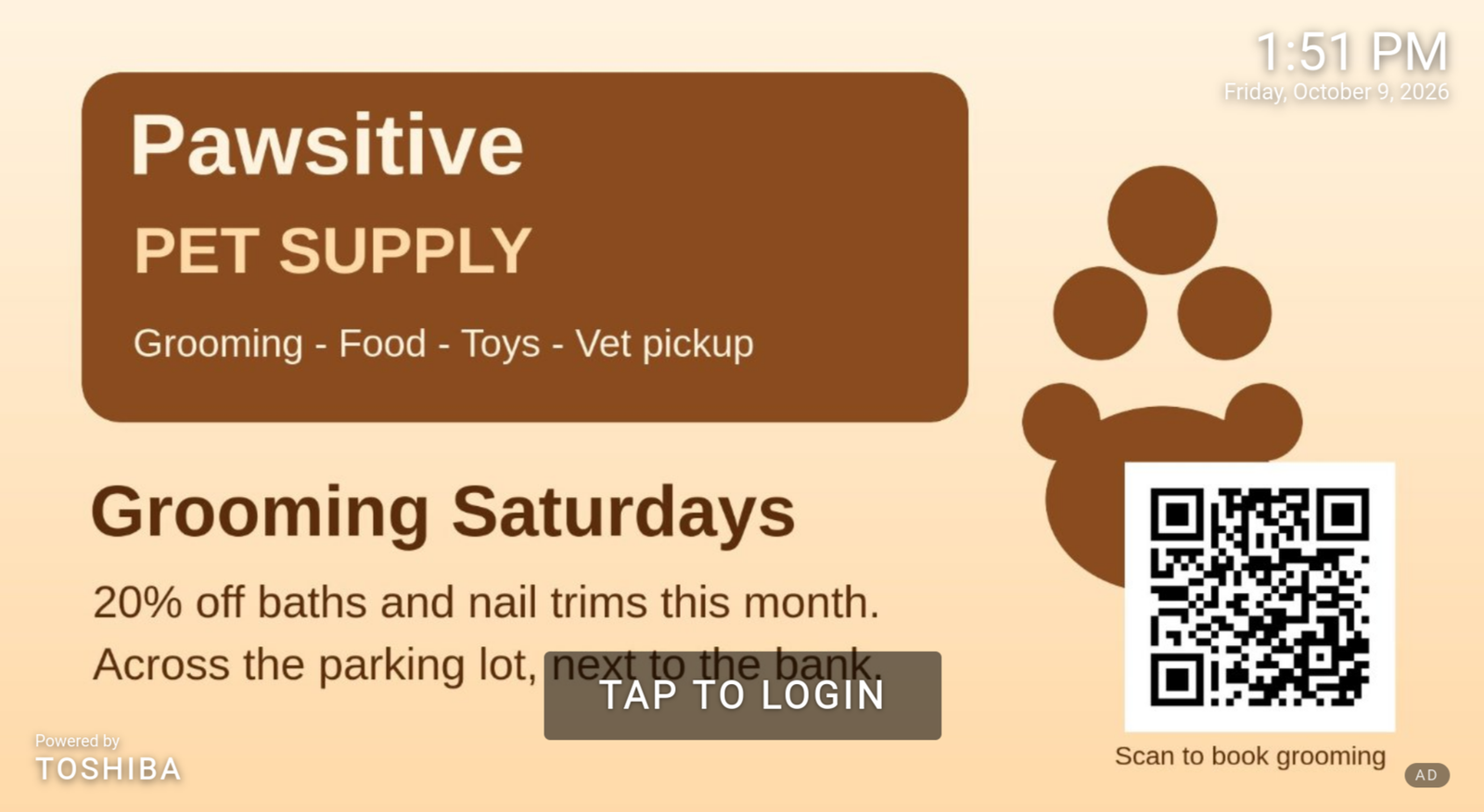
Image Lane Server (ILS) turns the idle screen of every ELERA WebPOS lane into advertising space. A small overlay on the store's ELERA nginx rotates images on the “TAP TO LOGIN” screen, and ILS decides which images run on which lanes at which times, recording every display as an impression.
Sell lane screens to third-party advertisers, run your own promotions and loyalty messages, and do it with zero change to ELERA. Taps fall straight through to ELERA's own login screen, and the overlay steps aside whenever a dialog, a sign-on, or a transaction is in progress.
Why Image Lane Server
New revenue and better messaging from screens you already own.
Every ELERA WebPOS lane already has a screen facing the shopper. ILS turns that screen into in-store advertising space for your own messages and for paying advertisers, without touching the POS.
Retail media revenue
Sell idle-screen and sales-panel time to third-party advertisers. Front-end lanes are graded Tier T1, the highest-visibility space with the highest third-party rate.
- Target by store, lane, tier, or lane kind
- Day-part slots across the week
- Impression data for advertiser reporting
Your own messages
Run promotions, loyalty offers, store hours, and other retailer messages wherever you target them. Tiers only apply to third-party campaigns.
- Retailer and third-party campaigns side by side
- Weight (1–10) sets each campaign's share of rotation
- Templates so most campaigns need no manual slot work
Safe at the lane
ELERA itself is never changed. The overlay sits beside WebPOS, taps fall through to ELERA's login, and the overlay removes itself during dialogs, sign-ons, and transactions.
- Uploads re-encoded; originals never reach a lane
- Lanes receive images only from the store's own nginx
- Access governed by ELERA roles
What shoppers see
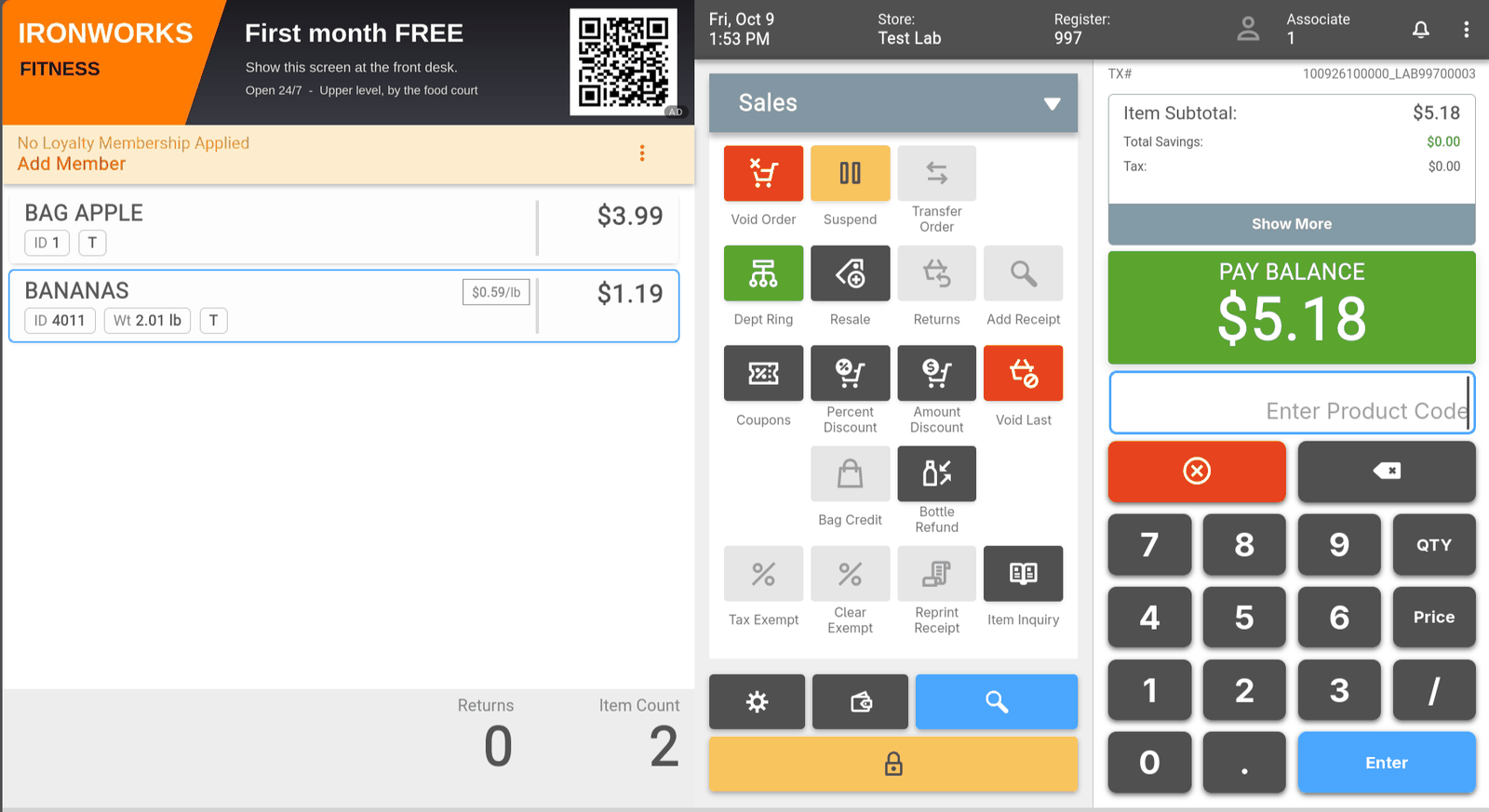
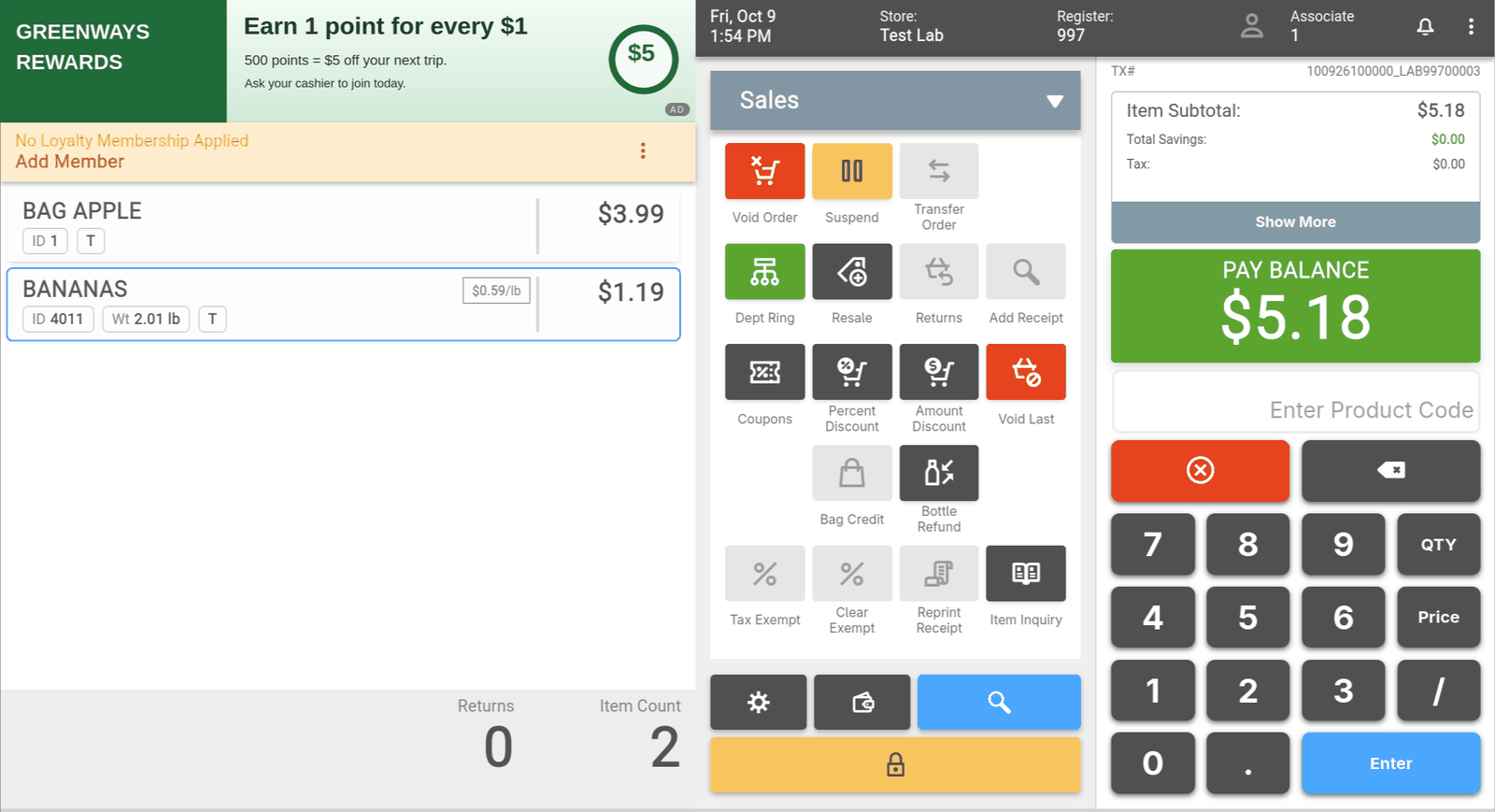
Full-screen images on the idle TAP TO LOGIN screen, and an optional sales-screen panel. Each lane can enable or disable the screensaver and the sales-screen panel independently.
How it works
From store setup to impressions in four steps.
Changes reach lanes within minutes. Lanes refresh their playlist at least every five minutes and at every day-part boundary, and Preview playlist shows exactly what a lane will show.
Set up stores and lanes
A store is an ELERA node; a lane is a register identified by its ELERA deviceId. The Setup wizard discovers nodes, and devices where ELERA exposes them.
- Add ghost lanes for registers not yet running WebPOS
- Assign tiers T1, T2, and T3 by lane kind
Upload creatives
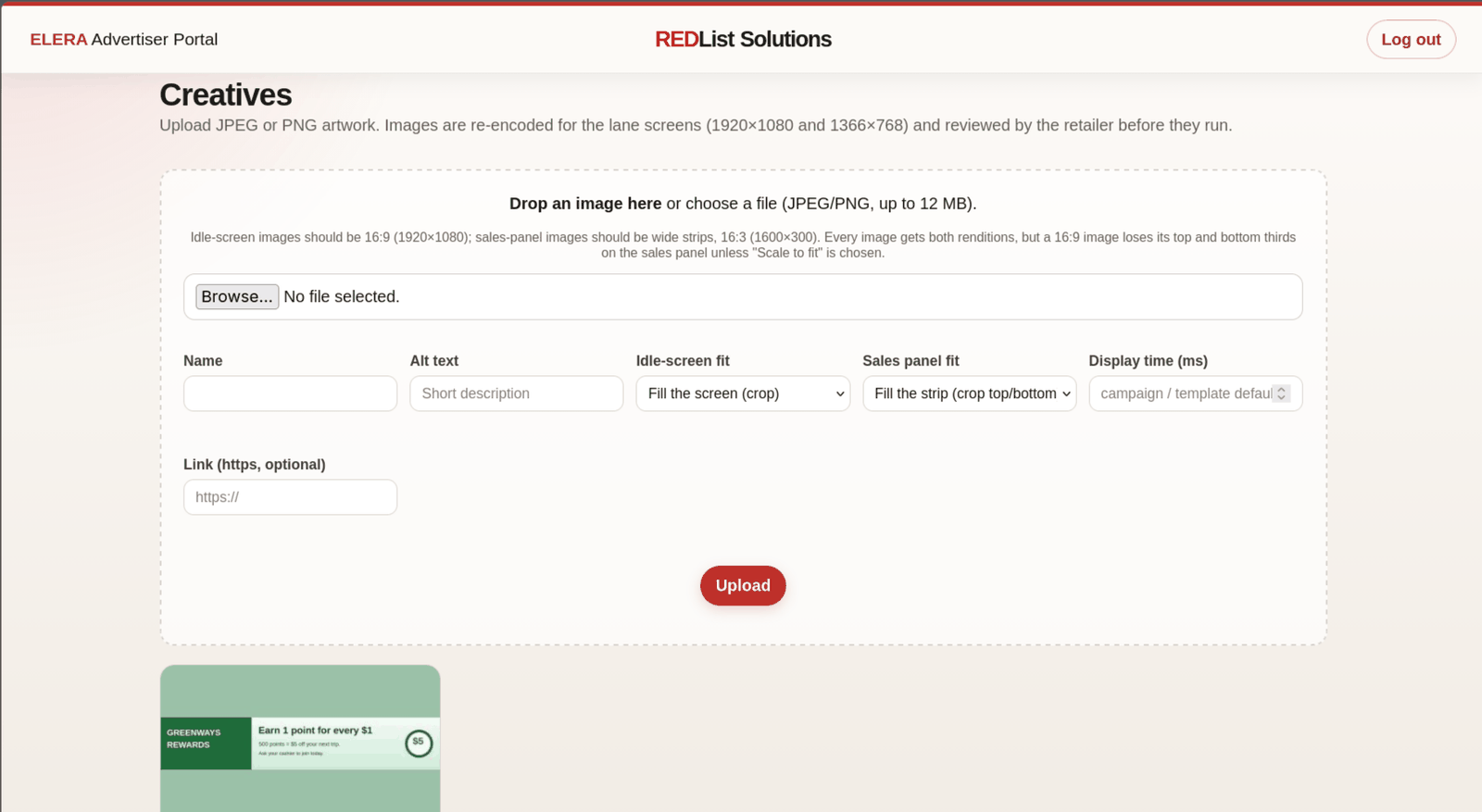
A creative is one advertisement image, JPEG or PNG, ideally 1920×1080. Every upload is validated and re-encoded into fixed-size renditions.
- The original file is never served to a lane
- Archive creatives once no active campaign uses them
Build campaigns and slots
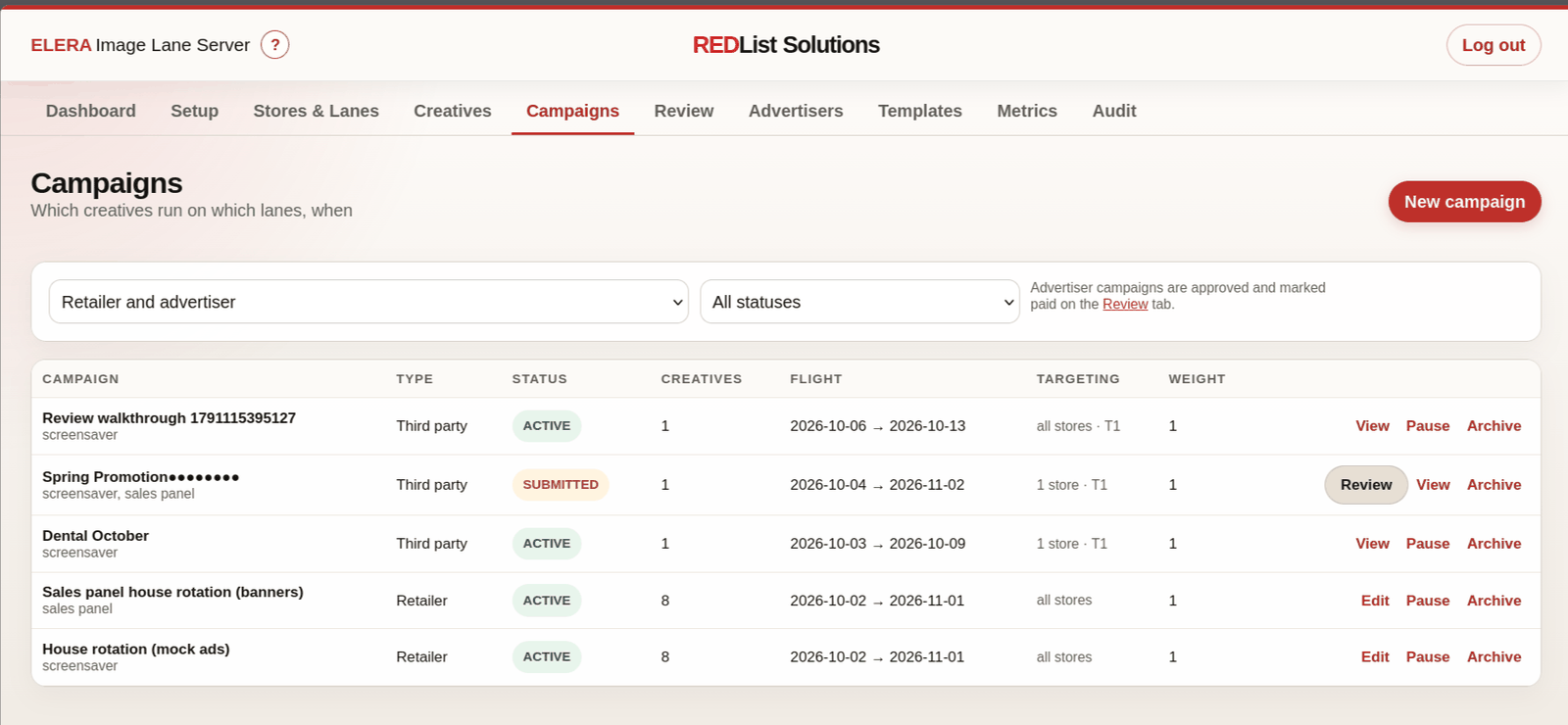
A campaign runs one or more creatives on targeted lanes during a date range and a set of slots on a seven-day grid of your template's day parts.
- Targeting defaults to all enabled stores and lanes
- Narrow by store, lane, tier, or lane kind
Play, measure, report
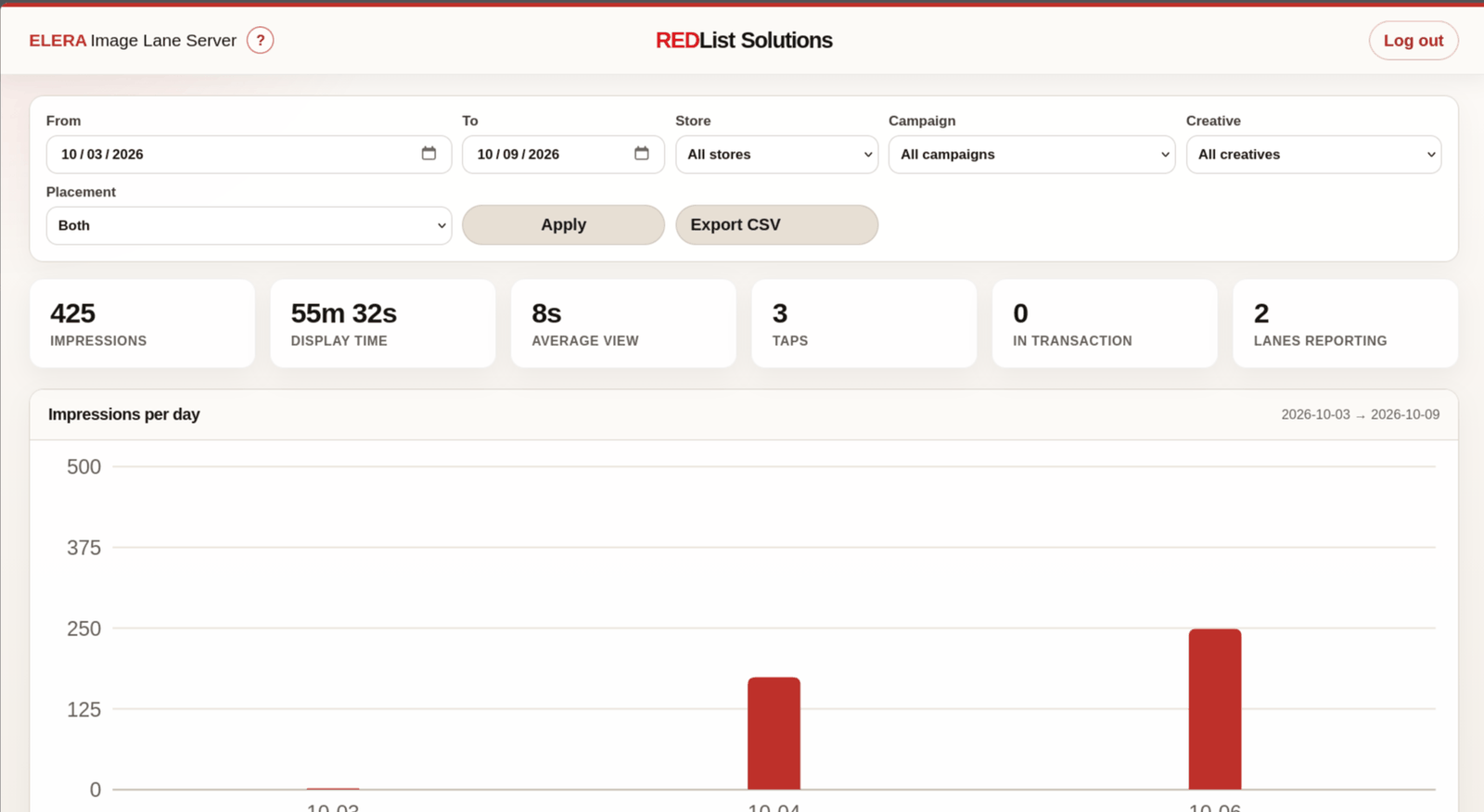
Each display records an impression with its duration and how it ended: rotated, tapped, or interrupted.
- Summaries by creative, lane, and store
- Per-day charts, CSV export, and weekly advertiser reports
What Image Lane Server manages
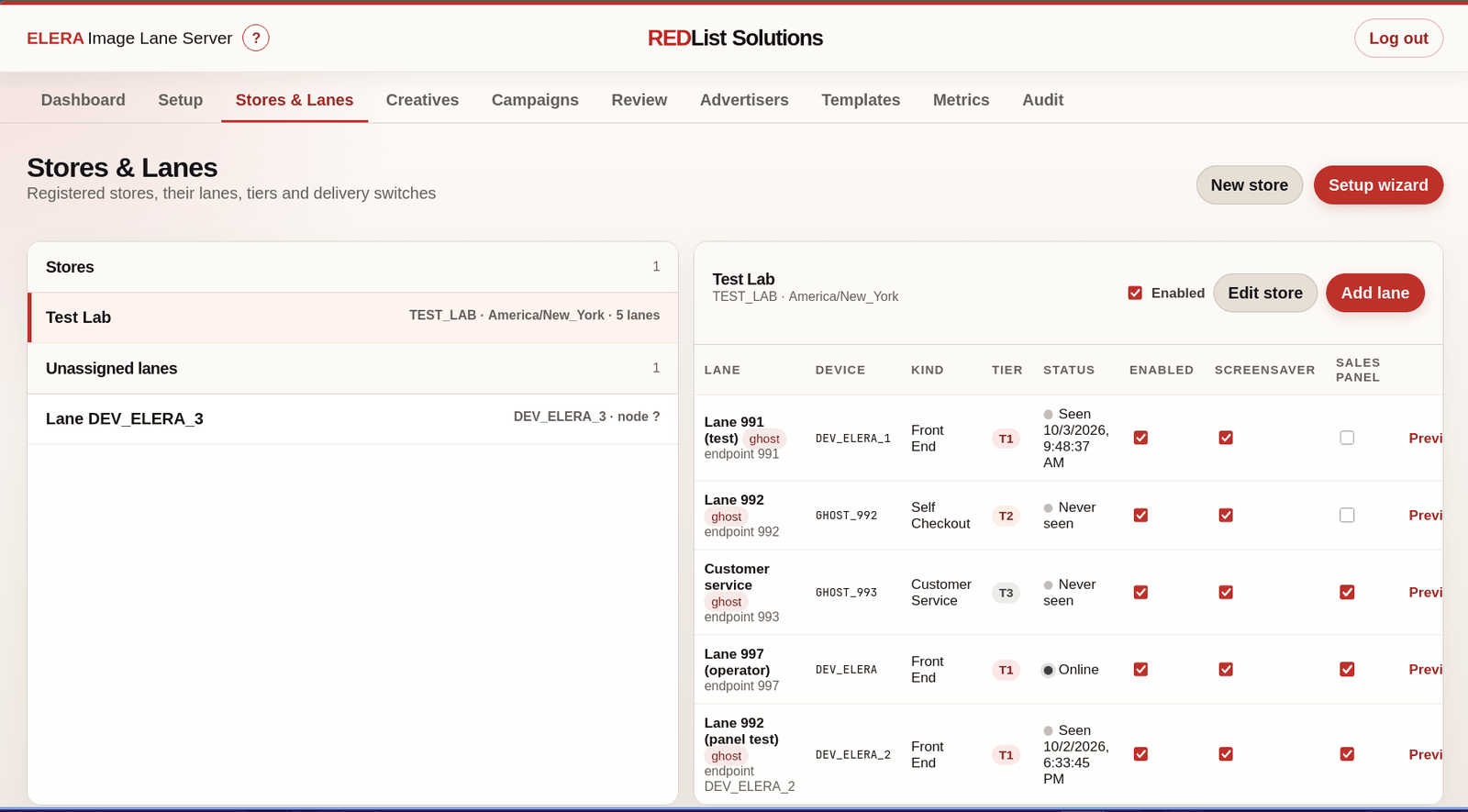
One console for the retailer's media team: stores and lanes, creatives, campaigns, templates, and metrics.
Stores, lanes, and tiers
Tier T1 covers the highest-visibility front-end lanes, T2 good-visibility lanes such as self-checkout and pharmacy, and T3 lower-visibility lanes such as customer service and back office.
Creatives
Validated, re-encoded renditions for the lane screens, so hidden content in an uploaded file cannot reach WebPOS.
Campaigns and slots
Date ranges, a seven-day slot grid by day part, targeting, and a 1–10 weight that controls how often a campaign's creatives appear relative to others.
Templates
Defaults for new campaigns (day parts, dwell time, flight length) and for newly onboarded lanes (tier by lane kind).
Metrics
Impressions by creative, lane, and store, charted per day and exportable to CSV. Weekly advertiser reports are built from the same data.
Preview playlist
Use Preview playlist on any lane to see exactly what it will show. Changes reach lanes within minutes.
Manage campaigns from one console
Stores and lanes, campaigns, metrics, and creatives, all governed by the signed-in user's ELERA roles.
Retailer messaging and advertisers
Your promotions, and advertisers you approve.
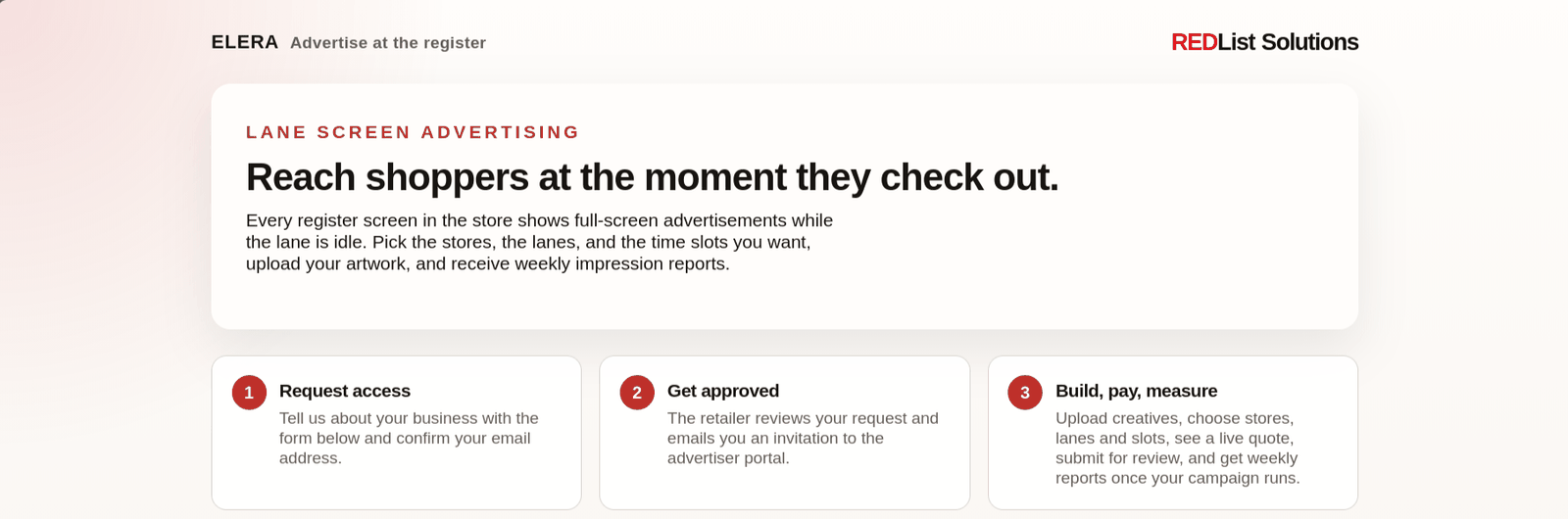
Retailer campaigns run wherever you target them. Third-party advertisers can request access from an advertiser-facing page, and the retailer reviews advertisers, creatives, and campaigns before anything runs on a lane.
Safe operation
Designed to stay out of the way of the lane.
ILS adds advertising beside ELERA rather than inside it. The overlay never blocks a cashier or a shopper, lanes only ever receive re-encoded images from the store's own nginx, and access follows the roles you already manage in ELERA.
- ELERA itself is never changed; the overlay sits beside WebPOS
- Taps fall straight through to ELERA's own login screen
- The overlay removes itself during dialogs, sign-ons, and transactions
- Every upload is validated and re-encoded; originals are never served to a lane
- The ELERA token stays in the server-side session, not in browser JavaScript
- ADMIN, ADMIN_MODIFY, and STORE_ADMIN may change settings; ADMIN_VIEW may only view
- If the session expires or ELERA is unavailable, the app blurs the view and asks you to sign in again
For retailers
Put the lane screens you already own to work for promotions, loyalty, and paid advertising. Work with REDList directly, or alongside your Toshiba Business Partner.
For Toshiba Business Partners
ILS adds a retail media offer to every ELERA account you serve, with no change to the ELERA platform you deploy and support.
Part of the ELERA Portfolio
ILS sits in the Operate stage alongside User Management, fingerprint sign-on, Admin Lite, and Store Director.
Ready to put your lane screens to work?
Talk with REDList about Image Lane Server for your ELERA stores, or about offering it to the retailers you support as a Toshiba Business Partner.