ELERA Admin Lite
Focused ELERA administration—from visibility to controlled change.
ELERA Admin Lite is a focused administration interface for the Toshiba Global Commerce Solutions ELERA Platform. It combines deep operational visibility with guarded tax, node, catalog, price-list, and item administration through generated ELERA change plans.
The app ships as a pre-compiled GraalVM native executable in a minimal Docker container. Teams can migrate ACE tax tables, manage hierarchy and assignments, inspect endpoints and terminal configuration, and move from enterprise-level browsing into receipt, promotion, pricing, and item detail.
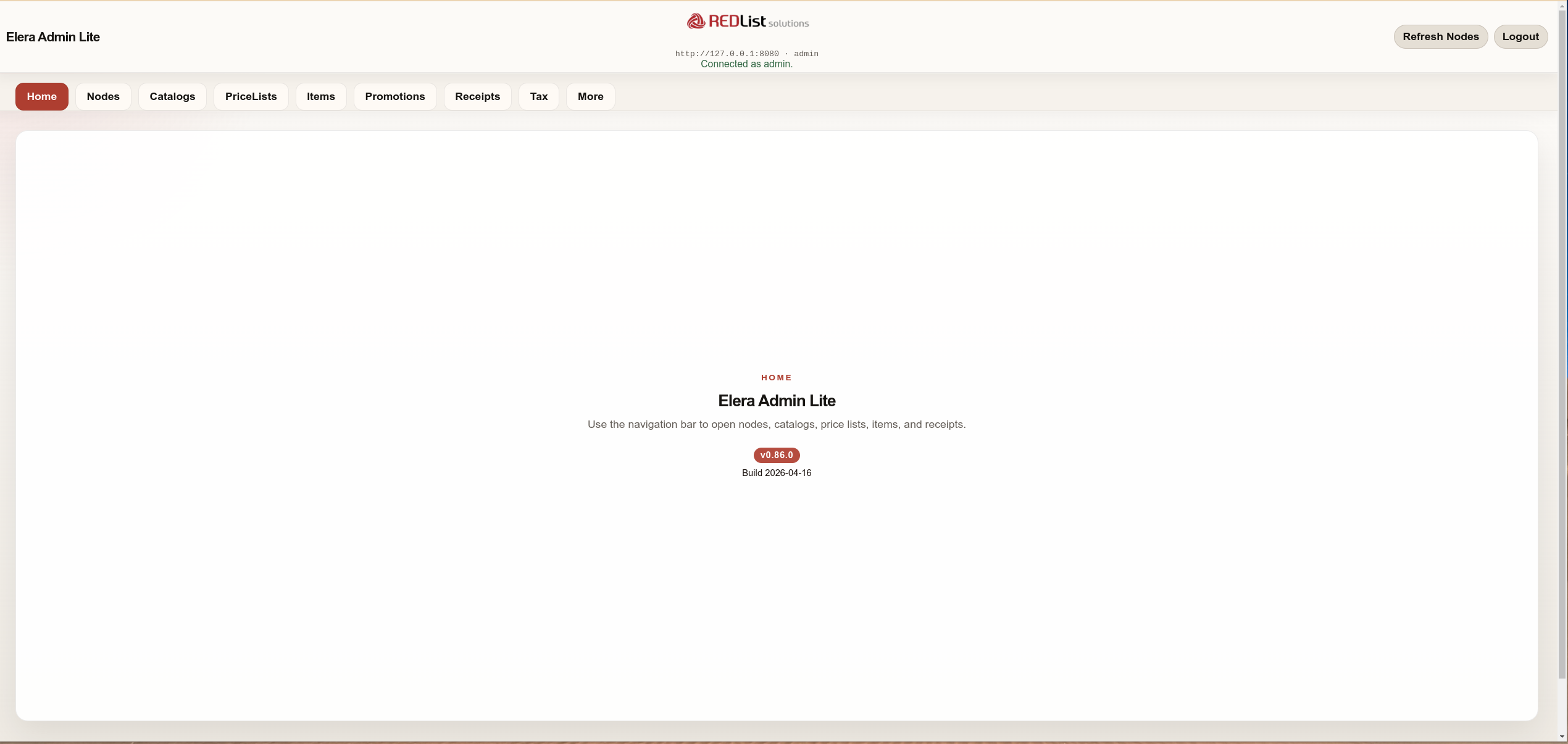
Current Admin Lite capabilities
Admin Lite now performs significant ELERA administration work.
Since the earlier visibility-focused release, Admin Lite has added tax migration and assignment, guarded node lifecycle operations, and complete catalog and price-list management. Every state-changing workflow presents a preview, requires explicit approval, and publishes through an automatically generated ELERA change plan.
Taxes and ACE tax-table migration
Browse global tax sets, rates, brackets, exemptions, and the effective inherited tax configuration at a selected node. Admin Lite can also translate ACE tax tables into reviewed ELERA configuration.
- Validate and preview
EAMTAXT1–EAMTAXT8before import - Attach ordered tax sets to nodes with inheritance awareness
- Assign Product Tax Codes to catalog groups, individual items, or selected items
Add, move, inspect, and delete nodes
Node details now lead directly into controlled hierarchy work while preserving the configuration, endpoint, tax, catalog, and receipt context operators need before making a change.
- Add nodes or move a node beneath a new parent through a Draft plan
- Delete eligible leaf nodes with exact-name confirmation
- Search the full hierarchy and compare local, inherited, and raw configuration
Copy, move, assign, and delete catalogs
Catalog management covers local groups and items, hierarchy changes, and direct node assignments—without flattening inherited configuration or silently removing shared dependencies.
- Copy local catalog groups and items or move a catalog to a new parent
- Add or remove direct assignments across several nodes in one plan
- Guarded deletion with count checks, explicit node-link cleanup, and optional exclusive price-list cleanup
Copy, assign, page, and delete price lists
Price-list workflows preserve record fidelity and distinguish direct assignment from inherited and price-zone use so operators can change the correct source.
- Copy all production price records and optionally assign the new list
- Manage direct assignments on multiple nodes in one generated plan
- Delete lists and explicit links with pending-batch and protected-reference safeguards
What Admin Lite helps teams manage
The application sits beside an ELERA environment and connects migration, support, configuration, and day-two operations in one focused workspace.
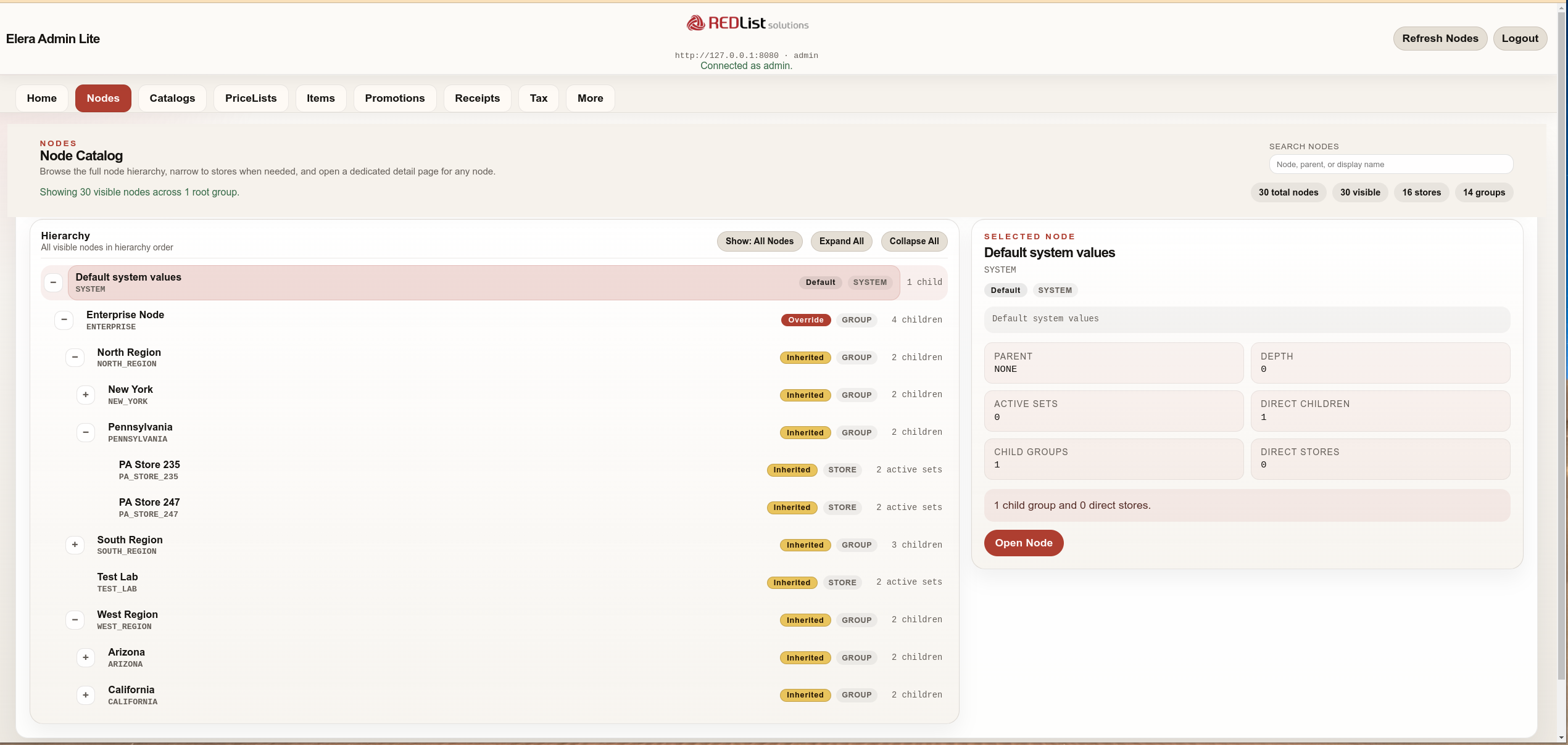
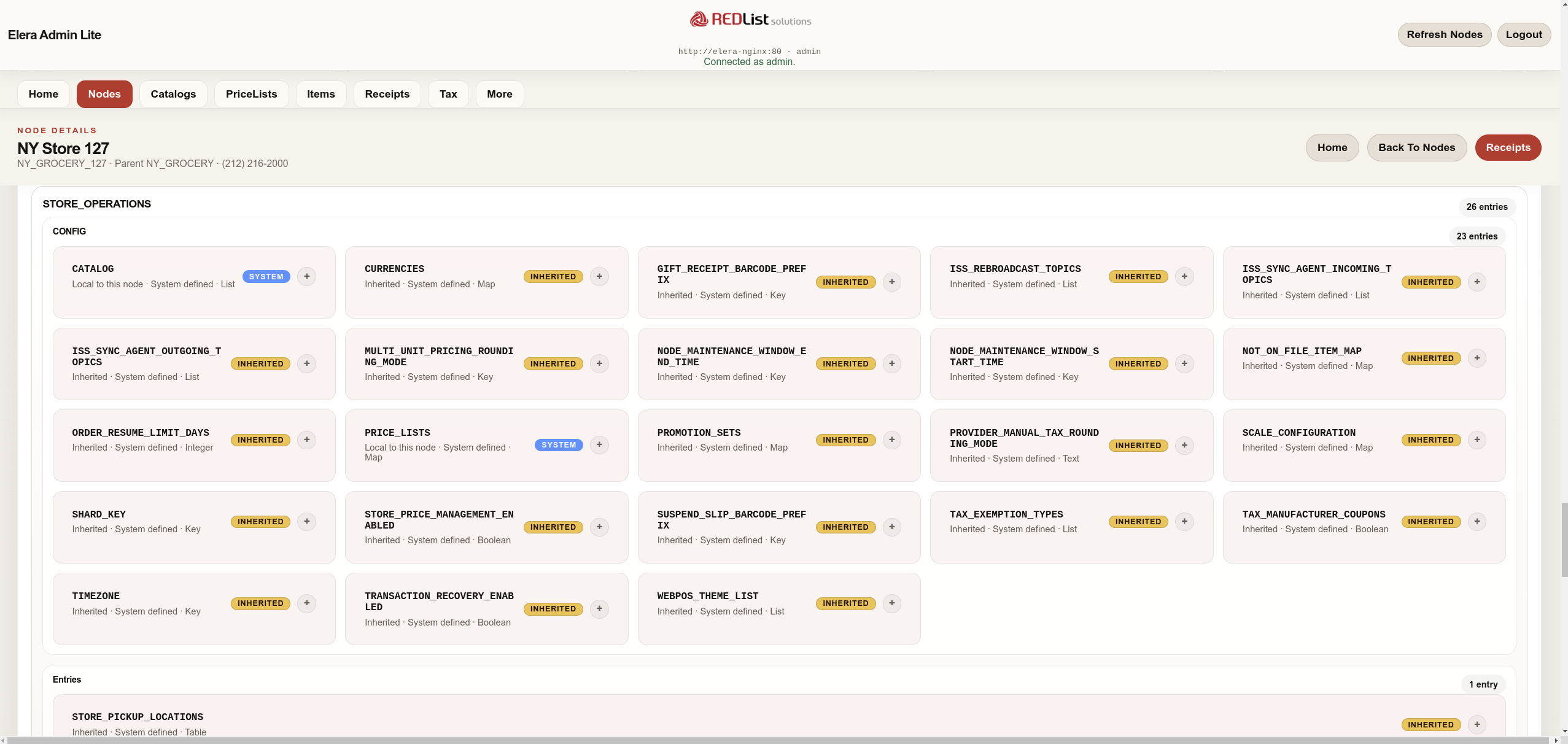
Nodes and inherited configuration
Browse and search the enterprise hierarchy, inspect local versus inherited values, then add, move, or safely delete eligible nodes.
- Full hierarchy plus node-name and display-name search
- Configuration source and raw JSON visibility
- Guarded add, move, and leaf-node delete workflows
Tax configuration and migration
Understand global and node-effective tax, carry ACE tax plans forward, and publish Product Tax Code assignments at the appropriate level.
- Tax sets, rates, brackets, groups, and node inheritance
- ACE tax-file validation, preview, and import
- Node, catalog-group, individual-item, and bulk-item assignment
Catalog and price-list lifecycle
Browse hierarchy and item coverage, then copy, move, assign, or delete with dependency-aware previews and generated plans.
- Multi-node direct-assignment matrices
- Inherited and price-zone sources remain explicit
- Native child cleanup with retained-dependency reporting
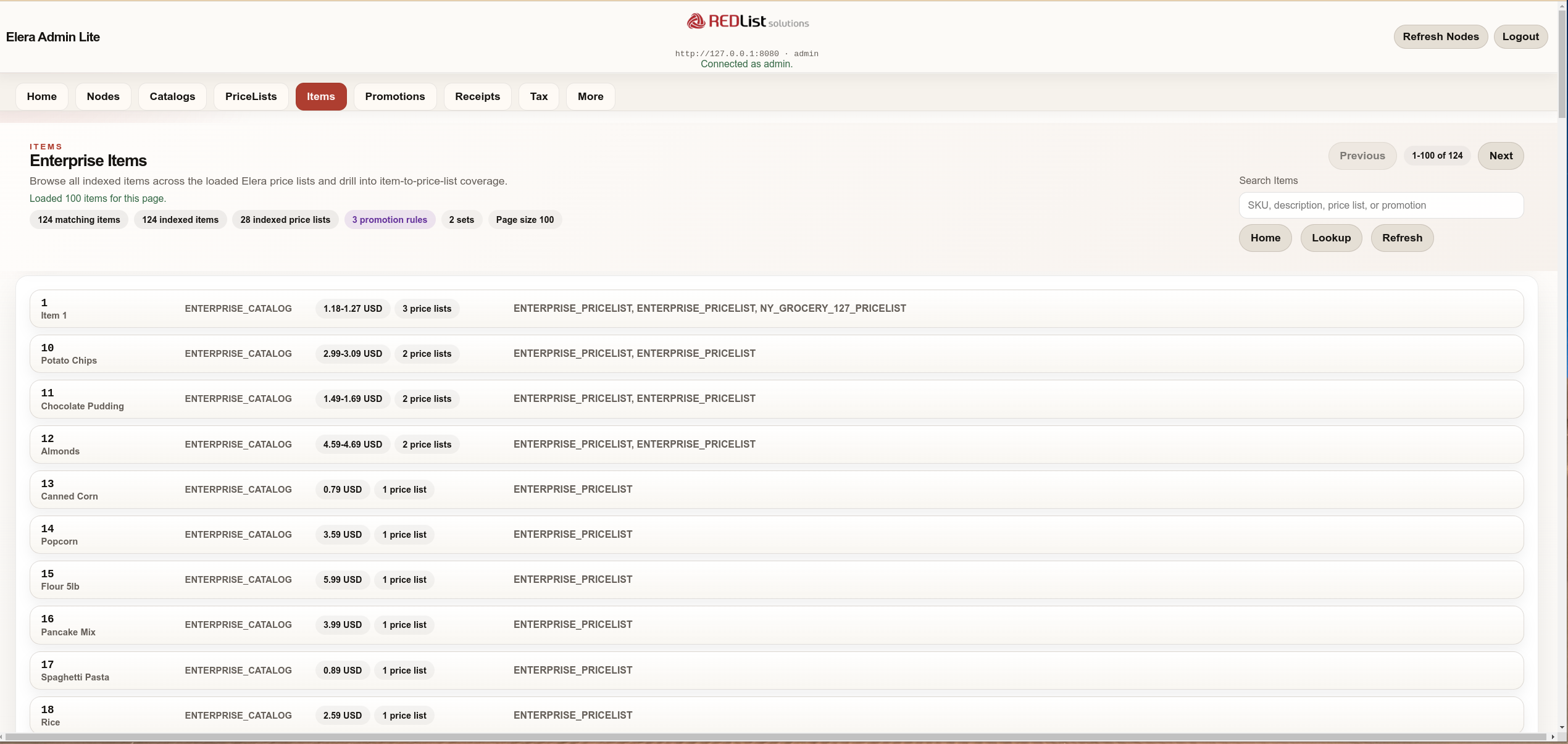
Large item and pricing inventories
Select a production catalog before indexing its items, search price-list records by SKU, and page through large results without loading an entire enterprise into the browser.
- Catalog-scoped progressive item indexing
- Server-side price-list item paging and counts
- 25, 50, 100, or 200 row views with direct page entry
Endpoints and terminal configuration
Move from runtime status into endpoint detail, or browse terminal definitions by type and node to confirm device coverage.
- Online/offline status and attached-service visibility
- Grouping by terminal type or node
- Device, heartbeat, POS state, and raw JSON detail
Receipts and promotions
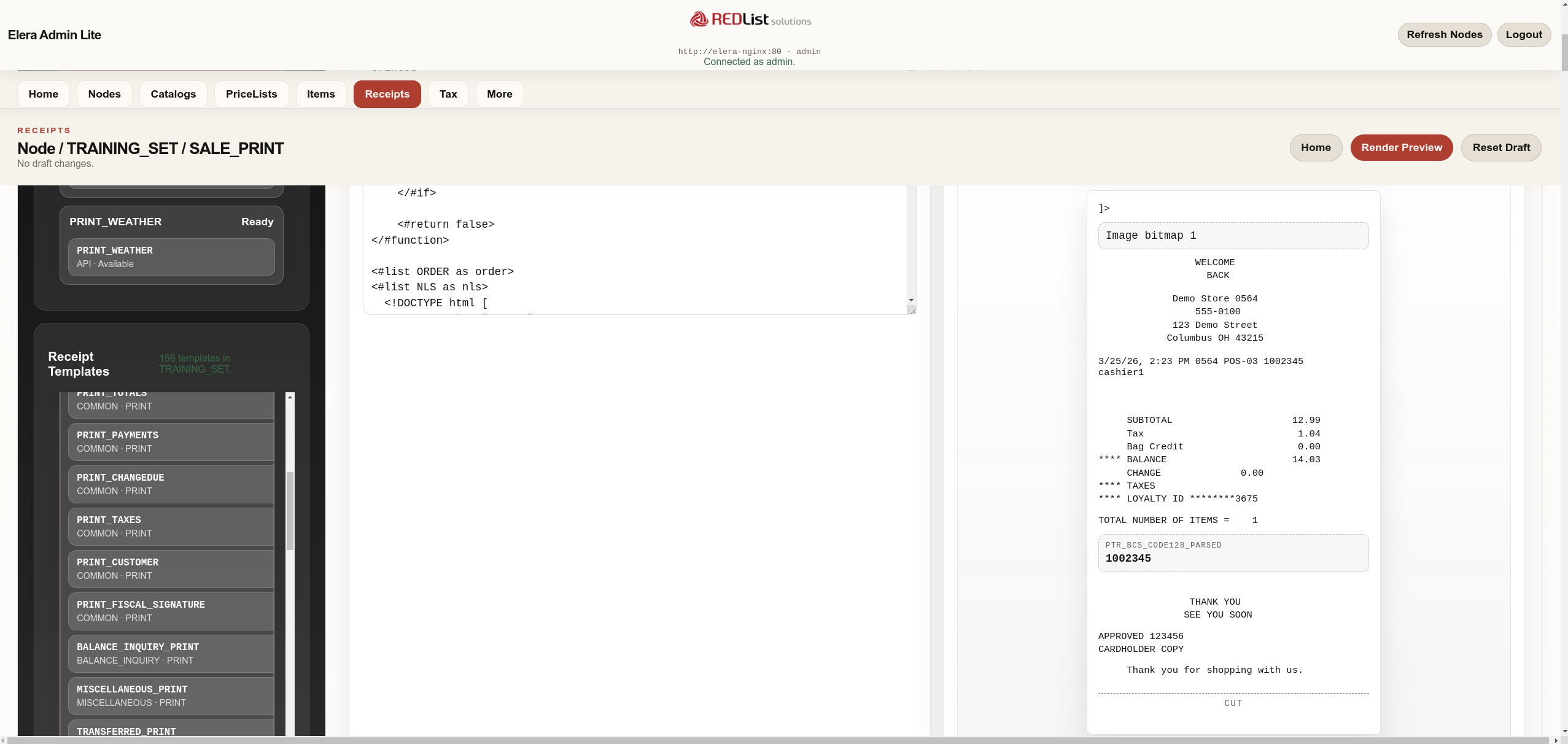
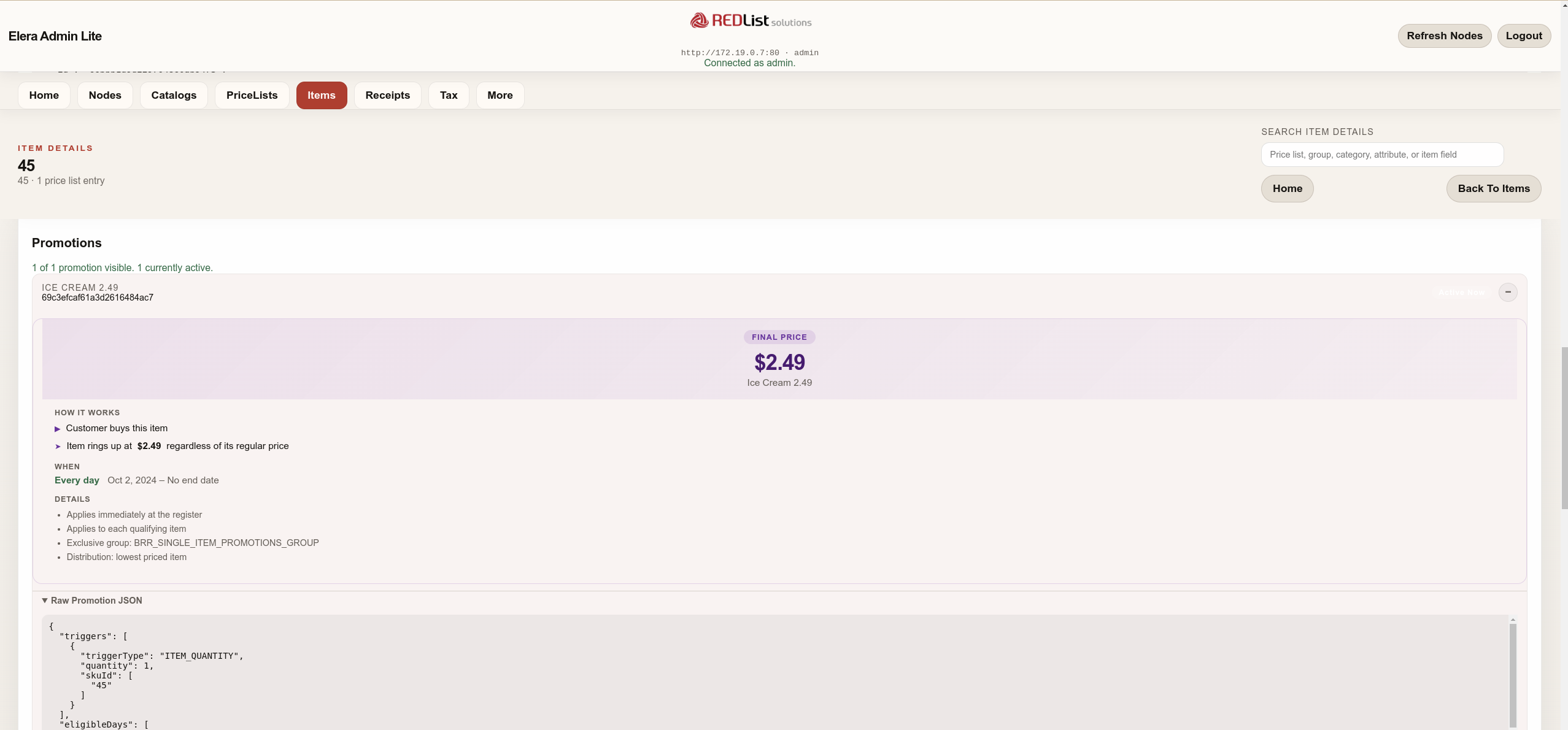
Open a node-aware FreeMarker receipt workspace and review promotion rules, eligible items, and plain-language explainers.
- Inherited receipt configuration and effective
RECEIPT_NLS - Live template preview and dependency analysis
- Promotion status, rule summary, and item eligibility
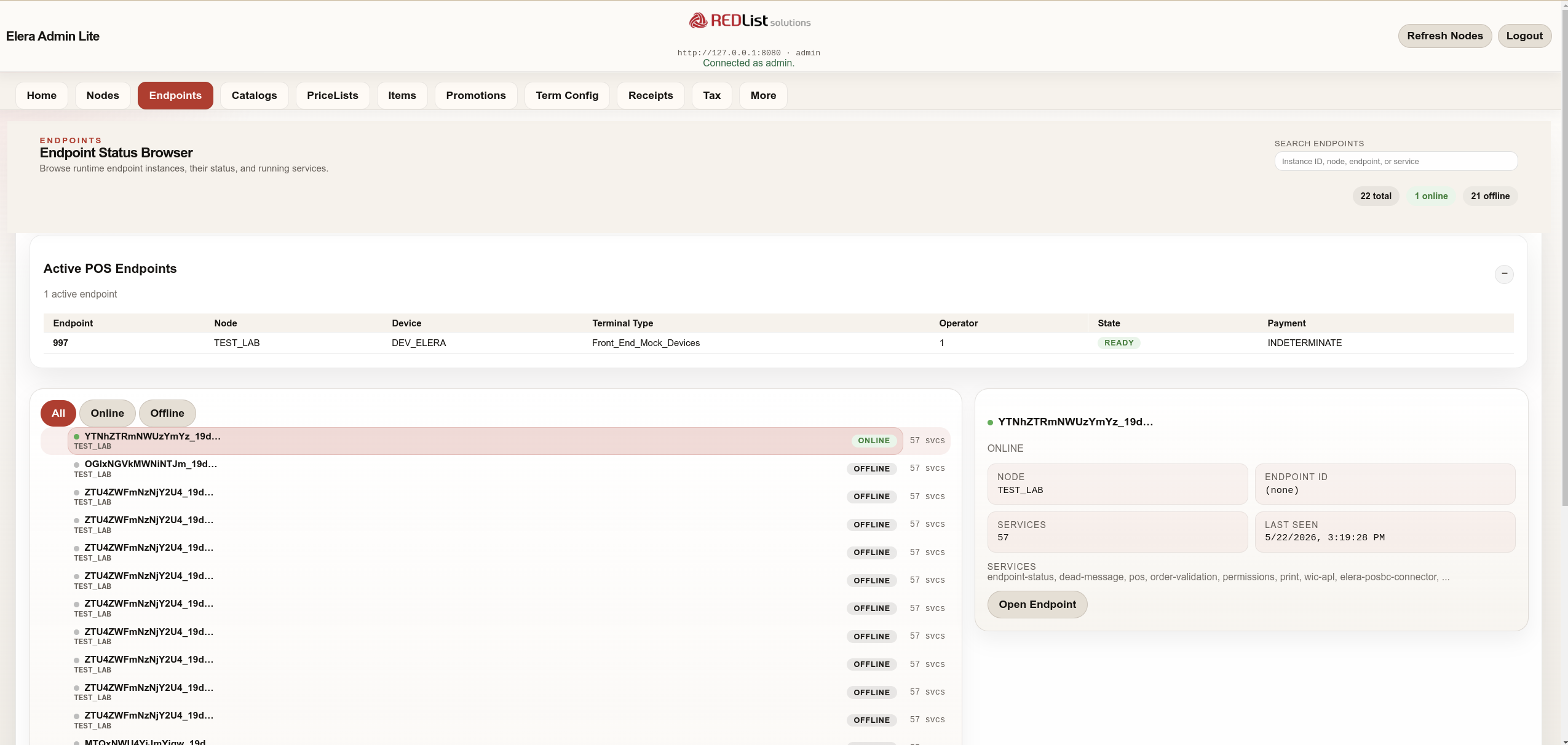
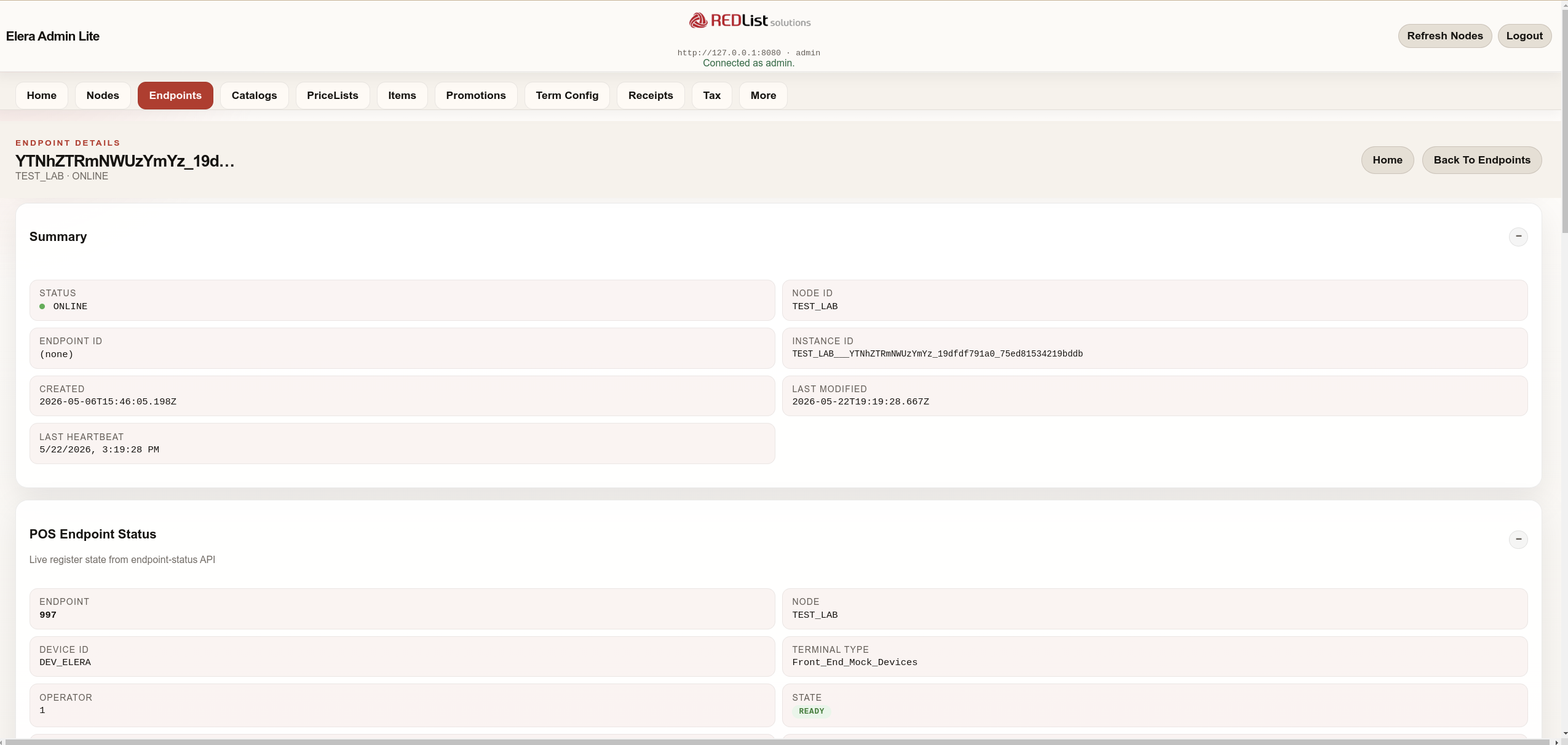
Endpoint workflows
Start from a live status browser, identify the relevant instance, and open a detail page that exposes heartbeat, POS status, and runtime identifiers.
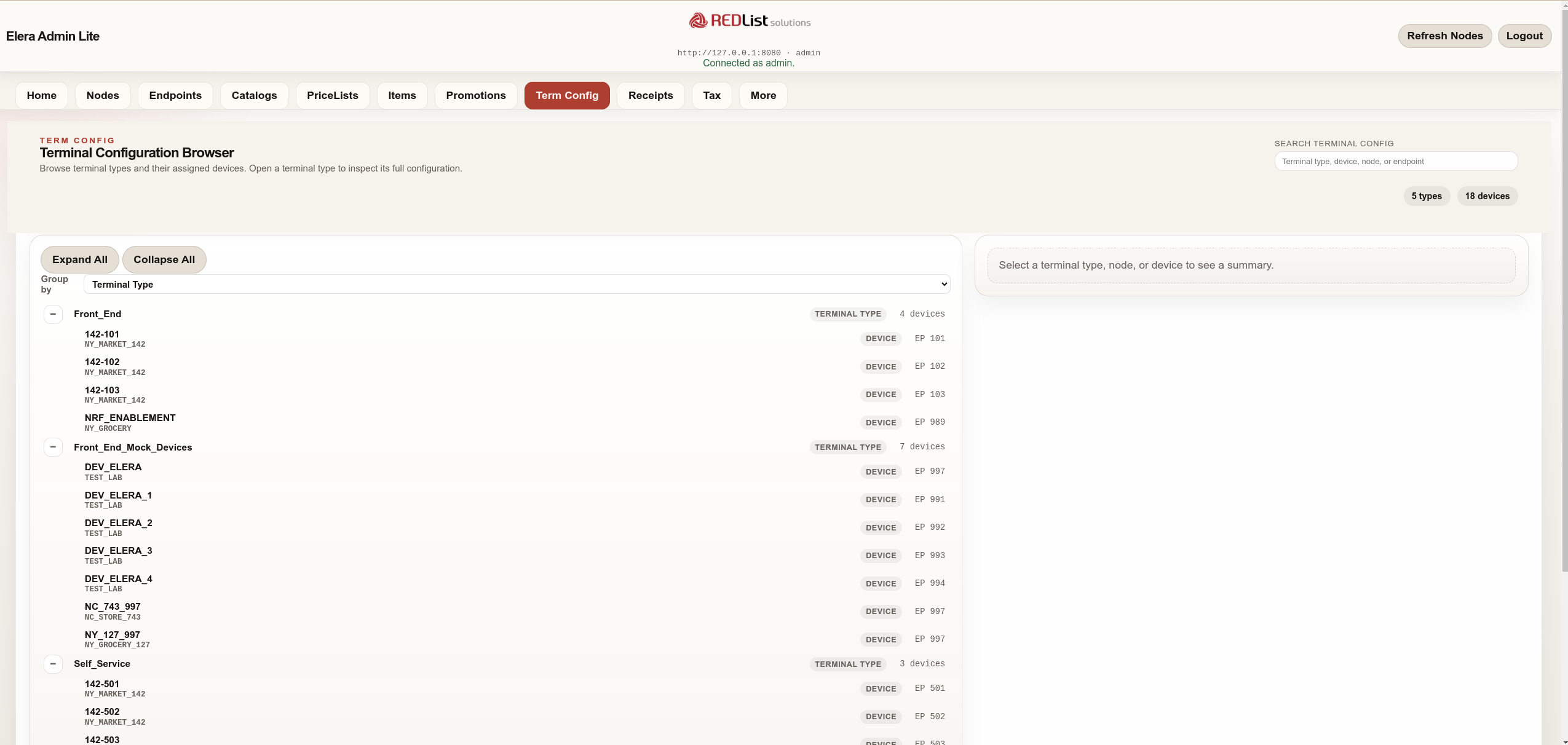
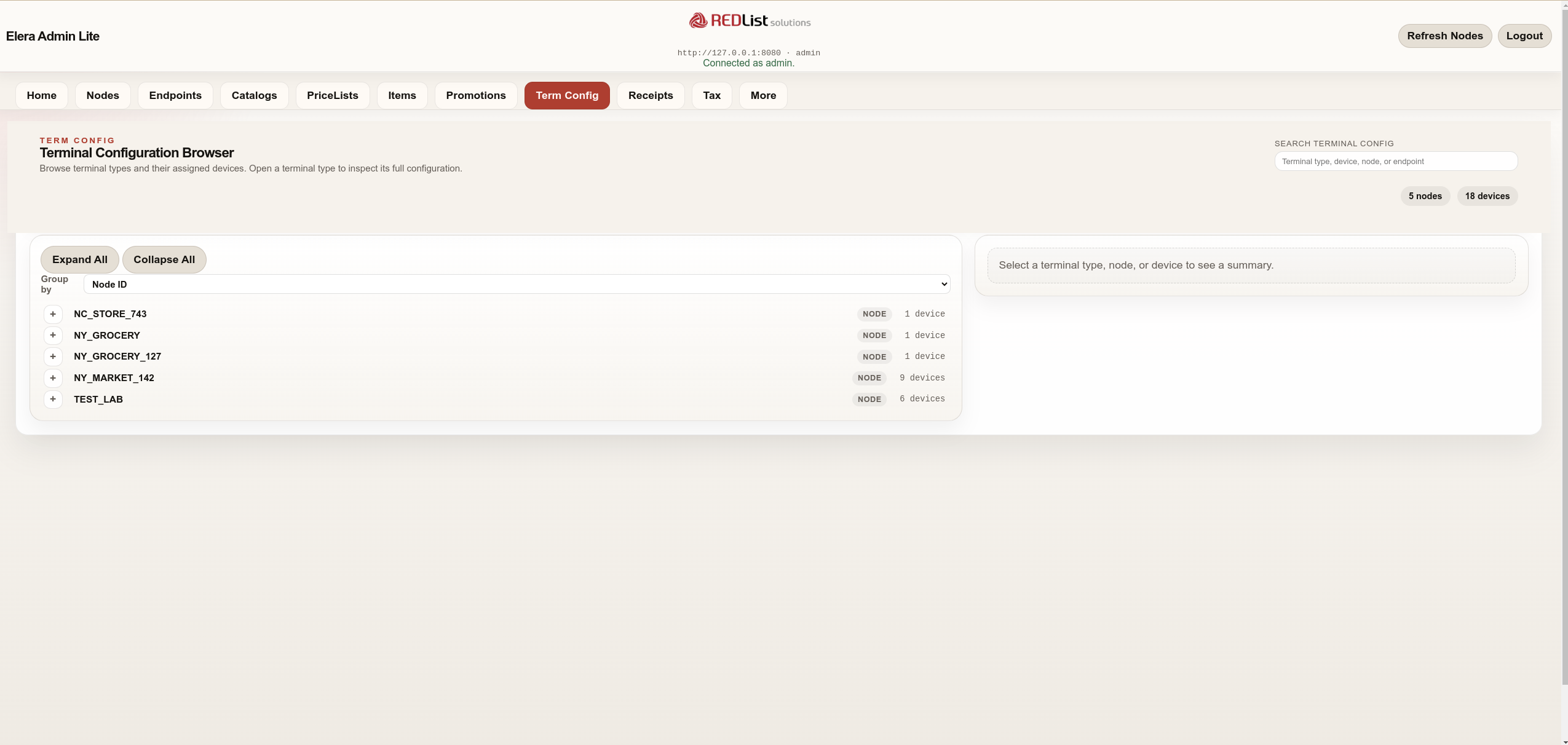
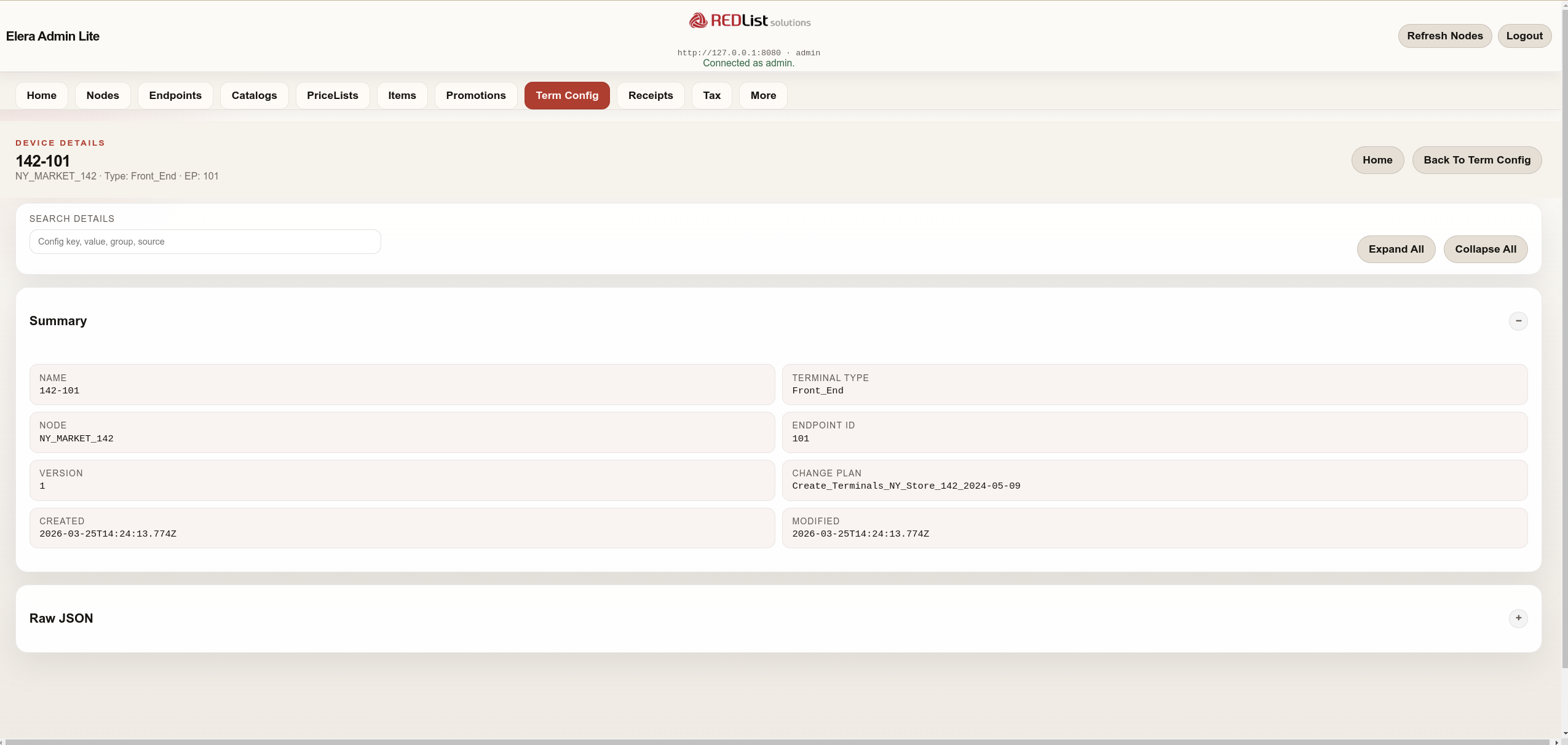
Terminal configuration workflows
Term Config gives support and rollout teams a faster way to inspect how devices are assigned and where terminal definitions live, whether the question starts from a terminal type, a node, or a specific device.
Core Admin Lite workflows
Beyond the new operational pages, Admin Lite still covers the configuration and merchandising views that support teams use most often during validation and issue analysis.
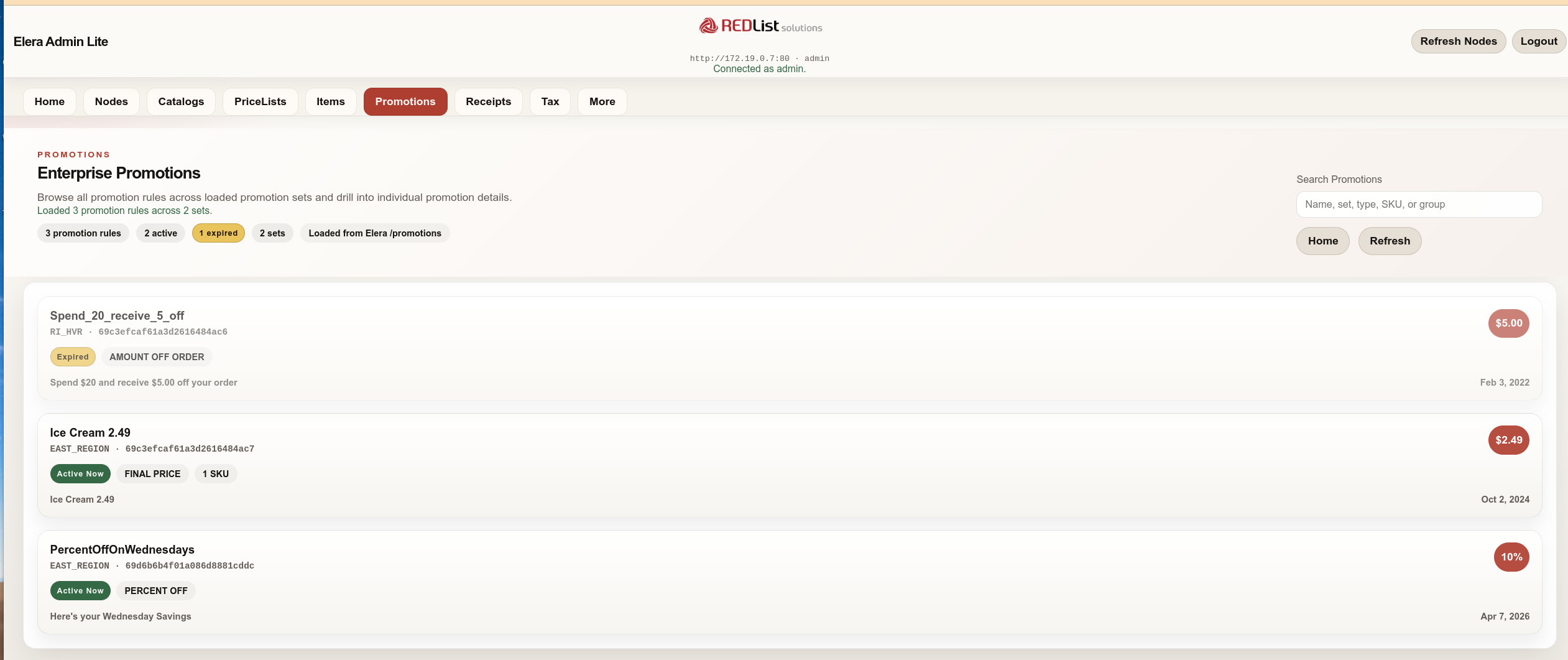
Receipt and promotion detail
Admin Lite includes a node-aware receipt studio and promotion integration on item detail pages for faster validation of store-facing behavior.
Docker quick start
Point Admin Lite at your ELERA Platform API or Nginx reverse proxy through ELERA_BASE_URL, then open the app on port 8090.
Run the image
docker pull redlistsolutions/elera-admin-lite:latest
docker run -d \
  --name elera-admin-lite \
  -p 8090:8090 \
  -e ELERA_BASE_URL=http://your-elera-host:8080 \
  redlistsolutions/elera-admin-lite:latest
Deployment notes
The container can connect to ELERA on the same Docker host, a local network, a remote endpoint, or the same Docker network as an ELERA development stack.
- Docker 20.10 or later
- Existing ELERA Platform endpoint
- Login uses ELERA Platform credentials
Security
Designed for controlled administration.
Admin Lite uses a server-side session model and a server-configured ELERA endpoint. Mutating workflows are deliberately separated into preview, explicit confirmation, staged Draft changes, and ELERA plan execution.
- Veracode static analysis score: 100/100
- Server-side ELERA communication and opaque browser sessions
- CSRF protection on state-changing endpoints
- Dependency, assignment, content-count, and version checks before publication
- No automatic retry of ambiguous or interrupted administration writes
- Session-expiry recovery and pre-execute token refresh
- Non-root container user in the runtime image
Need practical ELERA administration without the heavyweight footprint?
Use the Docker Hub image for implementation and support workflows, or talk with REDList about tax migration, hierarchy changes, catalog and pricing operations, and fitting Admin Lite into a broader ELERA transition plan.