Store Manager UI Sneak Peek
An early look at REDList Store Manager UI for ELERA.
Store Manager UI is still a work in progress and this page is intentionally a sneak peek into the upcoming release. REDList is building it from the Admin Lite foundation into a fuller ELERA back-office experience for store operations, receipts, journals, cash workflows, pricing visibility, price changes, endpoints, and reporting.
The screenshots here show an early development build and planned direction, not a final release. Feedback is welcome, and REDList is actively looking for beta testers who want to help shape the rollout and feature priorities before broader release. The latest build now includes pricing support and proposed price changes with an optional end-date field.
STORE_ADMIN role to login. REDList is evaluating support for additional roles.
Ask About Beta Access
What is planned for the tool
Store Manager UI is being built to give retail teams a practical operating surface for ELERA environments. The current plan emphasizes workflows that matter during daily operations, support, and migration readiness.
Tills and Endpoints
Visibility into active POS endpoints, terminal state, till posture, open tills, and operator-facing activity.
Endpoint health and runtime visibility
Open till snapshots and state context
Store-level operational overview
Cash Management
Planned cash-management support includes safe and till functionality with workflows for deposit, audit, reconcile, and business-day context.
Safe and till workflows
Deposit, audit, and reconcile screens
Accounting-period and business-day context
Journal, Pricing, and Reports
Search and review of transaction history, rendered receipts, manager reporting, and live visibility into item price changes and pricing context.
Electronic journal and receipt review
Manager reporting workflows
Item price-change and pricing visibility
Optional end date support for proposed price changes
Authorization-aware access
Store Manager UI does not invent a separate authorization model. It leverages the existing ELERA authorization hierarchy, so the user who logs in determines what store data and workflows they are allowed to access.
ELERA hierarchy driven
User access follows the ELERA authorization hierarchy already in place, which means visible data is scoped by the permissions and node access granted to the authenticated user.
Store access follows ELERA authorization scope
Visible data depends on the logged-in user
No parallel permission model to maintain
Current login requirement
One current caveat is that a user must have the STORE_ADMIN role in order to login to Store Manager UI today.
STORE_ADMIN is required for current login access
Existing ELERA user context determines accessible data
Current behavior is explicit while the role model expands
More roles planned
REDList is already looking at supporting additional roles so Store Manager UI can fit more operational personas without forcing every user into the same access level.
Additional roles are under evaluation
Feedback on role needs is welcome
Beta testers can help shape role support priorities
Early screenshots from the current build
These screenshots are from an early version of Store Manager UI and are intended as a preview of direction rather than a final product walkthrough. The latest additions below show the new pricing and price-change workflows.
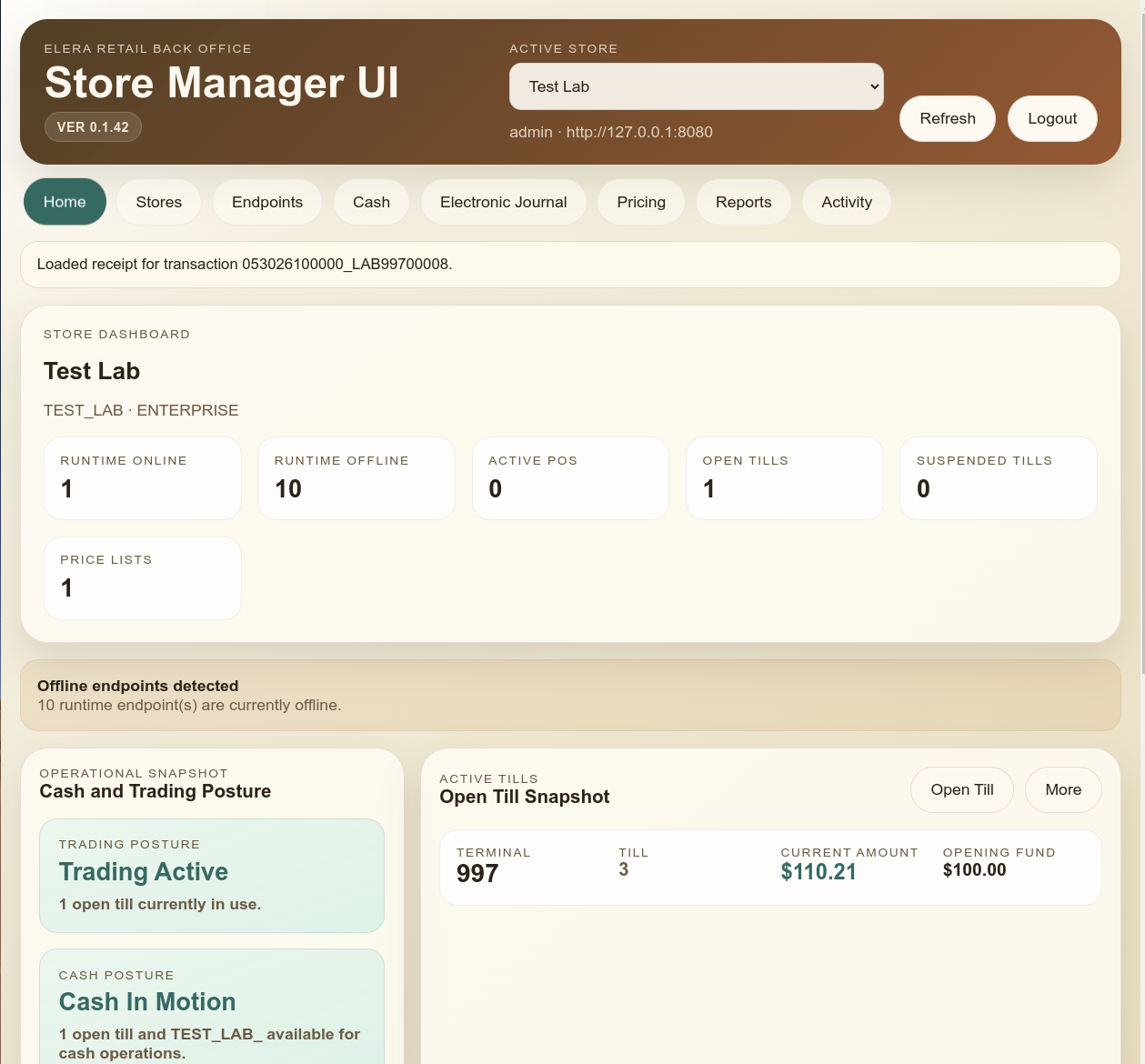
Store dashboard and operating posture
An early store-level overview showing runtime state, open tills, price-list visibility, and operational posture cards.
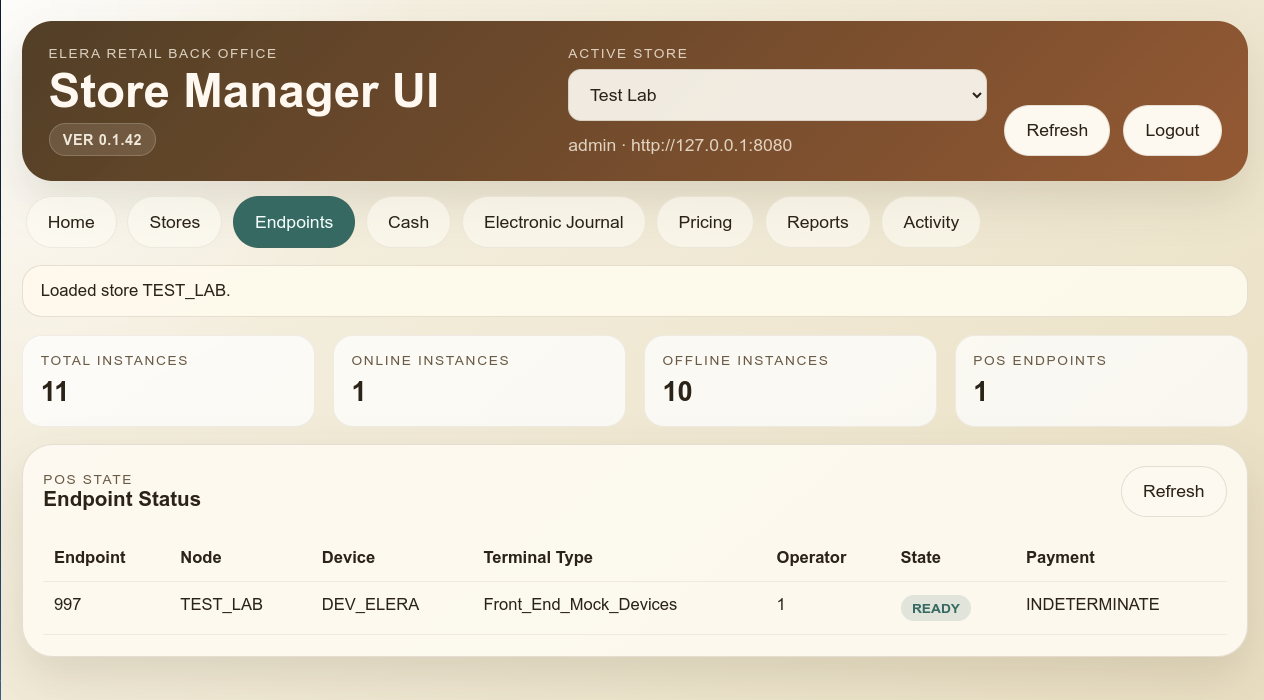
Endpoint visibility
Endpoint status, node association, terminal type, operator, and payment-state context for active store support.
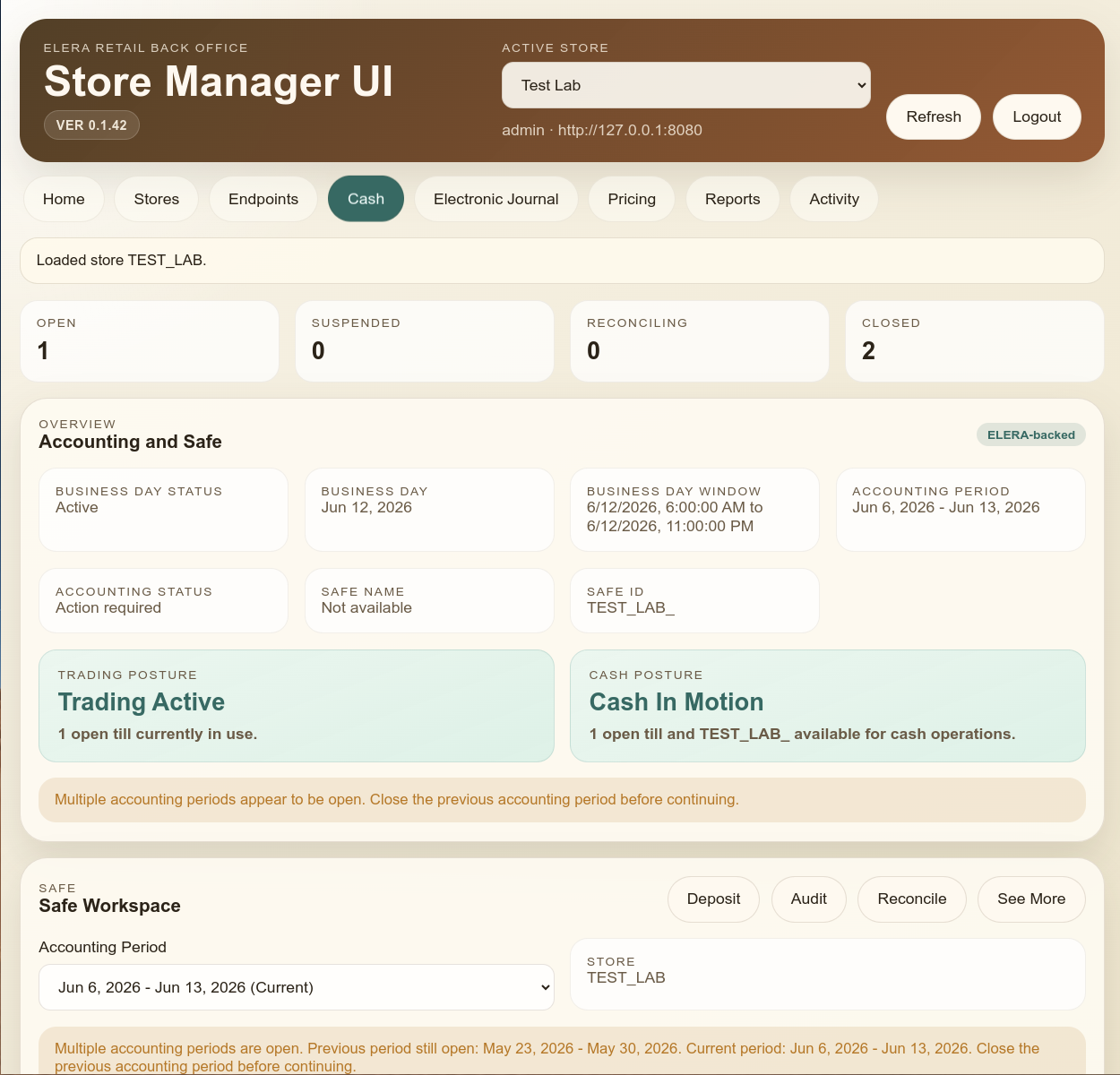
Cash management with safe and till context
An early cash-management view showing accounting posture, business-day context, and safe-workspace navigation.
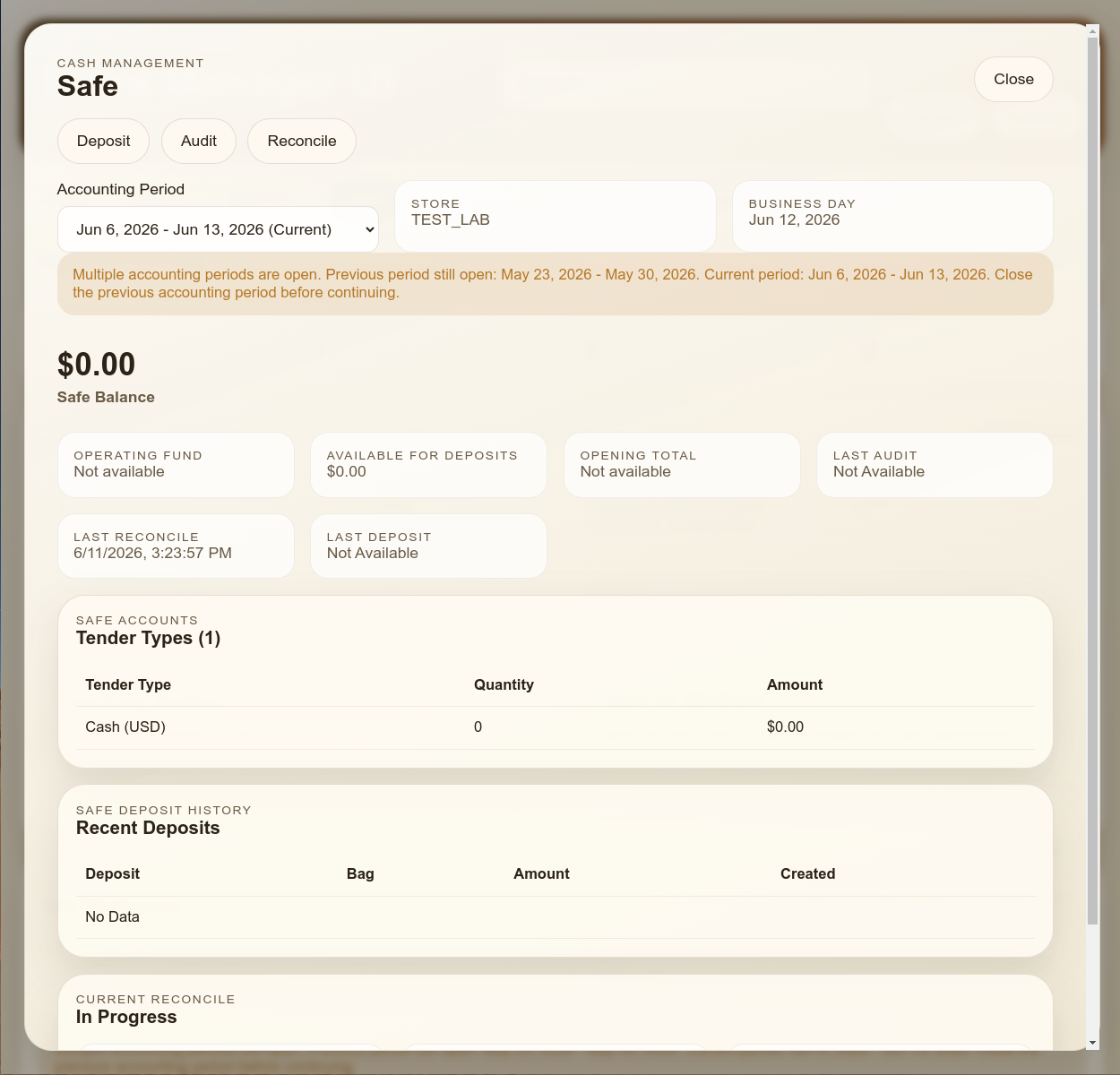
Safe workspace details
The safe workflow direction includes balances, deposit history, reconcile state, and accounting-period controls.
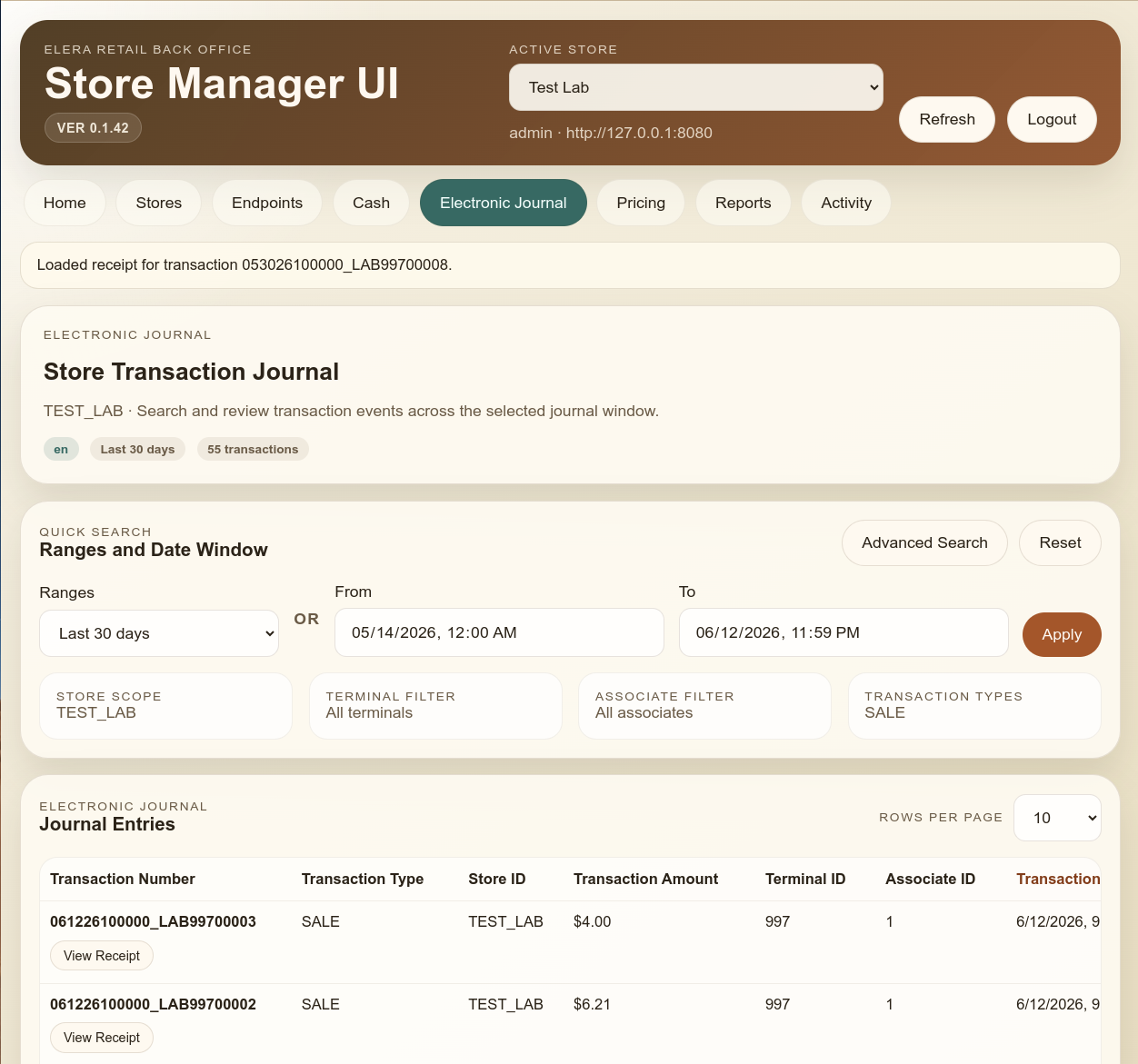
Electronic journal search
The journal direction includes date filters, transaction search, receipt lookup, and store-scoped transaction review.
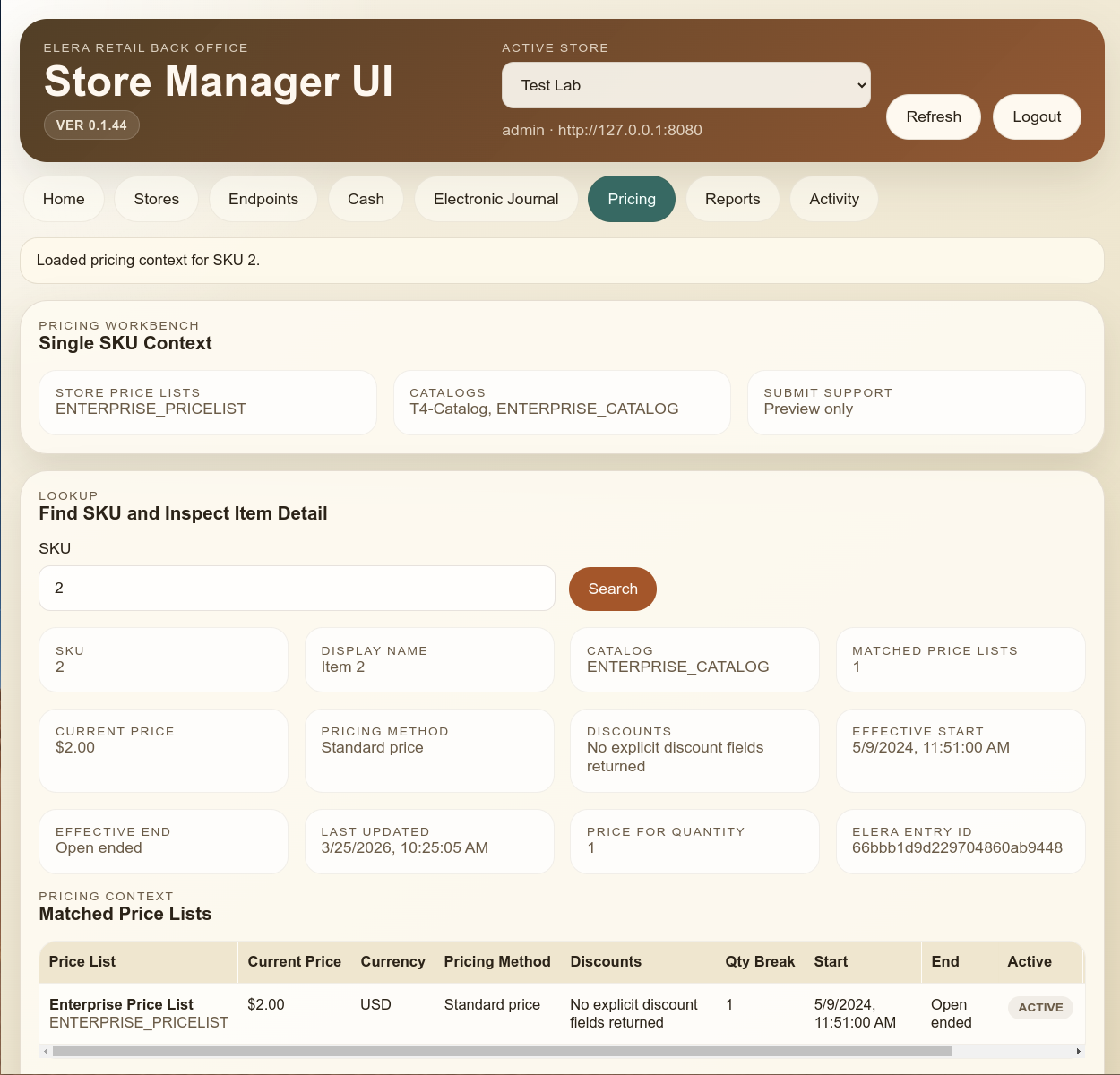
Pricing workbench
The pricing view now lets users inspect a single SKU context with matched price lists, effective dates, pricing method, and catalog context inside Store Manager UI.
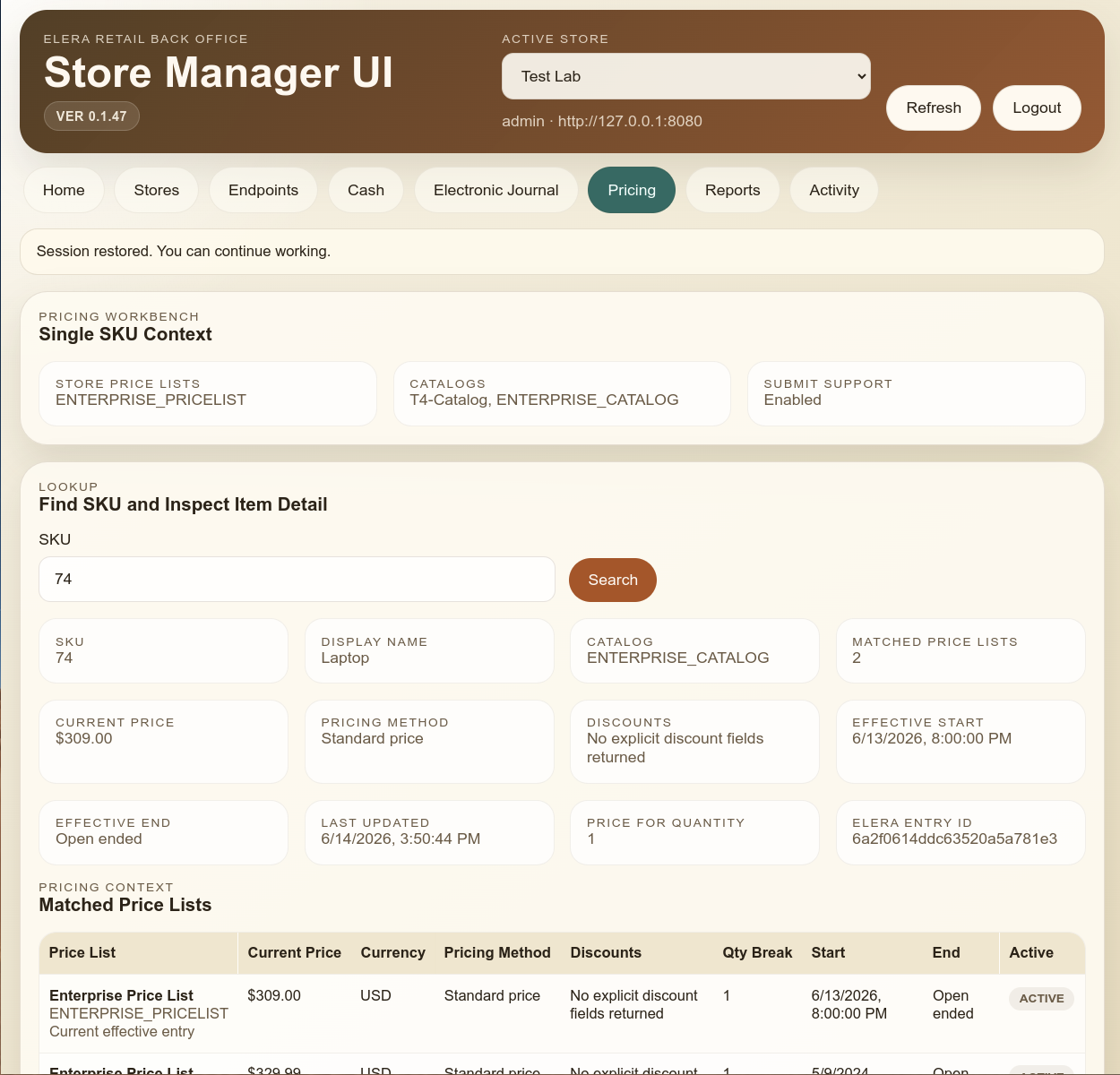
Matched price-list context
The updated pricing workflow shows the matched price lists for a SKU so operators can see current and overlapping entries before preparing a change.
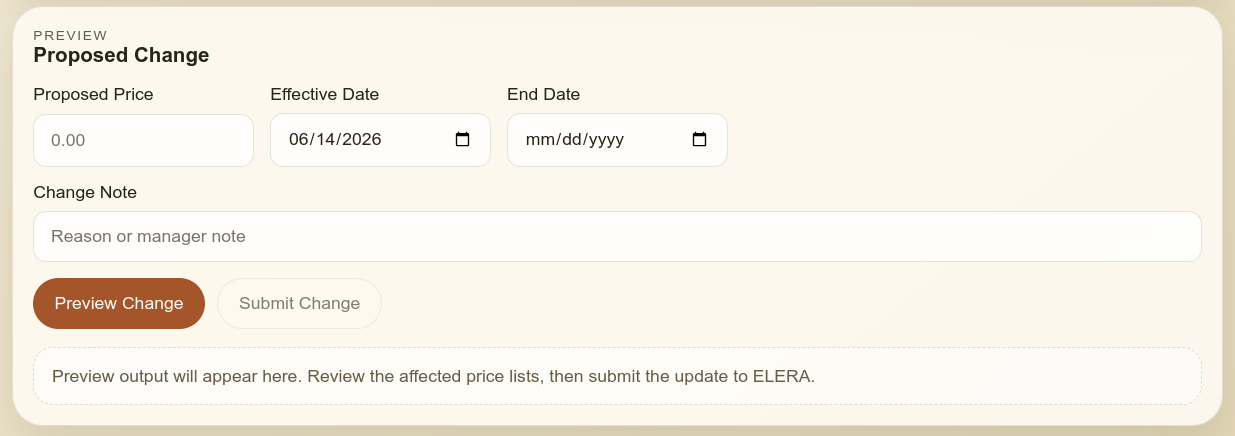
Proposed price change with optional end date
The new proposed-change workflow includes proposed price, effective date, change note, and an optional End Date field when a time-bounded price change is needed.
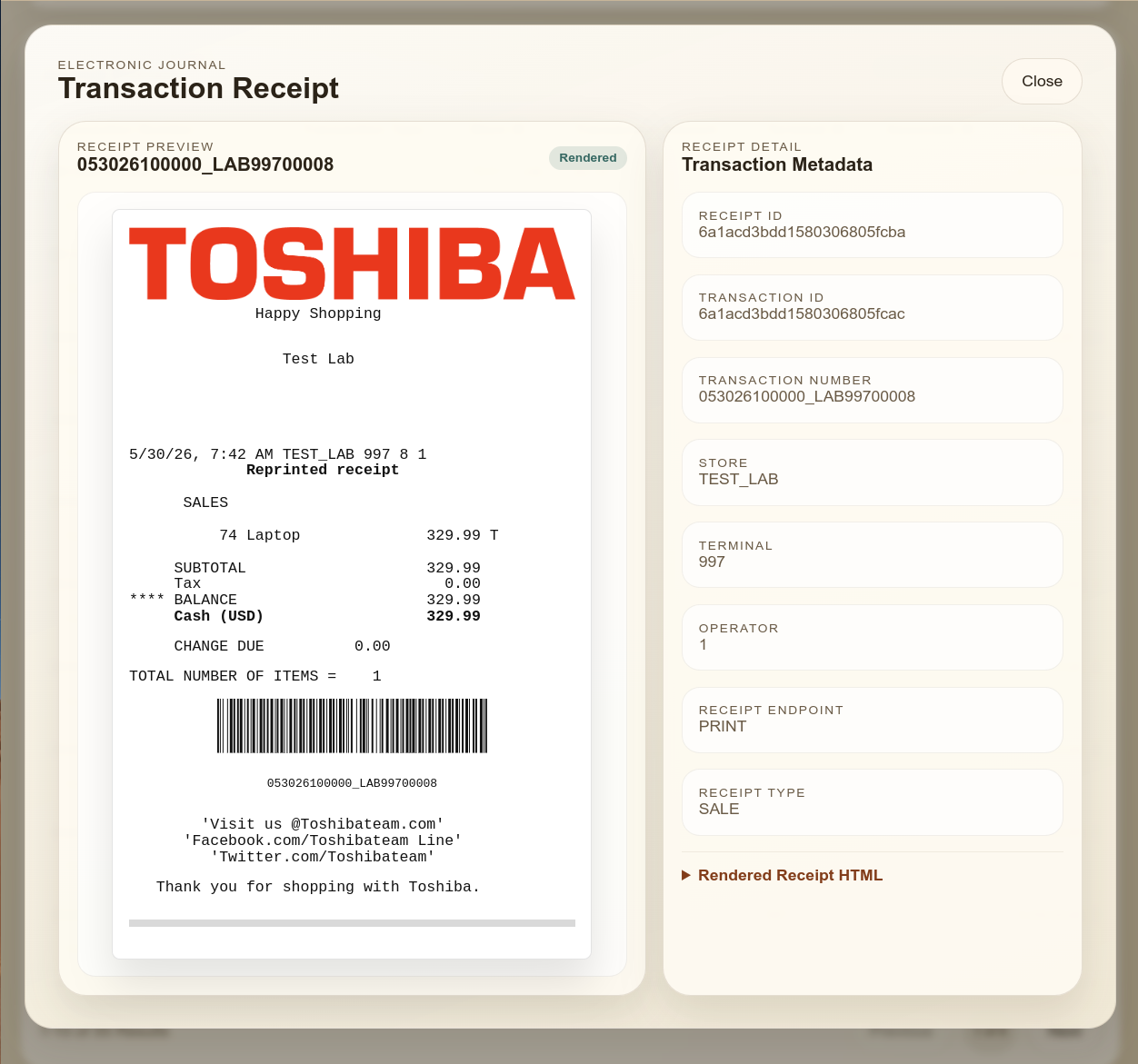
Receipt rendering and transaction detail
The receipt experience shows the direction for transaction-level review, rendered receipt content, and metadata side by side.
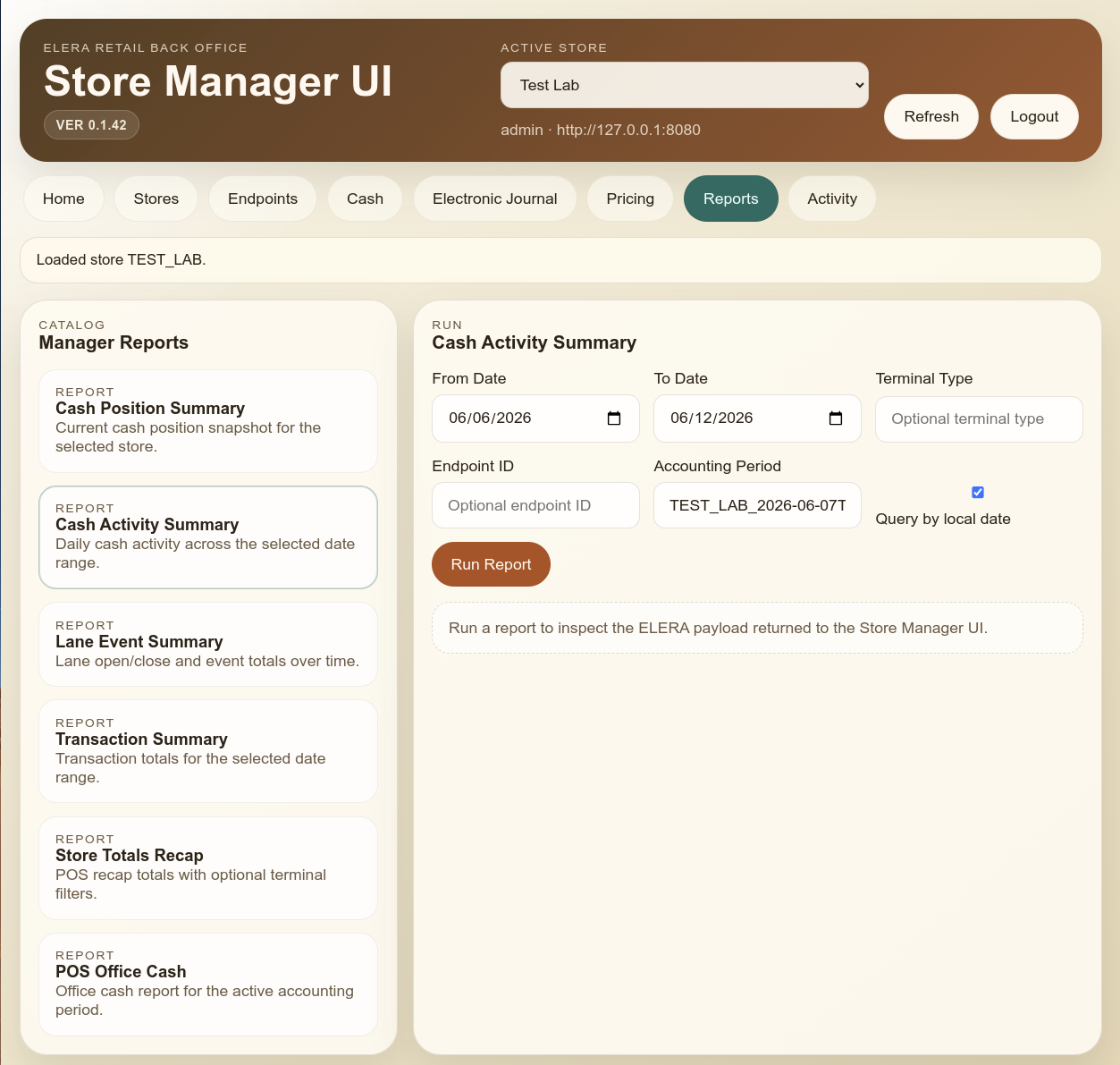
Manager reporting workspace
Early reporting screens show the plan for manager reports such as cash position, daily activity, transaction summaries, and recap views.
Current build direction
This is still being built out. The current screenshots reflect direction and momentum, but REDList is still actively shaping the final workflow depth, navigation, and operational polish.
What is already visible
Back-office shell and store context
Navigation, store selection, dashboard posture, endpoint state, journal search, receipt preview, and report-entry workflows are already taking shape.
Cash workflow direction
Safe and till management is already visible in the current build, including workspace views for deposit, audit, and reconcile.
Reporting and receipt review
Journal, receipt rendering, and manager reporting screenshots show the intended operator-facing workflow style.
Pricing and proposed price changes
The current build now includes pricing context, matched price-list visibility, and proposed price changes with an optional end-date field.
Want early access to Store Manager UI?
REDList is looking for feedback and beta testers while Store Manager UI is still being built out. If you want a closer look at the current direction or want to influence the release, reach out now.